Showing results for attain addtion

Welcome, Florida middle school educators!

Amplify ELA Florida is the program built for Florida middle school teachers and students. We designed the program to help ensure the B.E.S.T standards are covered; the skills are taught; the test is prepped for; and your students are scaffolded and encouraged. We want you to spend your time bringing the text to life, making the classroom hum, and letting every student know you are paying attention to their growth.

Amplify ELA Florida Program Guide

Illustration of a ship with diverse elements including human figures, nature motifs, and space elements on a black background.
A teacher assists two students with a laptop in a classroom, one wearing a hijab, conveying a supportive educational environment.

Instruction matters

Florida’s new standards have been crafted to give your students the B.E.S.T. Amplify ELA Florida’s lessons explore the most compelling aspect of a text and target the standards that best support that analysis through reading, writing, and communication. These key standards are identified as the lesson’s Spotlight benchmark.  Strategic connections are attained in the program through:

  • Florida model texts including rich literature and compelling non-fiction, taught in engaging new ways for today’s learners.
  • Benchmark stacks that build connections within lessons and across units.
  • Foundational instruction that targets key standards and multiple learning modes.
  • Writing that builds directly from reading complex text and is evaluated by Amplify’s Automated Writing Evaluation (AWE).
  • Reading with the B.E.S.T. Modules have been built to guide teachers and students as they begin to work with Florida’s new reading standards, providing an introduction to each grade-level B.E.S.T. Reading Benchmark. (Example module: Grade 6, Understanding Rhetoric)

Knowledge matters

Texts in the Amplify ELA Florida Edition curriculum cover a wide range of topics, themes, and genres with differentiated supports that ensure that all students can work through each reading and lesson. Taken as a whole, the texts show students a diverse picture of the world and help foster a lifelong love of reading. Comprehension develops as students engage with literary and informational text selections that are complex, rich, and meaningful. 

Texts were selected for Amplify ELA Florida Edition using the following criteria: 

  • Text complexity as defined by qualitative, quantitative, and reader and task measurements as required by the B.E.S.T. Standards and the Amplify Text Complexity Index
  • Balance of literary and informational texts
  • Varied representation of genres: novels, plays, poetry, biographies, and other full-length texts
  • Diverse cultures, perspectives, and authors
  • Engaging texts that extend learning and support students as they build knowledge
  • Grade-appropriate texts, with scaffolding and compelling activities to support student engagement with 100% authentic texts
  • A library with more than 700 complete books, both classic and contemporary, encompassing a wide range of genres, topics, and cultural perspectives
Collage featuring a violinist with glowing eyes, a man with a background of space, a robotic arm, a tiger on a grassy knoll, and a city skyline under a starry sky.

Curriculum matters

Amplify ELA Florida is a blended curriculum designed specifically for grades 6–8. The heart of every lesson is the text. Each grade includes six units centered on literary or informational texts, delivered in several forms of media. Your classroom will also benefit from two or three immersive, project-based experiences and a dedicated Story Writing unit.

  • Full B.E.S.T. coverage: Standards are clearly labeled in each lesson, so teachers can save time planning and get back to what they love: teaching. Also included are Benchmark Modules that support teachers’ and students’ introduction to the new standards for Florida.
  • Five levels of differentiation: Based on each student’s needs and the performance measures within Amplify ELA reports, a teacher can choose the differentiation level that’s the right fit for everyone.
  • Embedded Assessments: Teachers benefit from uninterrupted instructional time and a continuously updated picture of each student’s progress with key skills and standards.
  • Powerful feedback tools: Comprehensive tools help teachers maximize both the quantity and quality of feedback.
  • Robust reporting: Our reporting app offers information on student progress to help inform instructional decisions.

All in one place: Embedded teacher support, differentiation tools, student data, text, and other curriculum features—they’re all right there.

Materials

Amplify ELA Florida Edition is a blended curriculum that seamlessly integrates print and digital resources to be used in any learning environment. The resources are designed to facilitate instruction for planning, teaching, learning, and assessment.

Student materials

Available digitally and in print, the student materials guide middle schoolers through complex texts and writing with the following:

  • Student Edition will engage students with high-quality narrative and informational texts.
  • Digital experience will provide videos, a library of more than 700 texts, audio supports, and other online experiences that capture their attention.
A laptop displays a web page titled "read like a movie director, part 1" from amplify ela, featuring text and an eyeball image under the lesson tab.
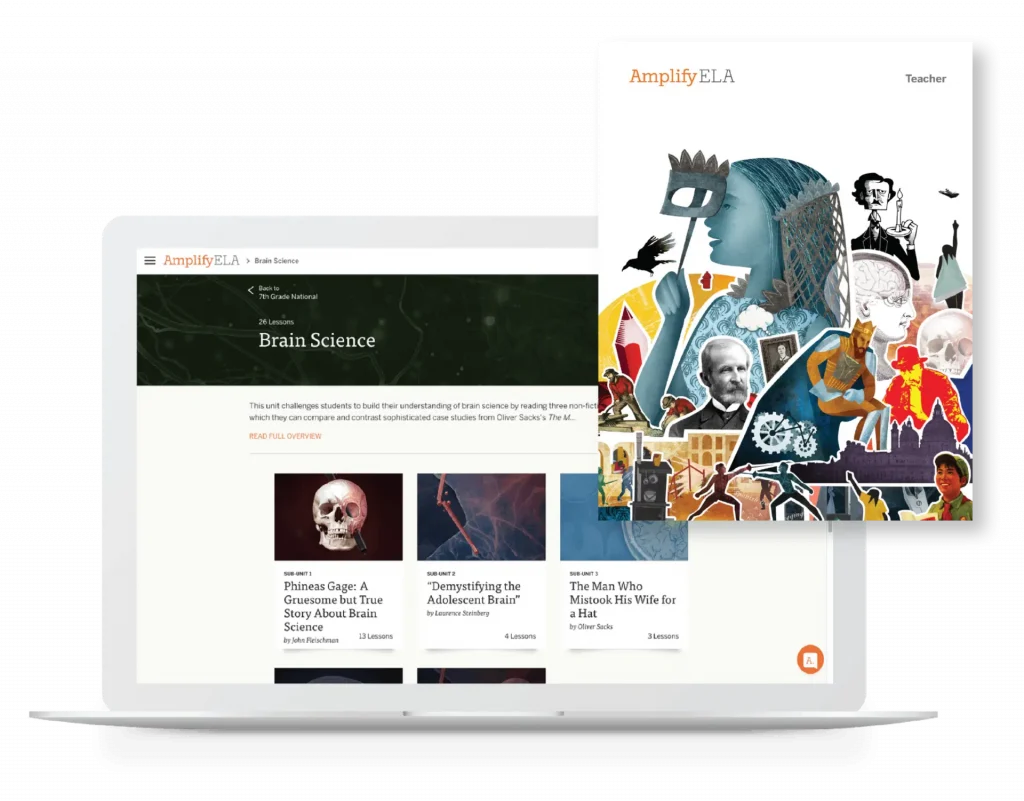
A laptop displaying a webpage from "amplify ela" featuring the title "brain science" and various educational topics alongside an illustrated collage of diverse human figures.

Teacher materials

Available digitally and in print, the Teacher Edition contains all of the information teachers need to facilitate classroom instruction, including:

  • From detailed lesson plans.
  • Video teacher tips embedded in the lesson.
  • B.E.S.T. standards alignment and assessments including exit tickets.
  • Real-time differentiation strategies.
  • Clarify and Compare lessons.
  • Robust reporting.

Professional learning

Amplify employs a national cohort of more than 50 ELA facilitators, all of whom have experience as former classroom teachers and many of whom are former school and/or district leaders. Our professional learning team has decades of experience working with large districts across the nation. Amplify has experience supporting district launches over multiple years and has partnered with districts of all sizes nationwide. We partner deeply with districts and tailor professional learning to their unique needs.

Florida ELA Implementation

Two women are seated at a desk, smiling and working together on a project with a laptop and notebook in an office setting.

Professional development for assessment and intervention programs

Amplify professional development (PD) provides learning experiences that intentionally develop the knowledge and skills you need for effective and self-sustaining implementation.

Learn how to administer and score your assessment and develop a deeper understanding of reporting and instruction by investing in professional development.

Professional Learning Partner Guide Certified Provider

Amplify professional development has been vetted by Rivet Education’s team through a rigorous three-step process and is listed in the Professional Learning Partner Guide.

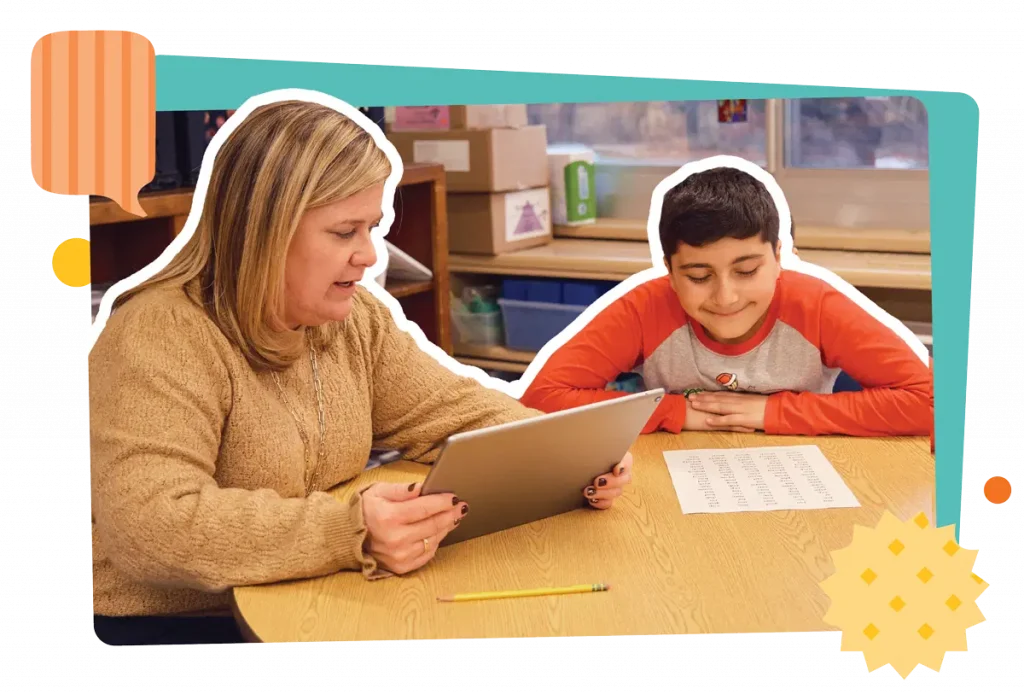
A teacher talks to a student at a desk; two other students, a boy and a girl, are shown smiling and sitting at desks in separate portraits.

About Amplify PD

Change is more likely to stick and get results if you take a systemic approach. Partner with us to do just that by developing a learning plan that will drive your program implementation, enrich your instructional practices, and increase student impact.

Amplify’s professional development is designed to ensure successful, sustained implementation of our programs. Sessions are strategically bundled to provide continuous support, adapting to your K–8 educators’ evolving needs throughout the year.

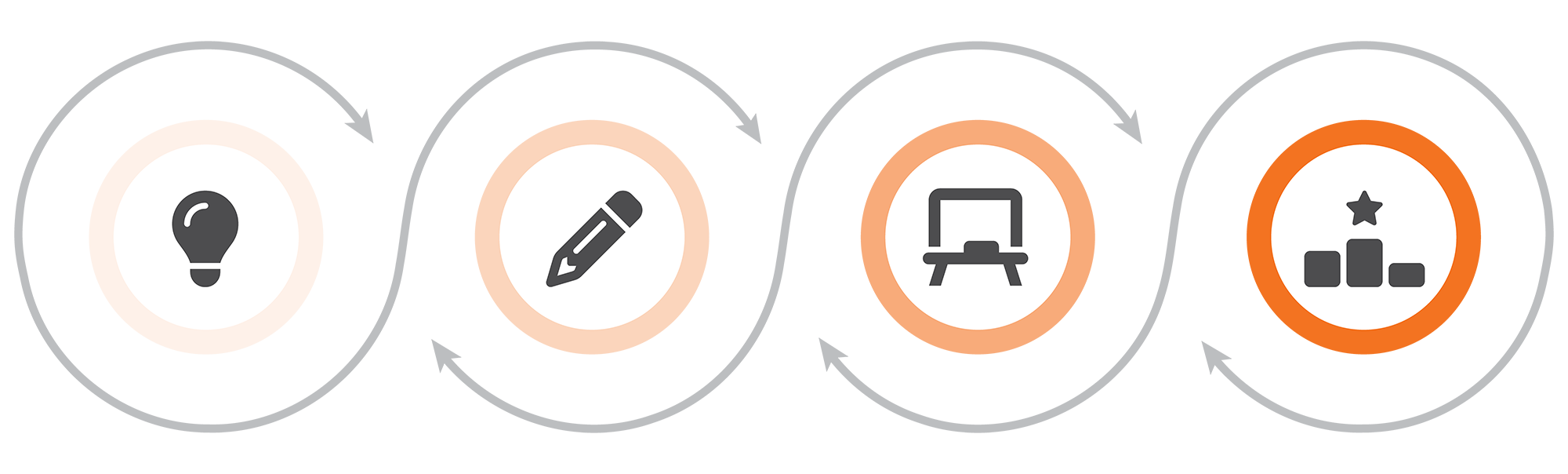
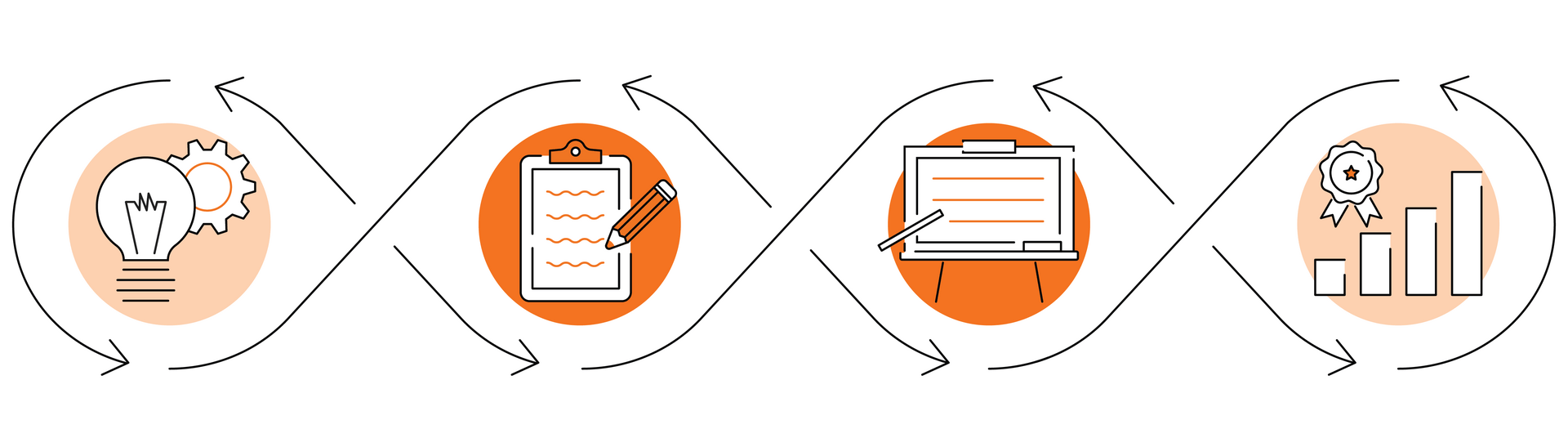
Four circular icons in a row showing a lightbulb, pencil, whiteboard, and podium, connected by arrows in a cycle, representing stages of a process.

Prepare

Begin

Practice

Advance

Program-agnostic sessions will set up educators for success in areas such as the Science of Reading and/or problem-based approaches to math.

Program-aligned packages will support those who are new to Amplify’s programs.

Program-aligned packages will support those who have experience using Amplify’s programs.

Offerings will support advanced implementation, build capacity for instructional leaders, certify in-house trainers to deliver Launch sessions, and more.

Our packages include:

  • Launch sessions: Propel your teachers into the new school year by introducing them to their Amplify program, laying a strong foundation for effective implementation.
  • Strengthen sessions: Enhance implementation with mid-year sessions that target specific instructional practices, providing the support needed to enhance program efficacy.
  • Coach sessions: Provide tailored guidance and support for educators and leaders to address specific needs, refining and advancing their instructional practices.

About Amplify assessment and intervention programs

Amplify’s high-quality programs make it easier for K–8 educators to teach inspiring, impactful lessons that celebrate and develop the brilliance of their students. Equipped with tools that provide robust scaffolding and differentiated instruction, assessment, and intervention, educators gain real-time insights and can provide personalized, actionable plans that support every learner.

Learn how to get the most out of your assessment and intervention program(s) through Amplify’s PD.

Assessment

  • mCLASS® DIBELS® 8th Edition (grades K–8)
  • mCLASS Lectura (grades K–6)
  • mCLASS DIBELS 8th Edition and mCLASS Lectura biliteracy
  • mCLASS Math (grades K–8)

Intervention

  • mCLASS Intervention

We provide PD sessions for all Amplify programs. Contact your account executive to discuss the extended catalog of PD session options or request a quote.

mCLASS Assessments

We’ve created professional development offerings that will help you meet your unique needs this school year. Explore the Begin and Practice packages available for mCLASS DIBELS 8th Edition (K–8), mCLASS Lectura (K–6), and/or mCLASS Math (K–8) by selecting the session titles to learn more.

Please note that mCLASS DIBELS 8th Edition and mCLASS Lectura biliteracy sessions are currently unavailable for the Hybrid 4 and Virtual 4 packages.

Begin packages for mCLASS Literacy

Assessment programs

  On-site package
(9 hours)
Hybrid 9 package
(9 hours)
Hybrid 4 package
(4 hours)
Virtual 9 package
(9 hours)
Virtual 4 package
(4 hours)
  One Launch and Strengthen session per package
Launch sessions
  On-site
6 hr.
On-site or virtual 3 hr. On-site
3 hr.
Virtual
6 hr.
(2 half-days)
Virtual
3 hr.
Administration and instruction essentials for K–8 teachers A large, light peach-colored checkmark on a transparent background. A large, light peach-colored checkmark on a transparent background.   A large, light peach-colored checkmark on a transparent background.  
Administration and scoring training for K–8 teachers
    A large, light peach-colored checkmark on a transparent background.   A large, light peach-colored checkmark on a transparent background.
Administration and reporting training for K–8 leaders     A large, light peach-colored checkmark on a transparent background.   A large, light peach-colored checkmark on a transparent background.
      Virtual
1 hr.
  Virtual
1 hr.
NEW: mCLASS additional assessment measures training for K–3 teachers     A large, light peach-colored checkmark on a transparent background.   A large, light peach-colored checkmark on a transparent background.
NEW: mCLASS Español assessment measures training for K–3 teachers     A large, light peach-colored checkmark on a transparent background.   A large, light peach-colored checkmark on a transparent background.
NEW: mCLASS/mCLASS Español additional assessment measures training for K–3 teachers     A large, light peach-colored checkmark on a transparent background.   A large, light peach-colored checkmark on a transparent background.
Strengthen sessions
  On-site
3 hr.
Virtual 
3 hr.
Virtual
1 hr.
Virtual 
3 hr.
Virtual 
1 hr.
Creating a data-driven classroom for K–8 teachers A large, light peach-colored checkmark on a transparent background. A large, light peach-colored checkmark on a transparent background.   A large, light peach-colored checkmark on a transparent background.  
Building a data-driven culture for K–8 leaders A large, light peach-colored checkmark on a transparent background. A large, light peach-colored checkmark on a transparent background.   A large, light peach-colored checkmark on a transparent background.  
Assessing with fidelity for K–8 teachers
    A large, light peach-colored checkmark on a transparent background.   A large, light peach-colored checkmark on a transparent background.
Reporting and instruction basics for K–8 teachers     A large, light peach-colored checkmark on a transparent background.   A large, light peach-colored checkmark on a transparent background.
Goal setting and growth outcomes for K–8 teachers     A large, light peach-colored checkmark on a transparent background.   A large, light peach-colored checkmark on a transparent background.
Progress monitoring for K–8 teachers     A large, light peach-colored checkmark on a transparent background.   A large, light peach-colored checkmark on a transparent background.
Reporting basics for K–8 leaders
    A large, light peach-colored checkmark on a transparent background.   A large, light peach-colored checkmark on a transparent background.

*Assessment Strengthen sessions should be scheduled after the most recent benchmark window has closed for participants to work with their own data.

Add-on
  On-site or virtual,
3 hr.
On-site,
6 hr.
Self-paced,
online course
Coach session for individual teachers, grade-level teams, PLCs, and/or instructional leaders A large, light peach-colored checkmark on a transparent background. A large, light peach-colored checkmark on a transparent background.  
mCLASS DIBELS 8th Edition/Lectura: Administration and instruction essentials training for teachers     A large, light peach-colored checkmark on a transparent background.
mCLASS DIBELS 8th Edition: Calibration training for teachers     A large, light peach-colored checkmark on a transparent background.
mCLASS DIBELS 8th Edition: Transition training for DDS teachers     A large, light peach-colored checkmark on a transparent background.

Begin: Launch: Administration and instruction essentials for K–8 teachers


On-site or virtual, 6 hours

Dive into the essentials of your mCLASS assessment program. Learn how to administer and score the assessment(s) and leave ready to leverage mCLASS reports and lessons to accelerate data-driven student outcomes.

Session options: mCLASS DIBELS 8th Edition (K–8), mCLASS Lectura (K–6), and/or mCLASS DIBELS 8th Edition/Lectura

Audience: Teachers, instructional staff (maximum 30 participants)

Language: The mCLASS Lectura session is facilitated in English or Spanish.

Begin: Launch: Administration and scoring training for K–8 teachers

On-site or virtual, 3 hours

Learn how to administer and score your mCLASS assessment(s) and leave ready to collect data using standardized guidelines.

Session options: mCLASS DIBELS 8th Edition (K–8), mCLASS Lectura (K–6)

Audience: Teachers, instructional staff (maximum 30 participants)

Language: The mCLASS Lectura session is facilitated in English or Spanish.

Begin: Launch: Administration and reporting training for K–8 leaders

On-site or virtual, 3 hours

Prepare to implement your assessment program(s) at your school site(s). Determine systems-level actions that will ensure assessment fidelity and leave ready to leverage key admin reports to support data-informed decisions.

Session options: mCLASS DIBELS 8th Edition (K–8), mCLASS Lectura (K–6), and/or mCLASS DIBELS 8th Edition/Lectura

Audience: Leaders (maximum 30 participants)

Language: The mCLASS Lectura session is facilitated in English only.

Available July 2026

Begin: Launch: mCLASS additional assessment measures training for K–3 teachers

Virtual, 1 hour

Participants will dive into the essentials of mCLASS Spelling, RAN, Vocabulary, and/or Oral Language and leave ready to administer the assessment to collect data using standardized guidelines.

Session options: mCLASS DIBELS 8th Edition (K–3)

Audience: Teachers, instructional staff (maximum 30 participants)

Available July 2026

Begin: Launch: mCLASS Español assessment measures training for K–3 teachers

Virtual, 1 hour

Participants will dive into the essentials of mCLASS Spelling Español, Vocabulary Español, and/or Oral Language Español and leave ready to administer the assessment to collect data using standardized guidelines.

Session options: mCLASS Lectura (K–3)

Audience: Teachers, instructional staff (maximum 30 participants)

Language: The mCLASS Lectura session is facilitated in English.

Available July 2026

Begin: Launch: mCLASS/mCLASS Español additional assessment measures training for K–3 teachers

Virtual, 1 hour

Participants will dive into the essentials of mCLASS Spelling/Spelling Español, RAN, Vocabulary/Vocabulary Español, and/or Oral Language/Oral Language Español and leave ready to administer the assessment to collect data using standardized guidelines.

Session options: mCLASS DIBELS 8th Edition (K–3) and mCLASS Lectura (K–3)

Audience: Teachers, instructional staff (maximum 30 participants)

Language: The mCLASS Lectura session is facilitated in English or Spanish.

Begin: Strengthen: Creating a data-driven classroom for K–8 teachers

On-site or virtual, 3 hours

Dive deep into mCLASS reports and instructional recommendations to drive stronger student outcomes in your classroom. You will leave ready to leverage mCLASS progress monitoring and grouping tools to support a robust MTSS program.

Session options: mCLASS DIBELS 8th Edition (K–8), mCLASS Lectura (K–6), and/or mCLASS DIBELS 8th Edition/Lectura

Audience: Teachers, instructional staff (maximum 30 participants)

Language: The mCLASS Lectura session is facilitated in English or Spanish.

Begin: Strengthen: Building a data-driven culture for K–8 leaders

On-site or virtual, 3 hours

Cultivate a schoolwide culture of data-driven practices. Use mCLASS reports to drill into key school-level data and leave with a systems-level action plan to drive stronger student and teacher outcomes.

Session options: mCLASS DIBELS 8th Edition (K–8), mCLASS Lectura (K–6), and/or mCLASS DIBELS 8th Edition/Lectura

Audience: Leaders (maximum 30 participants)

Language: The mCLASS Lectura session is facilitated in English only.

Begin: Strengthen Focus: Assessing with fidelity for K–8 teachers

Virtual, 1 hour

Fortify your assessment administration with trainer-led practice targeted to your unique needs.

Session options: mCLASS DIBELS 8th Edition (K–8), mCLASS Lectura (K–6), and/or mCLASS DIBELS 8th Edition/Lectura

Audience: Teachers, instructional staff (maximum 30 participants)

Language: The mCLASS Lectura session is facilitated in English or Spanish.

Begin: Strengthen Focus: Reporting and instruction basics for K–8 teachers

Virtual, 1 hour

Learn how to use mCLASS classroom reporting, instructional tools, and resources to accelerate data-driven student outcomes.

Session options: mCLASS DIBELS 8th Edition (K–8), mCLASS Lectura (K–6), and/or mCLASS DIBELS 8th Edition/Lectura

Audience: Teachers, instructional staff (maximum 30 participants)

Language: The mCLASS Lectura session is facilitated in English or Spanish.

Begin: Strengthen Focus: Goal setting and growth outcomes for K–8 teachers

Virtual, 1 hour

Learn how to use mCLASS Zones of Growth (Zonas de crecimiento for mCLASS Lectura) reports to set meaningful, ambitious, and attainable student goals that drive student progress and growth.

Session options: mCLASS DIBELS 8th Edition (K–8), mCLASS Lectura (K–6), and/or mCLASS DIBELS 8th Edition/Lectura

Audience: Teachers, instructional staff (maximum 30 participants)

Language: The mCLASS Lectura session is facilitated in English or Spanish.

Begin: Strengthen Focus: Progress monitoring for K–8 teachers

Virtual, 1 hour

Implement mCLASS progress monitoring and MTSS best practices to track student progress and accelerate growth.

Session options: mCLASS DIBELS 8th Edition (K–8), mCLASS Lectura (K–6), and/or mCLASS DIBELS 8th Edition/Lectura

Audience: Teachers, instructional staff (maximum 30 participants)

Language: The mCLASS Lectura session is facilitated in English or Spanish.

Begin: Strengthen Focus: Reporting basics for K–8 leaders

Examine your school-level mCLASS benchmark assessment data to identify key levers for improving student outcomes.

Session options: mCLASS DIBELS 8th Edition (K–8), mCLASS Lectura (K–6), and/or mCLASS DIBELS 8th Edition/Lectura

Audience: Leaders (maximum 30 participants)

Language: The mCLASS Lectura session is facilitated in English only.

Coach session

On-site, 6 hours or virtual, 3 hours

Coach sessions focus on building internal school and district capacity and leadership excellence to accelerate data-driven student outcomes for teachers using mCLASS. Coaching is customized to meet a school or district’s needs and can include observations, modeling, real-time coaching, and/or co-planning.

Audience: Individual teachers, grade-level teams, PLCs, and/or instructional leaders (maximum 30 participants)

mCLASS DIBELS 8th Edition/Lectura: Administration and instruction essentials for teachers

Online course, self-paced

Dive into the essentials of your mCLASS assessment program through this on-demand course. Learn how to administer and score the assessment and leave ready to leverage mCLASS reports and lessons to accelerate data-driven student outcomes.

Upon finishing the course, participants can download a certificate of completion. This subscription includes an individual seat to the course, which takes approximately 8 hours to complete. Participants will be able to access and revisit the course as needed for up to one year.

Course options: mCLASS DIBELS 8th Edition, mCLASS Lectura

Audience: Teachers, instructional staff (individual seat)

Available July 2026

mCLASS DIBELS 8th Edition: Calibration training course for teachers

Online course, self-paced

Ensure accuracy and reliability of mCLASS DIBELS 8th Edition test administration through this on-demand course. Review how to administer and score each teacher-administered measure, then calibrate your scoring through scoring mastery checks.

Upon finishing the course, participants can download a certificate of completion. This subscription includes an individual seat to the course, which takes approximately 1–3 hours to complete, depending on learner needs. Participants will be able to access and revisit the course as needed for up to one year.

Course options: mCLASS DIBELS 8th Edition

Audience: Teachers, instructional staff (individual seat)

mCLASS DIBELS 8th Edition: Transition training course for DDS teachers

Online course, self-paced

Prepare to administer and score the DIBELS 8th Edition assessment in the mCLASS platform through this on-demand course. Learn the essentials of your mCLASS assessment program and leave ready to leverage mCLASS reports and lessons to accelerate data-driven student outcomes.

Upon finishing the course, participants can download a certificate of completion. This subscription includes an individual seat to the course, which takes approximately 8 hours to complete. Participants will be able to access and revisit the course as needed for up to one year.

Course options: mCLASS DIBELS 8th Edition

Audience: Teachers, instructional staff (individual seat)

Begin packages for mCLASS Math 2nd Edition

Assessment programs

  On-site package
(6 hours)
Hybrid 6 package
(6 hours)
Hybrid 4 package
(4 hours)
Virtual 6 package
(6 hours)
Virtual 4 package
(4 hours)
  One Launch and Strengthen session per package
Launch sessions
  On-site
3 hr.
On-site
6 hr.
On-site
3 hr.
Virtual
3 hr.
Virtual
3 hr.
mCLASS Math 2nd Edition: Program overview for K–5 or 6–8 teachers A large, light peach-colored checkmark on a transparent background.   A large, light peach-colored checkmark on a transparent background. A large, light peach-colored checkmark on a transparent background. A large, light peach-colored checkmark on a transparent background.
NEW: mCLASS Math 2nd Edition: Program overview for K–8 leaders A large, light peach-colored checkmark on a transparent background.   A large, light peach-colored checkmark on a transparent background. A large, light peach-colored checkmark on a transparent background. A large, light peach-colored checkmark on a transparent background.
Strengthen sessions
  On-site
3 hr.
Virtual 
3 hr.
Virtual
1 hr.
Virtual 
3 hr.
Virtual 
1 hr.
mCLASS Math 2nd Edition: Student thinking and instructional next steps for K–5 or 68 teachers A large, light peach-colored checkmark on a transparent background. A large, light peach-colored checkmark on a transparent background.   A large, light peach-colored checkmark on a transparent background.  
mCLASS Math 2nd Edition: Leveraging assessment data to strengthen mathematical explanations for K–5 teachers     A large, light peach-colored checkmark on a transparent background.   A large, light peach-colored checkmark on a transparent background.
mCLASS Math and Boost Math: Understanding and using data to plan intervention for K–5 or 6–8 teachers A large, light peach-colored checkmark on a transparent background. A large, light peach-colored checkmark on a transparent background.   A large, light peach-colored checkmark on a transparent background.  
Add-on
mCLASS Math 2nd Edition: Program overview and instructional next steps course for K–5 teachers

Self-paced online course
mCLASS Math 2nd Edition: Program overview and instructional next steps course for 6–8 teachers

Self-paced online course

New

Begin: mCLASS Math: Program overview for K–5 or 6–8 teachers

Available for grades 6–8 teachers July 2026

On-site or virtual, 3 hours

Dive into the essentials of your mCLASS Math assessment program. Learn how these assessments both highlight students’ strengths and help identify what’s next through an asset-based approach. Leave ready to administer assessments and understand reporting.

Audience: Teachers, instructional staff (maximum 30 participants)

New

Begin: mCLASS Math: Program overview for K–5 or 6–8 leaders

Available for grades K–5 and grades 6–8 leaders July 2026

On-site or virtual, 3 hours

Prepare to implement your mCLASS Math assessment program at your school site(s). Determine systems-level actions that will ensure successful assessment administration and leave ready to leverage key admin reports to support data-informed decisions.

Audience: Teachers, instructional staff (maximum 30 participants)

New

Begin: mCLASS Math: Student thinking and instructional next steps for grades K–5 teachers

Available for grades 6–8 teachers Oct. 2026

On-site or virtual, 3 hours

Explore how mCLASS Math helps determine what students know in relation to grade-level content, and how to use data to inform instructional next steps that support, strengthen, and stretch student thinking. Dig into your own student data and leave with actionable next steps that connect directly to the ways your students are thinking about mathematics.

Audience: Teachers, instructional staff (maximum 30 participants)

New

Begin: mCLASS Math + Boost Math: Understanding and using data to plan intervention for grades K–5 or 6–8 teachers

Available for grades K–5 teachers July 2026 and grades 6–8 teachers Oct. 2026

On-site or virtual, 3 hours

Explore how Boost Math uses mCLASS Math data to inform intervention recommendations and monitor student progress. Dig into your student data, explore relevant instructional resources, and leave with actionable next steps for intervention.

Audience: Teachers, instructional staff (maximum 30 participants)

New

Begin: Strengthen Focus: mCLASS Math: Leveraging assessment data to strengthen mathematical explanations for grades K–5 or 6–8 teachers

Available for grades K–5 teachers July 2026 and grades 6–8 teachers Oct. 2026

Virtual, 1 hour

Dig into mCLASS Math to reveal what students understand about mathematical concepts and give them the tools to become more clear and confident communicators in math class.

Audience: Teachers, instructional staff (maximum 30 participants)

Available July 2026

Begin: mCLASS Math 2nd Edition: Program overview and instructional next steps for grades K–5 teachers

Online course, self-paced

Through this self-paced, on-demand online course, participants will dive into the essentials of mCLASS Math K–5 and leave ready to administer the assessment, understand reporting, and take instructional next steps based on the data.

Upon finishing the course, participants can download a certificate of completion. This subscription includes an individual seat to the course, which takes approximately six hours to complete. Participants will be able to access and revisit the course as needed for up to one year.

Course options: mCLASS DIBELS 8th Edition

Audience: Teachers, instructional staff (individual seat)

Available July 2026

Begin: mCLASS Math 2nd Edition: Program overview and instructional next steps for grades 6–8 teachers

Online course, self-paced

Through this self-paced, on-demand online course, participants will dive into the essentials of mCLASS Math 6–8 and leave ready to administer the assessment, understand reporting, and take instructional next steps based on the data.

Upon finishing the course, participants can download a certificate of completion. This subscription includes an individual seat to the course, which takes approximately six hours to complete. Participants will be able to access and revisit the course as needed for up to one year.

Course options: mCLASS DIBELS 8th Edition

Audience: Teachers, instructional staff (individual seat)

Practice packages for mCLASS Literacy

  On-site package
(6 hours)
Virtual 6 package
(6 hours)
Virtual 4 package
(4 hours)
Virtual 2 package
(2 hours)
Two Strengthen sessions per package
Strengthen session titles*
  On-site
3 hr.
Virtual
3 hr.
Virtual
3 hr. and 1 hr.
Virtual
1 hr.
Creating a data-driven classroom for K–8 teachers A large, light peach-colored checkmark on a transparent background. A large, light peach-colored checkmark on a transparent background. A large, light peach-colored checkmark on a transparent background.  
Building a data-driven culture for K–8 leaders A large, light peach-colored checkmark on a transparent background. A large, light peach-colored checkmark on a transparent background. A large, light peach-colored checkmark on a transparent background.  
Assessing with fidelity for K–8 teachers     A large, light peach-colored checkmark on a transparent background. A large, light peach-colored checkmark on a transparent background.
Reporting and instruction basics for K–8 teachers     A large, light peach-colored checkmark on a transparent background. A large, light peach-colored checkmark on a transparent background.
Progress monitoring for K–8 teachers     A large, light peach-colored checkmark on a transparent background. A large, light peach-colored checkmark on a transparent background.
Goal setting and growth outcomes for K–8 teachers     A large, light peach-colored checkmark on a transparent background. A large, light peach-colored checkmark on a transparent background.
Reporting basics for K–8 leaders      A large, light peach-colored checkmark on a transparent background. A large, light peach-colored checkmark on a transparent background.
NEW: mCLASS DIBELS 8 additional assessment measures training for K–8 teachers       A large, light peach-colored checkmark on a transparent background.
NEW: mCLASS Español assessment measures training for K–8 teachers       A large, light peach-colored checkmark on a transparent background.
NEW: mCLASS DIBELS 8 and mCLASS Lectura additional assessment measures training for K–8 teachers       A large, light peach-colored checkmark on a transparent background.

*Assessment Strengthen sessions should be scheduled after the most recent benchmark window has closed for participants to work with their own data.

Add-on
  On-site or virtual, 3 hr. On-site, 6 hr. Self-paced, online course
Coach session for individual teachers, grade-level teams, PLCs, and/or instructional leaders A large, light peach-colored checkmark on a transparent background. A large, light peach-colored checkmark on a transparent background.  
mCLASS DIBELS 8th Edition and Amplify CKLA 3rd Edition: Data-driven instruction for K–5 teachers A large, light peach-colored checkmark on a transparent background.    
mCLASS DIBELS 8th Edition and mCLASS Lectura: Administration and instruction essentials training for teachers     A large, light peach-colored checkmark on a transparent background.
mCLASS DIBELS 8th Edition: Calibration training for teachers     A large, light peach-colored checkmark on a transparent background.
mCLASS DIBELS 8th Edition: Transition training for DDS teachers     A large, light peach-colored checkmark on a transparent background.

Practice: Creating a data-driven classroom for K–8 teachers

On-site or virtual, 3 hours

Dive deep into mCLASS reports and instructional recommendations to drive stronger student outcomes in your classroom. You will leave ready to leverage mCLASS progress monitoring and grouping tools to support a robust MTSS program.

Session options: mCLASS DIBELS 8th Edition (K–8), mCLASS Lectura (K–6), and/or mCLASS DIBELS 8th Edition/Lectura

Audience: Teachers, instructional staff (maximum 30 participants)

Language: The mCLASS Lectura session is facilitated in English or Spanish.

Practice: Building a data-driven culture for K–8 leaders

On-site or virtual, 3 hours

Cultivate a schoolwide culture of data-driven practices. Use mCLASS reports to drill into key school-level data and leave with a systems-level action plan to drive stronger student and teacher outcomes.

Session options: mCLASS DIBELS 8th Edition (K–8), mCLASS Lectura (K–6), and/or mCLASS DIBELS 8th Edition/Lectura

Audience: Leaders (maximum 30 participants)

Language: The mCLASS Lectura session is facilitated in English only.

Practice: Strengthen Focus: Assessing with fidelity for K–8 teachers

Virtual, 1 hour

Fortify your mCLASS DIBELS 8th Edition assessment administration with trainer-led practice targeted to your unique needs.

Session options: mCLASS DIBELS 8th Edition (K–8), mCLASS Lectura (K–6), and/or mCLASS DIBELS 8th Edition/Lectura

Audience: Teachers, instructional staff (maximum 30 participants)

Language: The mCLASS Lectura session is facilitated in English or Spanish.

Practice: Strengthen Focus: Reporting and instruction basics for K–8 teachers

Virtual, 1 hour

Learn how to use mCLASS classroom reporting, instructional tools, and resources to accelerate data-driven student outcomes.

Session options: mCLASS DIBELS 8th Edition (K–8), mCLASS Lectura (K–6), and/or mCLASS DIBELS 8th Edition/Lectura

Audience: Teachers, instructional staff (maximum 30 participants)

Language: The mCLASS Lectura session is facilitated in English or Spanish.

Practice: Strengthen Focus: Progress monitoring for K–8 teachers

Virtual, 1 hour

Implement mCLASS progress monitoring and MTSS best practices to track student progress and accelerate growth.

Session options: mCLASS DIBELS 8th Edition (K–8), mCLASS Lectura (K–6), and/or mCLASS DIBELS 8th Edition/Lectura

Audience: Teachers, instructional staff (maximum 30 participants)

Language: The mCLASS Lectura session is facilitated in English or Spanish.

Practice: Goal setting and growth outcomes for K–8 teachers

Virtual, 1 hour

Learn how to use mCLASS Zones of Growth (Zonas de crecimiento for mCLASS Lectura) reports to set meaningful, ambitious, and attainable student goals that drive student progress and growth.

Session options: mCLASS DIBELS 8th Edition (K–8), mCLASS Lectura (K–6), and/or mCLASS DIBELS 8th Edition/Lectura

Audience: Teachers, instructional staff (maximum 30 participants)

Language: The mCLASS Lectura session is facilitated in English or Spanish.

Practice: Reporting basics for K–8 leaders

Virtual, 1 hour

Examine your school-level mCLASS benchmark assessment data to identify key levers for improving student outcomes.

Session options: mCLASS DIBELS 8th Edition (K–8), mCLASS Lectura (K–6), and/or mCLASS DIBELS 8th Edition/Lectura

Audience: Leaders (maximum 30 participants)

Language: The mCLASS Lectura session is facilitated in English.

Available July 2026

Practice: Strengthen Focus: mCLASS DIBELS 8th Edition additional assessment measures training for K–8 teachers

Virtual, 1 hour

Participants will dive into the essentials of mCLASS Spelling, RAN, Vocabulary, and/or Oral Language and leave ready to administer the assessment to collect data using standardized guidelines.

Session options: mCLASS DIBELS 8th Edition (K–8)

Audience: Leaders (maximum 30 participants)

Available July 2026

Practice: Strengthen Focus: mCLASS Español assessment measures training for K–8 teachers

Virtual, 1 hour

Participants will dive into the essentials of mCLASS Spelling Español, Vocabulary Español, and/or Oral Language Español and leave ready to administer the assessment to collect data using standardized guidelines.

Session options: mCLASS Lectura (K–6)

Audience: Teachers, instructional staff (maximum 30 participants)

Language: The mCLASS Lectura session is facilitated in English.

Available July 2026

Practice: Strengthen Focus: mCLASS DIBELS 8th Edition and mCLASS Lectura additional assessment measures training for K–8 teachers

Virtual, 1 hour

Participants will dive into the essentials of mCLASS Spelling/Spelling Español, RAN, Vocabulary/Vocabulary Español, and/or Oral Language/Oral Language Español and leave ready to administer the assessment to collect data using standardized guidelines.

Session options: mCLASS DIBELS 8th Edition (K–8) and mCLASS Lectura (K–6)

Audience: Teachers, instructional staff (maximum 30 participants)

Language: The mCLASS Lectura session is facilitated in English or Spanish.

Add on: Coach session

On-site, 6 hours or virtual, 3 hours

Coach sessions focus on building internal school and district capacity and leadership excellence to accelerate data-driven student outcomes for teachers using mCLASS. Coaching is customized to meet a school or district’s needs and can include observations, modeling, real-time coaching, and/or co-planning.

Audience: Individual teachers, grade-level teams, PLCs, and/or instructional leaders (maximum 30 participants)

Available October 2026

Add on: mCLASS DIBELS 8th Edition and Amplify CKLA 3rd Edition: Data-driven instruction for K–5 teachers

On-site or virtual, 3 hours

Dive deep into mCLASS reports and instructional recommendations to drive instructional decisions in Amplify CKLA and stronger student outcomes in your classroom. You will leave ready to leverage mCLASS progress monitoring and grouping tools to support a robust Multi-Tiered System of Supports program with Amplify CKLA as your core instruction.

Course options: mCLASS DIBELS 8th Edition and Amplify CKLA 3rd Edition

Audience: K–2 or 3–5 teachers, instructional staff (maximum 30 participants)

Add on: mCLASS DIBELS 8th Edition and mCLASS Lectura: Administration and instruction essentials for teachers

Online course, self-paced

Dive into the essentials of your mCLASS assessment program through this on-demand course. Learn how to administer and score the assessment and leave ready to leverage mCLASS reports and lessons to accelerate data-driven student outcomes.

Upon finishing the course, participants can download a certificate of completion. This subscription includes an individual seat to the course, which takes approximately eight hours to complete. Participants will be able to access and revisit the course as needed for up to one year.

Course options: mCLASS DIBELS 8th Edition, mCLASS Lectura

Audience: Teachers, instructional staff (individual seat)

Available July 2026

Add on: mCLASS DIBELS 8th Edition: Calibration training course for teachers

Online course, self-paced

Ensure accuracy and reliability of mCLASS DIBELS 8th Edition test administration through this on-demand course. Review how to administer and score each teacher-administered measure, then calibrate your scoring through scoring mastery checks.

Upon finishing the course, participants can download a certificate of completion. This subscription includes an individual seat to the course, which takes approximately 1–3 hours to complete, depending on learner needs. Participants will be able to access and revisit the course as needed for up to one year.

Course options: mCLASS DIBELS 8th Edition

Audience: Teachers, instructional staff (individual seat)

Available July 2026

Add on: mCLASS DIBELS 8th Edition: Transition training course for DDS teachers

Online course, self-paced

Prepare to administer and score the DIBELS 8th Edition assessment in the mCLASS platform through this on-demand course. Learn the essentials of your mCLASS assessment program and leave ready to leverage mCLASS reports and lessons to accelerate data-driven student outcomes.

Upon finishing the course, participants can download a certificate of completion. This subscription includes an individual seat to the course, which takes approximately eight hours to complete. Participants will be able to access and revisit the course as needed for up to one year.

Course options: mCLASS DIBELS 8th Edition

Audience: Teachers, instructional staff (individual seat)

Amplify intervention PD sessions

Each intervention program offers Launch and Coach sessions for up to 30 participants per program for year one and beyond. Our interactive sessions are available on-site or virtually, empowering teachers and leaders anywhere with the tools and skills they need to inspire all students to think deeply, creatively, and for themselves.

mCLASS Intervention

mCLASS Intervention is a staff-led Tier 2 and Tier 3 reading intervention program that does the heavy lifting of data analysis and lesson sequencing, freeing up teachers to teach the reading skills each student needs. View the table and select the session title to learn more about each mCLASS Intervention PD session.

  On-site or virtual sessions
6 hr.
Self-paced course
Launch sessions
Initial training for K–6 interventionists and intervention coordinators A large, light peach-colored checkmark on a transparent background.  
Initial training for K–6 interventionists and intervention coordinators   A large, light peach-colored checkmark on a transparent background. 

Coach sessions

  On-site sessions
6 hr.
On-site or virtual sessions
3 hr.
Coach session
 
Coach session
 

Launch

Propel your teachers into the new school year with sessions that introduce them to their Amplify program(s) and support a strong implementation.

Initial training for K–6 interventionists and intervention coordinators

On-site or virtual, 6 hours

In part 1 of this training, interventionists and intervention coordinators will prepare to deliver mCLASS Intervention lessons and learn how to administer the diagnostic and progress monitoring measures. In part 2, intervention coordinators will learn the essentials of coordinating mCLASS Intervention and leave ready to implement the program at their school site.

Audience: Teachers, instructional staff, intervention coordinators (maximum 30 participants)

Initial training course for K–6 interventionists and intervention coordinators

Online course, self-paced

Prepare to deliver mCLASS Intervention lessons and learn how to administer the diagnostic and progress monitoring measures through this on-demand course. Intervention coordinators will additionally learn the essentials of coordinating mCLASS Intervention to support implementation at their school site.

Upon finishing the course, participants can download a certificate of completion. This subscription includes an individual seat to the course, which takes approximately three hours to complete. Participants will be able to access and revisit the course as needed for up to one year.

Audience: Teachers, instructional staff (individual seat)

Coach

Support teachers and leaders with learning experiences tailored to meet their specific needs.

Coach session

On-site, 6 hours

Coach sessions focus on building internal school and district capacity and leadership excellence to accelerate data-driven student outcomes for teachers using mCLASS Intervention. Coaching is customized to meet a school or district’s needs and can include observations, modeling, real-time coaching, and/or co-planning.

Audience: Individual teachers, grade-level teams, PLCs, and/or instructional leaders (maximum 30 participants)

Coach session

On-site or virtual, 3 hours

Coach sessions focus on building internal school and district capacity and leadership excellence to accelerate data-driven student outcomes for teachers using mCLASS Intervention. Coaching is customized to meet a school or district’s needs and can include observations, modeling, real-time coaching, and/or co-planning.

Audience: Individual teachers, grade-level teams, PLCs, and/or instructional leaders (maximum 30 participants)

Additional assessment and intervention programs

Additional sessions and online courses are also available for other mCLASS programs (Paper DIBELS 8th Edition and mCLASS Intervention Universal).

To learn more about enhancing your Amplify experience by purchasing other mCLASS programs and/or accompanying PD sessions, please contact your account executive.

Contact us

Professional development for assessment and intervention programs

Amplify professional development (PD) provides learning experiences that intentionally develop the knowledge and skills you need for effective and self-sustaining implementation.

Learn how to administer and score your assessment and develop a deeper understanding of reporting and instruction by investing in professional development.

Amplify professional development has been vetted by Rivet Education’s team through a rigorous three-step process and is listed in the Professional Learning Partner Guide.

About Amplify PD

Change is more likely to stick and get results if you take a systemic approach. As our partner, you’ll develop a learning plan that will drive your program implementation, enrich your instructional practices, and increase student impact.

Amplify’s professional development is designed to ensure successful, sustained implementation of our programs. Through strategically bundled packages, our PD sessions provide continuous support that adapts to your educators’ evolving needs.


Prepare

Begin

Practice

Advance
Program-agnostic sessions will set up educators for success in areas such as the Science of Reading and/or problem-based approaches to math. Program-aligned packages will support those who are new to Amplify’s programs. Program-aligned packages will support those who have experience using Amplify’s programs. Offerings will support advanced implementation, build capacity for instructional leaders, certify in-house trainers to deliver Launch sessions, and more.

Our packages include:

  • Launch sessions: Propel your teachers into the new school year by introducing them to their Amplify program, laying a strong foundation for effective implementation.
  • Strengthen sessions: Boost implementation with mid-year sessions that target specific instructional practices, providing the support needed to enhance program efficacy.
  • Coach sessions: Provide tailored guidance and support for educators and leaders to address specific needs, refining and advancing their instructional practices.

About mCLASS Texas® assessment PD packages:

  • Begin packages: Ideal for the first year of implementation, these packages help educators transition to evidence-based practices. Each package includes Launch and Strengthen sessions to set the foundation and support the initial phases of program adoption.
    • Format options: On-site, Hybrid, Virtual
    • Components: One Launch session introduces and supports a strong implementation and one Strengthen session deepens understanding of the program.
  • Practice packages: Designed for the second year of implementation and beyond, these packages deepen educators’ knowledge and refine their practice. They focus on continuous improvement, using data to drive instructional decisions and enhance student outcomes.
    • Format options: On-site, Hybrid, Virtual
    • Components: Two Strengthen sessions expand practice and drive outcomes. We recommend enhancement Coach sessions for ongoing support and addressing customized needs.

About mCLASS Intervention PD sessions:

  • Each intervention program offers Launch and Coach sessions for up to 30 participants per program for year one and beyond.
  • Our interactive sessions are available on-site or virtually, empowering teachers and leaders anywhere with the tools and skills they need to inspire all students to think deeply, creatively, and for themselves.

About Amplify assessment and intervention programs

Amplify’s high-quality programs make it easier for educators to teach inspiring, impactful lessons that celebrate and develop the brilliance of their students. Empowering teachers with tools to provide robust scaffolding and differentiated instruction, assessment, and intervention programs take the hassle and guesswork out of assessments with real-time, actionable plans personalized for every learner.

Learn how to get the most out of your assessment and intervention program(s) through Amplify’s PD.

Assessment

  • mCLASS Texas
  • mCLASS Lectura Texas
  • mCLASS Texas + Lectura

Intervention

  • mCLASS Intervention

We provide PD sessions for all Amplify programs. Contact your account executive to discuss the extended catalog of PD session options or request a quote.

mCLASS Texas Assessments

We’ve created professional development offerings that will help you meet your unique needs this school year. Explore the Begin and Practice packages available for mCLASS Texas Edition and mCLASS Lectura Texas by selecting the session titles to learn more.

Please note that mCLASS Texas and mCLASS Texas + Lectura biliteracy sessions are currently unavailable for the Hybrid 4 and Virtual 4 packages.

Begin packages

Assessment programs

  On-site package
(9 hours)
Hybrid 9 package
(9 hours)
Hybrid 4 package
(4 hours)
Virtual 9 package
(9 hours)
Virtual 4 package
(4 hours)
  One Launch and Strengthen session per package
Launch sessions
  On-site
6 hr.
On-site
6 hr.
On-site
3 hr.
Virtual
6 hr.
(2 half-days)
Virtual
3 hr.
Administration and instruction essentials for teachers    
Administration and scoring training for teachers
     
Administration and reporting training for leaders      
Strengthen sessions
  On-site
3 hr.
Virtual 
3 hr.
Virtual
1 hr.
Virtual 
3 hr.
Virtual 
1 hr.
Creating a data-driven classroom for teachers    
Building a data-driven culture for leaders    
Assessing with fidelity for teachers
     
Reporting and instruction basics for teachers      
Goal setting and growth outcomes for teachers      
Progress monitoring for teachers      
Reporting basics for leaders
     

*Assessment Strengthen sessions should be scheduled after the most recent benchmark window has closed for participants to work with their own data.

  Coach session
Suggested enhancements

On-site On-site or virtual
6 hr. 3 hr.

Begin: Administration and instruction essentials for teachers

On-site or virtual, 6 hours

Dive into the essentials of your mCLASS Texas assessment program. Learn how to administer and score the assessment and leave ready to leverage mCLASS Texas reports and lessons to accelerate data-driven student outcomes.

Session options: mCLASS Texas, mCLASS Lectura Texas, and/or mCLASS Texas + Lectura biliteracy

Audience: Teachers, instructional staff (maximum 30 participants)

Language: The mCLASS Lectura Texas session is facilitated in English or Spanish.

Begin: Administration and scoring training for teachers

On-site or virtual, 3 hours

Learn how to administer and score your mCLASS Texas assessment(s) and leave ready to collect data using standardized guidelines.

Session options: mCLASS Texas, mCLASS Lectura Texas, and/or mCLASS Texas + Lectura biliteracy

Audience: Teachers, instructional staff (maximum 30 participants)

Language: The mCLASS Lectura Texas session is facilitated in English or Spanish.

Begin: Administration and reporting training for leaders

On-site or virtual, 3 hours

Prepare to implement your assessment program(s) at your school site(s). Determine systems-level actions that will ensure assessment fidelity and leave ready to leverage key admin reports to support data-informed decisions.

Session options: mCLASS Texas, mCLASS Lectura Texas, and/or mCLASS Texas + Lectura biliteracy

Audience: Leaders (maximum 30 participants)

Language: The mCLASS Lectura Texas session is facilitated in English only.

Begin: Creating a data-driven classroom for teachers

On-site or virtual, 3 hours

Dive deep into mCLASS Texas reports and instructional recommendations to drive stronger student outcomes in your classroom. You will leave ready to leverage mCLASS Texas progress monitoring and grouping tools to support a robust MTSS program.

Session options: mCLASS Texas, mCLASS Lectura Texas, and/or mCLASS Texas + Lectura biliteracy

Audience: Teachers, instructional staff (maximum 30 participants)

Language: The mCLASS Lectura Texas session is facilitated in English or Spanish.

Begin: Building a data-driven culture for leaders

On-site or virtual, 3 hours

Cultivate a schoolwide culture of data-driven practices. Use mCLASS Texas reports to drill into key school-level data and leave with a systems-level action plan to drive stronger student and teacher outcomes.

Session options: mCLASS Texas, mCLASS Lectura Texas, and/or mCLASS Texas + Lectura biliteracy

Audience: Leaders (maximum 30 participants)

Language: The mCLASS Lectura Texas session is facilitated in English only.

Begin: Strengthen Focus: Assessing with fidelity for teachers

Virtual, 1 hour

Fortify your assessment administration with trainer-led practice targeted to your unique needs.

Session options: mCLASS Texas, mCLASS Lectura Texas, and/or mCLASS Texas + Lectura biliteracy

Audience: Teachers, instructional staff (maximum 30 participants)

Language: The mCLASS Lectura Texas session is facilitated in English or Spanish.

Begin: Strengthen Focus: Reporting and instruction basics for teachers

Virtual, 1 hour

Learn how to use mCLASS Texas classroom reporting, instructional tools, and resources to accelerate data-driven student outcomes.

Session options: mCLASS Texas, mCLASS Lectura Texas, and/or mCLASS Texas + Lectura biliteracy

Audience: Teachers, instructional staff (maximum 30 participants)

Language: The mCLASS Lectura Texas session is facilitated in English or Spanish.

Begin: Strengthen Focus: Goal setting and growth outcomes for teachers

Virtual, 1 hour

Learn how to use mCLASS Texas Zones of Growth (Zonas de crecimiento for mCLASS Lectura) reports to set meaningful, ambitious, and attainable student goals that drive student progress and growth.

Session options: mCLASS Texas, mCLASS Lectura Texas, and/or mCLASS Texas + Lectura biliteracy

Audience: Teachers, instructional staff (maximum 30 participants)

Language: The mCLASS Lectura Texas session is facilitated in English or Spanish.

Begin: Strengthen Focus: Progress monitoring for teachers

Virtual, 1 hour

Implement mCLASS progress monitoring and MTSS best practices to track student progress and accelerate growth.

Session options: mCLASS Texas, mCLASS Lectura Texas, and/or mCLASS Texas + Lectura biliteracy

Audience: Teachers, instructional staff (maximum 30 participants)

Language: The mCLASS Lectura Texas session is facilitated in English or Spanish.

Begin: Strengthen Focus: Reporting basics for leaders

Virtual, 1 hour

Examine your school-level mCLASS benchmark assessment data to identify key levers for improving student outcomes.

Session options: mCLASS Texas, mCLASS Lectura Texas, and/or mCLASS Texas + Lectura biliteracy

Audience: Leaders (maximum 30 participants)

Language: The mCLASS Lectura Texas session is facilitated in English only.

Practice packages

  On-site package
(6 hours)
Virtual 6 package
(6 hours)
Virtual 4 package
(4 hours)
Virtual 2 package
(2 hours)
Two Strengthen sessions per package
Strengthen session titles*
  On-site
3 hr.
Virtual
3 hr.
Virtual
3 hr. and 1 hr.
Virtual
1 hr.
Creating a data-driven classroom for teachers  
Building a data-driven culture for leaders
 
Assessing with fidelity for teachers    
Reporting and instruction basics for teachers    
Progress monitoring for teachers
   
Goal setting and growth outcomes for teachers
   
Reporting basics for leaders     

*Assessment Strengthen sessions should be scheduled after the most recent benchmark window has closed for participants to work with their own data.

  Coach session
Suggested enhancements

On-site   On-site or virtual
6 hr.   3 hr.

Practice: Creating a data-driven classroom for teachers

On-site or virtual, 3 hours

Dive deep into mCLASS Texas reports and instructional recommendations to drive stronger student outcomes in your classroom. You will leave ready to leverage mCLASS Texas progress monitoring and grouping tools to support a robust MTSS program.

Session options: mCLASS Texas, mCLASS Lectura Texas, and/or mCLASS Texas + Lectura biliteracy

Audience: Teachers, instructional staff (maximum 30 participants)

Language: The mCLASS Lectura Texas session is facilitated in English or Spanish.

Practice: Building a data-driven culture for leaders

On-site or virtual, 3 hours

Cultivate a schoolwide culture of data-driven practices. Use mCLASS Texas reports to drill into key school-level data and leave with a systems-level action plan to drive stronger student and teacher outcomes.

Session options: mCLASS Texas, mCLASS Lectura Texas, and/or mCLASS Texas + Lectura biliteracy

Audience: Leaders (maximum 30 participants)

Language: The mCLASS Lectura Texas session is facilitated in English only.

Practice: Strengthen Focus: Assessing with fidelity for teachers

Virtual, 1 hour

Fortify your mCLASS Texas Edition assessment administration with trainer-led practice targeted to your unique needs.

Session options: mCLASS Texas, mCLASS Lectura Texas, and/or mCLASS Texas + Lectura biliteracy

Audience: Teachers, instructional staff (maximum 30 participants)

Language: The mCLASS Lectura Texas session is facilitated in English or Spanish.

Practice: Strengthen Focus: Reporting and instruction basics for teachers

Virtual, 1 hour

Learn how to use mCLASS Texas classroom reporting, instructional tools, and resources to accelerate data-driven student outcomes.

Session options: mCLASS Texas, mCLASS Lectura Texas, and/or mCLASS Texas + Lectura biliteracy

Audience: Teachers, instructional staff (maximum 30 participants)

Language: The mCLASS Lectura Texas session is facilitated in English or Spanish.

Practice: Strengthen Focus: Progress monitoring for teachers

Virtual, 1 hour

Implement mCLASS Texas progress monitoring and MTSS best practices to track student progress and accelerate growth.

Session options: mCLASS Texas, mCLASS Lectura Texas, and/or mCLASS Texas + Lectura biliteracy

Audience: Teachers, instructional staff (maximum 30 participants)

Language: The mCLASS Lectura Texas session is facilitated in English or Spanish.

New session for mCLASS Lectura Texas and mCLASS Texas + Lectura biliteracy

Practice: Goal setting and growth outcomes for teachers

Virtual, 1 hour

Learn how to use mCLASS Texas Zones of Growth (Zonas de crecimiento for mCLASS Lectura Texas) reports to set meaningful, ambitious, and attainable student goals that drive student progress and growth.

Session options: mCLASS Texas, mCLASS Lectura Texas, and/or mCLASS Texas + Lectura biliteracy

Audience: Teachers, instructional staff (maximum 30 participants)

Language: The mCLASS Lectura Texas session is facilitated in English or Spanish.

Practice: Reporting basics for leaders

Virtual, 1 hour

Examine your school-level mCLASS Texas benchmark assessment data to identify key levers for improving student outcomes.

Session options: mCLASS Texas, mCLASS Lectura Texas, and/or mCLASS Texas + Lectura biliteracy

Audience: Leaders (maximum 30 participants)

Language: The mCLASS Lectura Texas session is facilitated in English.

Amplify intervention PD sessions

Intervention programs

Each intervention program offers Launch and Coach sessions for up to 30 participants per program for year one and beyond.

mCLASS Texas Intervention

mCLASS Intervention is a staff-led Tier 2 and Tier 3 reading intervention program that does the heavy lifting of data analysis and lesson sequencing, freeing up teachers to teach the reading skills each student needs. View the table and select the session title to learn more about each mCLASS Intervention PD session.

  On-site or virtual sessions
3 hr.
Self-paced course
Launch sessions
Program overview for interventionists  
Program overview for intervention coordinators  
Program overview course for interventionists    

Coach sessions

  On-site sessions
6 hr.
On-site or virtual sessions
3 hr.
Coach session
 
Coach session
 

Launch

Propel your teachers into the new school year with sessions that introduce them to their Amplify program(s) and support a strong implementation.

Program overview for interventionists

On-site or virtual, 3 hours

Prepare to deliver mCLASS Intervention lessons and learn how to administer the diagnostic and progress monitoring measures.

Audience: Teachers, instructional staff (maximum 30 participants)

Program overview for intervention coordinators

On-site or virtual, 3 hours

Intervention coordinators will learn the essentials of coordinating mCLASS Intervention and leave ready to implement the program at their school site.

Audience: Intervention coordinators (maximum 30 participants)

Program overview for interventionists

Online course, self-paced

Prepare to deliver mCLASS Intervention lessons and learn how to administer the diagnostic and progress monitoring measures through this on-demand course. This subscription includes an individual seat to the course, which takes approximately 3 hours to complete. Participants will be able to access and revisit the course as needed for up to one year.

Audience: Teachers, instructional staff (individual seat)

Coach

Support teachers and leaders with learning experiences tailored to meet their specific needs.

Coach session

On-site, 6 hours

Coach sessions focus on building internal school and district capacity and leadership excellence to accelerate data-driven student outcomes for teachers using mCLASS Intervention. Coaching is customized to meet a school or district’s needs and can include observations, modeling, real-time coaching, and/or co-planning.

Audience: Individual teachers, grade-level teams, PLCs, and/or instructional leaders (maximum 30 participants)

Coach session

On-site or virtual, 3 hours

Coach sessions focus on building internal school and district capacity and leadership excellence to accelerate data-driven student outcomes for teachers using mCLASS Intervention. Coaching is customized to meet a school or district’s needs and can include observations, modeling, real-time coaching, and/or co-planning.

Audience: Individual teachers, grade-level teams, PLCs, and/or instructional leaders (maximum 30 participants)

Enhancement options

Enhancement options are available for assessment programs such as:

  • mCLASS Texas
  • mCLASS Lectura Texas

Enhancements can be purchased for all teachers/leaders or a subset of educators.

Enhancement offerings for assessment programs

Add the following session to any assessment or intervention package.

  On-site
6 hr.
Virtual
6 hr.
On-site or virtual
3 hr.
Coach session for individual teachers, grade-level teams, PLCs, and/or instructional leaders
 

Coach session

On-site or virtual, 6 hours; On-site or virtual, 3 hours

Coach sessions focus on building internal school and district capacity and leadership excellence to accelerate data-driven student outcomes for teachers using mCLASS Texas. Coaching is customized to meet a school or district’s needs and can include observations, modeling, real-time coaching, and/or co-planning.

Audience: Individual teachers, grade-level teams, PLCs, and/or instructional leaders (maximum 30 participants)

Online courses

Launch online courses are available for the following assessment programs:

  • mCLASS Texas
  • mCLASS Lectura Texas

Please view the table below for more information.

Online courses for assessment programs

  Self-paced
Online course

Administration and instruction essentials for teachers

Administration and instruction essentials for teachers

Online course, self-paced

Dive into the essentials of your mCLASS Texas assessment program through this on-demand course. Learn how to administer and score the assessment and leave ready to leverage mCLASS Texas reports and lessons to accelerate data-driven student outcomes. This subscription includes an individual seat to the course, which takes approximately 8 hours to complete. Participants will be able to access and revisit the course as needed for up to one year.

Course options: mCLASS Texas, mCLASS Lectura Texas, and/or mCLASS Math

Audience: Teachers, instructional staff (individual seat)

Additional assessment and intervention programs

Additional sessions and online courses are available for other mCLASS programs (mCLASS Express, mCLASS Math, and mCLASS Intervention Universal).

To learn more about enhancing your Amplify experience by purchasing other mCLASS Texas programs and/or accompanying PD sessions, contact your account executive.

Contact us

We’re here to provide answers and guidance as you explore your PD options. Fill out the form to connect with us and discover how Amplify PD can enhance your educational journey.

Early literacy assessment and intervention, grounded in the Science of Reading

mCLASS® is an all-in-one system for Science of Reading-based universal screening, dyslexia screening, progress monitoring, and instruction for grades K–8. Powered by DIBELS® 8th Edition, mCLASS helps you measure and strengthen the foundational skills that all students need to become confident readers.

What is mCLASS?

mCLASS, the only digital provider of DIBELS 8th edition assessments, provides universal screening, dyslexia screening and progress monitoring to assess your students on their reading trajectory and what skills they need to develop.

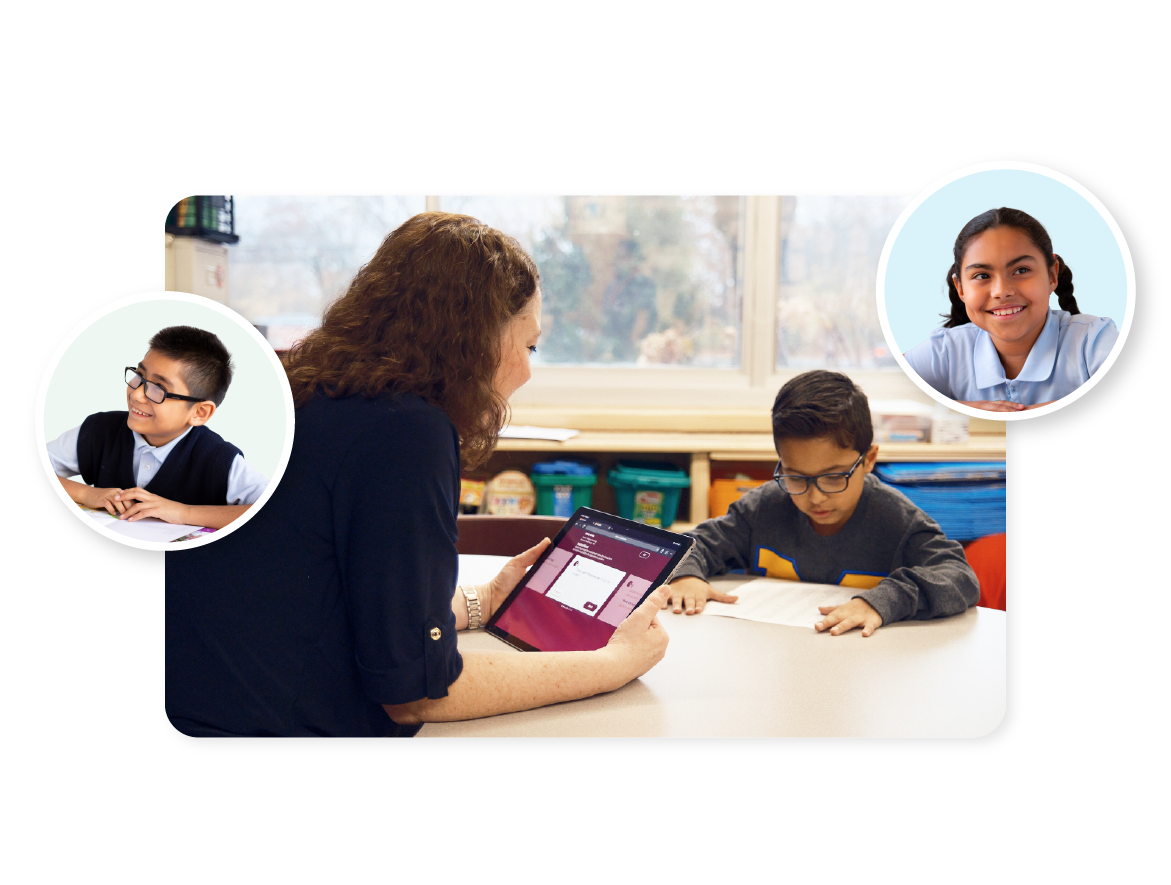
You’ll observe students as they form sounds or read words and text. Then, mCLASS instantly scores and analyzes student response patterns to provide you with diagnostic data and instructional focus for each student and group.

With mCLASS, you’ll have everything you need to support every type of learner in your classroom, including advanced learners, multilingual learners, and students with signs of dyslexia.

What educators say

“If you’re trying to shift the balance and move into the Science of Reading, mCLASS is going to give you a great way to group kids by skill.”

–Angela

Lufkin Independent School District, Director of Early Childhood Education

What educators say

“Getting the human brain to read is very complex, and mCLASS has helped me problem-solve with my PLC and the strategies I’m using in the classroom.”

Anne

Teacher, Wake County School District, Oakview Elementary School

What educators say

“One of the things that I think the data dashboard has really helped us to do is to work smarter not harder.”

Natalie

Supervisor of Elementary Ed, K-12 Instructional Technology and K-12 ELL, Metuchen School District

Valid and reliable DIBELS 8th Edition assessments

Developed in partnership with the University of Oregon, mCLASS DIBELS 8th Edition is founded on the strongest-ever research base for predicting reading proficiency, including identifying those at risk for dyslexia.

For more than 30 years, the University of Oregon has led the research behind DIBELS (Dynamic Indicators of Basic Early Literacy Skills). mCLASS is the only licensed digital provider of the evidence-based DIBELS 8th Edition assessment. See more of our research.

Our approach

mCLASS provides rich data to help you match Science of Reading-based instruction with your students’ precise needs. You’ll be able to monitor the effectiveness of instruction and make timely decisions when students or classrooms need extra support.

Grounded in the Science of Reading

From phonics to fluency and comprehension, mCLASS assesses the skills that are most critical for students to become successful readers. Once students are assessed, you’ll have the data you need to drive instructional decisions at the classroom, school, and district level.

  • Data you can trust, with teacher-administered assessments
  • Skill-level data aligned with the Science of Reading
  • Data-driven instructional recommendations to support intervention, remediation, and enrichment

Precise, trustworthy data through direct observation

Our approach to assessment is focused on providing you with immediate insights you can trust. Through direct observation of students and detailed reports, including assessment transcripts and diagnostic error patterns, you’ll have total transparency into each student’s performance.

Instant analysis and next steps

With mCLASS, you can interpret and act on data in real time with instant instructional guidance based on benchmark and progress-monitoring results. In one click, teachers can access differentiated skill-based groups and targeted resources to develop students’ foundational literacy skills.

A complete picture of English and Spanish biliteracy

Amplify’s Spanish language assessment, mCLASS Lectura (K–6), works in tandem with DIBELS 8th Edition’s English assessments to highlight areas of growth as students develop into bilingual readers. mCLASS Lectura provides complete parity with English mCLASS assessments, skill coverage, instructional tools, and reporting.

Ready to continue your learning journey?

Help build teacher confidence and improve effectiveness of intervention delivery with mCLASS professional development. Launch sessions help your team get up and running, while Strengthen sessions help teachers go beyond the basics.

Need evidence-based Tier 2 and 3 instruction?

Explore mCLASS Intervention.

Learn more

What’s included

The mCLASS program includes quick assessments of critical reading skills, real-time reporting, and data-driven instructional recommendations.

Efficient one-minute measures

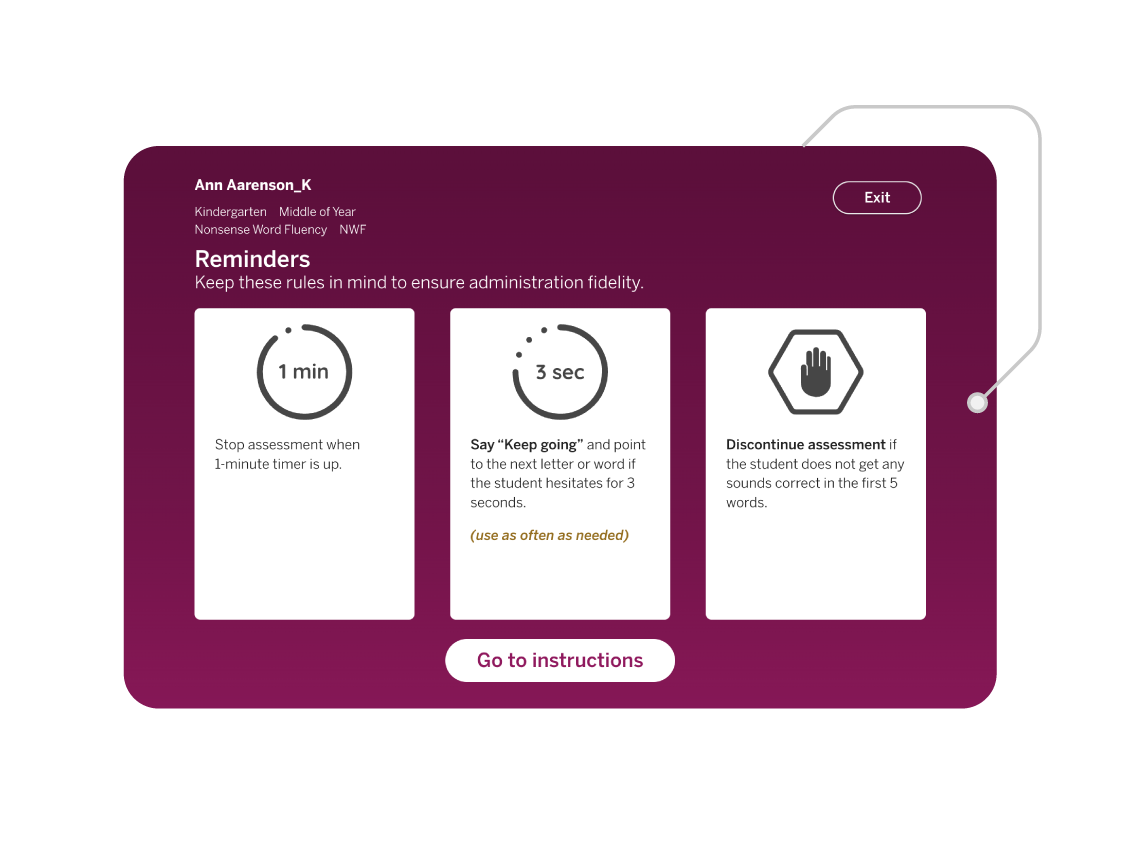
DIBELS 8th Edition’s predictive one-minute assessments of phonemic awareness, phonics, fluency, and comprehension are proven to identify risk as early as possible.

  • Phonological awareness
  • Alphabetic principle/phonics
  • Reading fluency
  • Reading accuracy
  • Reading comprehension

Early detection of dyslexia symptoms

With mCLASS, you can efficiently screen students and assess the full range of skills linked to dyslexia risk factors at the same time. mCLASS DIBELS 8th Edition and mCLASS Lectura are both validated as dyslexia screeners for English and Spanish, with additional Vocabulary, Spelling, RAN, and Language Comprehension measures available at no additional cost.

Learn more about mCLASS’s dyslexia screening.

Progress monitoring and goal setting

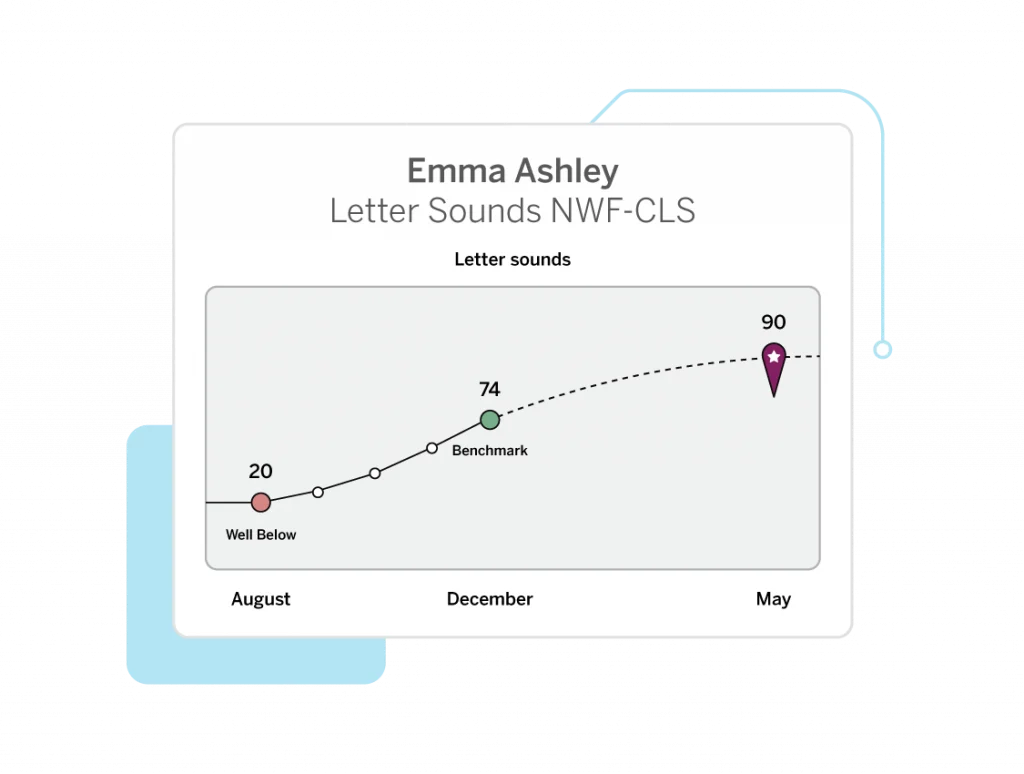
To help you target the right skills and areas of instruction, mCLASS recommends progress-monitoring measures and automatically sets meaningful, attainable goals for each student. Our Zones of Growth goal setting framework examines your student’s DIBELS scores to predict the rate of growth they need to reach end-of-year goals.

  • Automatic progress monitoring recommendations
  • Customizable goals
  • Semester and full-year growth reports

Differentiated instruction for all students

Our library of more than 500 evidence-based activities makes it easy to plan lessons that reinforce your core instruction. The embedded professional development supports consider the varied language backgrounds of all students and provide cross-linguistic transfer and language variety guidance to inform phonological awareness instruction.

One-of-a-kind dual language reporting

When you use mCLASS DIBELS 8th Edition with mCLASS Lectura, you can identify and develop students’ English and Spanish literacy skills regardless of your own Spanish-language proficiency. With the dual language report, you can see a side-by-side view of students’ assessment results and receive instructional guidance based on the data.

Educator and caregiver reports

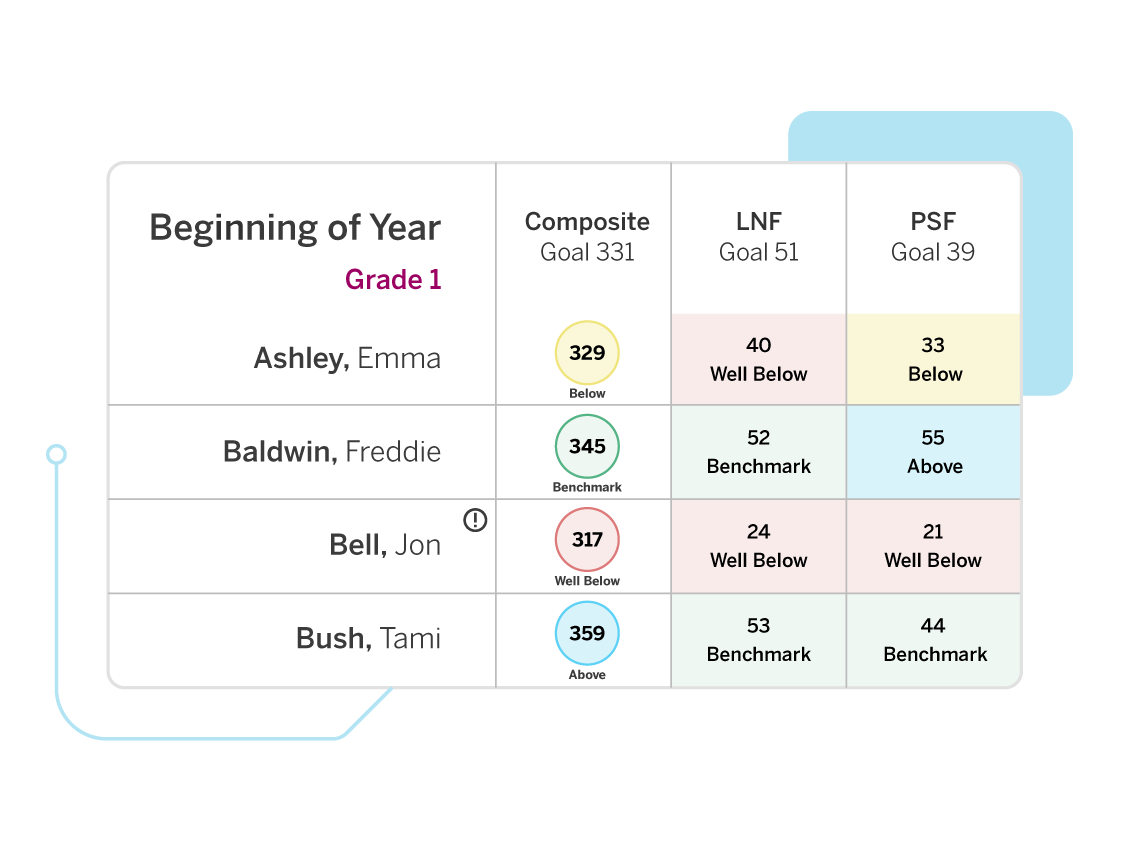
Easy-to-use reports, ranging from classroom-level to school- and district-wide, help you evaluate each student’s reading skills over time and pinpoint exactly when a change in instruction is needed.

To reinforce learning at home, the Home Connect feature provides letters to caregivers about their child’s reading development in English and Spanish, and includes activities for reinforcement at home or on the go.

Learn more about mCLASS reporting.

Instructional alignment across all tiers

Amplify’s early literacy system ensures that you have all the core, intervention, and personalized instruction you need to support each stage of a student’s literacy journey. mCLASS data drives placement into mCLASS Intervention and Boost Reading personalized learning. It also recommends core instruction resources within Amplify CKLA core curriculum based on the skills in which students need additional practice.

Learn why dual language assessment is critical to your MTSS strategy.

Download now

Explore more programs based on the Science of Reading

Our literacy programs are designed to support and complement each other. Learn more about our related programs.

Grade K

Unit 1: Count Sequence and Numbers to 5

Module 1: Represent Numbers to 5 with Objects

Lesson 1: Represent 1 and 2Connecting Cubes
Lesson 2: Represent 3 and 4Skye’s Style
Matching Groups
Designing Shoes With Skye

Unit 2: Count Sequence and Numbers to 10

Module 7: Represent Numbers 6 to 10 with Objects

Module 10: Compare Numbers to 10

Lesson 4: Compare Groups Within 10 by CountingMore, Fewer, or the Same
Fingers and Counters
Lesson 5: Compare Groups Within 10 by MatchingComparing Words
Forest Friends

Module 11: Add To and Take From Within 10

Module 12: Put Together and Take Apart Within 10

Lesson 3: Solve Put Together Problems Within 10How Many Objects in Pictures?
How Will You Count?
What Does It Mean to Add?
Lesson 4: Solve Take Apart Problems Within 10What Does It Mean to Subtract?
Lesson 5: Solve Word Problems Within 10The Bus Depot

Module 13: Ways to Make Numbers to 10

Lesson 4: Ways to Make 10Harry’s Hamster Wheel
Harry Explores Space
Lesson 5: Make 10 From a Given NumberShowing What We Know About 10
Lesson 1: Ways to Make 6 and 7Harry Explores the Ocean

Unit 3: Geometry

Module 14: Analyze and Compare Three-Dimensional Shapes

Module OpenerWhat’s That Shape?
Lesson 5: Build ShapesBuilding Solid Shapes

Module 15: Describe Position of Objects

Module 16: Analyze and Compare Two-Dimensional Shapes

Lesson 7: Compare Two-Dimensional and Three-Dimensional ShapesSo Much Sorting
What’s That Shape Called?
Another Shape

Unit 4: Number and Operations in Base Ten

Module 17: Place Value Foundations-Represent Numbers to 20

Lesson 3: Compose Ten Ones and Some More Ones to 19Investigate: Packing Snacks
Lesson 4: Represent Numbers to 20Getting Ready for the Game
How Many on the Field?
Pass, Shoot, Score

Module 18: Place Value Foundations-Represent Number to 20 with a Written Numeral

Lesson 1: Count and Write 11 to 14Jersey Jam!
Lesson 3: Count and Write 16-19People at the Park

Grade 1

Unit 1: Ways to Add and Subtract

Module 2: Subtraction Strategies

Lesson 2.1: Represent SubtractionPacking a Picnic
Lesson 2.2: Count BackWhat’s the Difference?
Lesson 2.3: Count on to SubtractLeaping Lily Pads!

Module 3: Properties of Operations

Lesson 3.6: Determin Equatl and Not EqualReplanting Huli

Module 4: Apply Addition and Subtraction Relationships

Lesson 4.2: Represent Related FactsSame Number, Different Ways
Lesson 4.3: Identify Related FactsKitten Coaster
Lesson 4.6: Solve for Unknow AddendTutu’s Garden in Maui

Module 5: Understand Add to and Take From Problems

Lesson 5.4: Solve Add To and Take From ProblemsA Community Working Together
Helping Others
Making 10

Module 6: Understand Put Together and Take Apart Problems

Lesson 6.3: Represent Addend and Unknown Problems with Objects and DrawingInvestigate: Let’s Grow!

Module 8: Data

Lesson: 8.2 Represent Data with Picture GraphsShapes Ying Saw

Unit 3: Numbers to 120

Module 10: Count and Represent Numbers

Lesson 10.4: Decompose Numbers in Different WaysInvestigate: Game Points
Lesson 10.5: Represent, Read, and Write Numbers from 100 to 110From Head to Claw
From Wing Tip to Wing Tip
Measuring More Wingspans
Lesson 10.5: Represent, Read, and Write Numbers from 110 to 120From Head to Claw
From Wing Tip to Wing Tip
Measuring More Wingspans

Unit 4: Addition and Subtractoin in Base Ten

Module 12: Understand Addition and Subtraction with Tens and Ones

Lesson 12.1: Representing Adding TensMeeting Yara
It’s a Match
From Park to Table
Lesson 12.3: Add and Subtract TensHow Many Cubes?
Boris’s Thimbles
How Many Tens?

Module 13: Two-Digita Addition and Subtraction

Lesson 13.1: Use Hundred Charts to Show Two-Digit Addtion and Subtraction.Investigate: Squashes at the Playground
Lesson 13.2: Understand and Explain Place Value AdditionTown Helpers
Making Squash Butter

Unit 6: Measurment

Module 16: Fraction Foundations

Lesson 16.1: TAke Apart Two-Dimensional ShapesFair and Square
Lesson 16.2: Identify Equal or Unequal PartsOne of the Parts, All of the Parts
Lesson 16.4: Partition Shapes into FourthsA Bigger Part

Grade 2

Unit 1: Numbers and Data

Module 1: Fluency for Addition and Subtraction Within 20

Lesson 1.5: Use the Make a Ten Strategy to AddExploring Within 10
Ways to Make 10

Module 1: Fluency for Addition and Subtraction Within 21

Lesson 1.6: Use a Tens Fact to SubtractExploring Within 10
Ways to Make 10

Module 2: Equal Groups

Lesson 2.1: Identify Even and Odd NumbersCan You Share?
Is It Even or Odd?
Lesson 2.2: Write Equations to Represent Even NumbersEverybody, Find A Partner!

Module 3: Data

Lesson 3.5: Draw bar graphs to Represent DataAwesome Aquariums

Unit 2: Place Value

Module 4: Understand Place Value

Lesson 4.1: Group Tens as HundredsWhat Makes a Hundred?
Lesson 4.2: Understand Three-Digit NumbersWhat’s the Value?
Lesson 4.4: Represent Numbers with Hundreds, Tens, and OnesMail Call!
What’s Your Name?

Module 5: Read, Write, and Show Numbers to 1000

Lesson 5.3: Different Ways to Write NumbersA New Representation
Lesson 5.4: Different Ways to Show NumbersAll the Ways!

Module 6: Use Place Value

Lesson 6.1: Count Within 1000Investigate
Turtle Hurdle
Lesson 6.5: Use Symbols to Compare NumbersTime to Line Up!

Unit 3: Money and Time

Module 7: Coins

Lesson 7.1: Relate Place Value to CoinsInvestigate
Lesson 7.2 Identify and Find Value of CoinsDiscovering Coins (Part 1)
Lesson 7.3: Compute the Value of Coin CombinationsHow Much Money?
Lesson 7.4: Show Amounts in Different WaysDiscovering Coins (Part 2)
The Toy Stand

Module 8: Dollar Amounts

Lesson 8.3: Solve Problems Involving MoneyThe Craft Stand at the Block Party

Unit 5: Three-Digita Addition and Subtraction

Module 16: Three-Digit Addition

Lesson 16.1: Use Drawing to Represent Three-Digit AdditionThere’s Something About Berries
Lesson 16.2: Decomposte Three-Digit AddendsBaking With Skunk

Unit 6: Measurement

Module 18: Lengths in Inches, Feet, and Yards

Lesson 18.4: Make Line Ploits to Show Measurement DataMessy Measurements
Bracelets and Wristbands

Module 20: Relate Addition and Subtraction to Length

Lesson 20.1: Relate Inches to a Number LineInvestigate
Time to Line Up!
What’s That Number?
Lesson 20.2: Add and Subtract Lengths in InchesLengths of Jungle Animals
Lesson 20.3: Relate Centimeters to a Number LineInvestigate
Time to Line Up!
In Full Bloom

Unit 7: Geometry and Fractions

Module 21: Two- and Three- Dimensional Shapes

Lesson 21.2 Identify and Draw Three-Dimensional ShapesMore to Measure
Lesson 21.2: Identify and Draw Two-Dimensional ShapesFrame It!
Measure It, Draw It

Grade 3

Unit 1: Understand Multiplication and Area

Module 1: Understand Multiplication

Lesson 1.1: Count Equal GroupsEqual Groups
Lesson 1.3: Represent Multiplication with ArraysArrays of Flavor
Lesson 1.4: Understand the Commutative Property of MultiplicationArrays of Flavor

Module 2: Relate Multiplication and Area

Lesson 2.1 Understand Area by Counting Unit SquareInvestigate: Comparing Rugs
Which Covers More Space?
Lesson 2.2: Measuring Area by Counting Unit SquaresTiling Figures
Area Hunt
Lesson 2.3: Relate Area to Addition and MultiplicationRectangles and Arrays

Unit 2: Multiplication and Division

Module 7: Relate Multiplication and Division

Lesson 7.7: Build Fluency with Multiplication and DivisionRelating Quotients to Familiar Products

Module 8: Apply Multiplication and Division

Lesson 8.3: Use Multiplication and Division to Solve Problem SituationsIt’s Chili in Here!
Lesson 8.4: Solve Two-Step ProblemsDivision and Multiplication Equations

Unit 3: Addition and Subtraction Strategies

Module 9: Addition and Subtraction Strategies

Lesson 9.3: Use Properties to AddHow Would You Solve It?
Lesson 9.4: Use Mental Math to Assess ReasonablenessAdding Strategically

Module 10: Addition and Subtraction Within 1000

Lesson 10.1: Use Expanded Form to AddWhat Is an Algorithm?
Lesson 10.2: Use Place Value to AddAdding Your Way
Using Fewer Digits
Lesson 10.5: Choose a Strategy to Add or SubtractDetermining Sums of 2 or More Addends

Unit 4: Fractions

Module 13: Understand Fractions as Numbers

Lesson 13.4: Represent and Name Fractions on a Number LineFractions on the Number Line
Lesson 13.5: Express Whole Numbers as FractionsCat Crossing
Lesson 13.6: Represent and Name Fractions Greater Than 1Location, Location, Location

Unit 5: Measurement and Data

Module 18: Represent and Interpret Data

Lesson 18.4: Make a Bar GraphPuppy Pile
2, 5, or 10?
Egg-cellent Pick
Lesson 18.5: Use Line Plots to Display Measurement DataHow Long Is It?
More Precise Measurements
Same Lengths, Different Names
Lesson 18.6: Make Line Plots to Display Measurement DataThe Plot Chickens
Let’s Make a Line Plot

Unit 6: Geometry

Module 19: Define Two-Dimensional Shapes

Lesson 19.1: Describe ShapesPiho’s Shapes
Lesson 19.4: Define QuadrilateralsRectangles, Squares, and Rhombuses

Module 20: Categorize Two-Dimensional Shapes

Lesson 20.1: Draw QuadrilateralsMore Quadrilaterals

Grade 4

Unit 1: Place Value and Whole Number Operations

Module 3: Interpret and Solve Problem Situations

Lesson 3.1: Explore Multiplicative ComparisonsSticker Mania
Lesson 3.4: Use Comparison to Solve Problem SituationsRepresenting “Times as Many”
Going Swimming

Unit 2: Multiplication and Division Problems

Module 4: Mental Math and Estimation Strategies

Lesson 4.3: Estimate Products by 1-Digit NumbersA Reasonable Answer

Module 5: Multiply by 1-Digit Numbers

Lesson 5.1: Represent MultiplicationInvestigate: Packing Lei
Lesson 5.2: Use Area Models and the Distributive Property to MultiplyCounting Flowers for Lei
Lesson 5.4: Multiplying Using Partial ProductsThree of a Kind
Lesson 5.6: Multiplying 3-Digit and 4-Digit NumbersA Lei Making Workshop

Unit 3: Extend and Apply Multiplication

Module 8: Extend and Apply Multiplication

Lesson 8.1: Multiply with TensGrowing Flowers for the Lei
Lesson 8.3: Relate Area Model and Partial ProductsDouble Decomposition
Lesson 8.4: Multiplying Using Partial ProductsRevisiting Strategies
Lesson 8.7: Solve Multi-step Problems and Assess ReasonablenessHow Many Supplies?

Unit 4: Fractions and Decimals

Module 10: Algebraic Thinking and Number Theory

Lesson 10.1: Investigate FactorsHamster Homes
Lesson 10.2: Identify FactorsFactor or Multiple?
Lesson 10.4: Identify Prime and Composite NumbersA Number Game
Lesson 10.5 Generate and Analyze Number PatternsHow Does It Grow?

Module 11: Fraction Equivalence and Comparison

Lesson 11.1: Compare Fractions Using Viaula ModelsInvestigate: Building Your Own Number Line
Lesson 11.2: Compare Fractions Using BenchmarksFraction Strips
Lesson 11.6: Compare Fractions Using Common DenominatorsChop It
Lesson 11.7: Use Comparison to Order FractionsAll Kinds of Fractions

Module 12: Relate Fractions and Decimals

Lesson 12.1: Represent Tenths as Fractions and DecimalsA New Way to Write Tenths
Lesson 12.2 Represent Hundredths as Fractions and DecimalsA New Way to Write Hundredths
Lesson 12.3: Identify Equivalent Fractions and DecimalsAre They Equivalent?
Lesson 12.4: Compare DecimalsHow Can You Compare?
Robot Factory
What’s the Order

Module 13: Use Fractions to Understand Angles

Lesson 13.2: Explore AnglesAngle Adventures
Lesson 13.3: Relate Angles to Fraction Part of a CircleThe Spin on Angles
Lesson 13.6: Join and Separate AnglesAngles in Motion

Module 14: Understand Addition and Subtraction of Fractions with Like Denominators

Lesson 14.2: Joining Parts of the Same WholePizza Problems

Module 15: Add and Subtract Fractions and Mixed Numbers with Like Denominators

Lesson 15.1: Add and Subtract Fractions to Solve ProblemsMath Pizzeria

Unit 6: Two-Dimensional Figures and Symmetry

Module 18: Symmetry and Patterns

Lesson 18.3: Generate and Identify Shape PattersHow Does It Grow?

Grade 5

Unit 1: Whole Numbers, Expressions, and Volume

Module 1: Whole Number Place Value and Multiplication

Lesson 1.3: Use a Pattern to Multiply by Multiplies of 10, 100, and 1000Partial Products Everywhere
Monarch Butterflies
All About That Base
Lesson 1.5: Multiply Multi-Digit NumbersHow Do They Compare?

Module 2: Understand Division of Whole Numbers

Lesson 2.4: Use Partial QuotientsEmptying the Water Tank

Module 5: Volume

Lesson 5.2: Understand VolumeWhich is Largest
Lesson 5.3: Estimate VolumePacking the Barge
Lesson 5.6: Find Volume of Composed FiguresPutting it Together
Figures Made of Prisms

Unit 3: Multiplying Fractions and Mixed Numbers

Module 8: Understand Multiplication of Fractions

Lesson 8.1: Explore Groups of Equal Shares to Show MultiplicationInvestigate: Sharing Sandwiches
Investigate: Folding Paper
Lesson 8.2: Represent Multiplication of Whole Numbers by FractionsSharing More Sandwiches
Lesson 8.3: Represent Multiplication with Unit FractionOne Part of One Part
Lesson 8.4: Represent Multiplication of FractionsDance Breaks
Parts of Parts
Making Food
Lesson 8.5: Use Representations of Area to Develop ProceduresOne Part of One Part
Installing Turf
Rows and Columns
Lesson 8.6: Interpret Fraction Multiplication as ScalingChores at Animal Haven
The Re-size-inator
Lesson 8.7: Multiplying FractionsMessy Multiplication

Module 9: Understand and Apply Multiplication of Mixed Numbers

Lesson 9.3: Practice Multiplication with Fractions and Mixed NumbersMessy Multiplication
Applying Fraction Multiplication

Unit 4: Divide Fractions and Convert Customary Units

Module 10: Understand Division with Whole Numbers and Unit Fractions

Lesson 10.1: Interpret a Fraction as DivisionDivision Story Problems
Making Generalizations

Unit 5: Add and Subtract Decimals

Module 13: Decimal Place Value

Lesson 13.1: Understand ThousandthsWhat Is One Thousandth?
Lesson 13.2: Read and Write Decimals to ThousandthsSay What?
Lesson 13.3: Round DecimalsWhich Way Down the Mountain?
Rounding Races
Lesson 13.4: Compare and Order DecimalsInvestigate: Numbers Between Numbers
The Claw
Selling Collectibles

Unit 6: Multiply Decimals

Module 15: Multiply Decimals and Whole Numbers

Lesson 15.1: Understand Decimal Multiplication PatternsPlace Value Patterns
Powers of 10 Parade

Unit 7: Divide Decimals and Convert Customary Units

Module 17: Understand Decimal Division Patterns

Lesson 17.1: Understand Decimal Division PatternsPowers of 10 Parade

Unit 8: Graphs, Patterns, and Geometry

Module 19: Graphs and Patterns

Lesson 19.1: Describe a Coordinate SystemCreating a Coordinate System
Lesson 19.2: Understand Ordered PairsBullseye!
Lesson19.4: Generate and Identify Numerical PattermsCoordinating Satellite Repairs

Grade 6

Unit 1: Number Systems and Operations

Module 1: Integer Concepts

Lesson 1: Identify and Interpret IntegersCan You Dig It?
Lesson 2: Compare and Order Integers on a Number LineOrder in the Class

Module 3: Fraction Division

Lesson 1: Understand Fraction DivisionFlour Planner
Fill the Gap

Module 4: Fluency with Multi-Digit Decimal Operations

Lesson 1: Add and Subtract Multi-Digit DecimalsDishing Out Decimals
Decimal Diagrams and Algorithms
Lesson 4: Divide Multi-Digit DecimalsMovie Time

Unit 2: Ratio and Rate Reasoning

Module 5: Ratio and Rates

Lesson 1: Understand the Concept and Language of RatiosPizza Maker
Lesson 2: Represent Ratios and Rates with Tables and GraphsFruit Lab
Disaster Preparation
Lesson 3: Compare Ratios and RatesModel Trains
Lesson 4: Find and Apply Unit RatesWorld Records
Lesson 5: Solve Ratio and Rate Problems Using Proportional ReasoningWelcome to the Robot Factory
More Soft Serve

Module 6: Apply Ratios and Rates to Measurement

Lesson 2: Use Rate Reasoning to Convert withing Measurement SystemsSoft Serve
Many Measurements

Module 7: Understand, Express, and Compare Percent Ratios

Lesson 1: Understand, Express, and Compare Percent RatiosLucky Duckies

Unit 3: Expressions, Equations, and Inequalities

Module 8: Numerical and Algebraic Expressions

Lesson 3: Write Algebraic Expressions to Model SituationsProducts and Sums

Module 9: Solve Problems Using Equations and Inequalities

Lesson 1: Write Equations to Represent SituationsWeight for It
Five Equations
Lesson 2: USe Additions and Subtraction Equations to Solve ProblemsHanging Around
Hanging It Up
Lesson 3: Use Multiplication and Division Equations to Solve ProblemsHanging Around
Hanging It Up
Lesson 4: Use One-Step Equations to Solve a Variety of ProblemsSwap and Solve
Lesson 5: Write and Graph InequalitiesTunnel Travels

Module 10: Real-World Relationships Between Variables

Lesson 1: Represent Equations in Tables and GraphsSubway Fares
Lesson 2: Write Equations from Verbal DescriptionsSubway Fares

Unit 4: Relationships in Geometry

Module 11: Polygons on the Coordinate Plane

Lesson 4: Find the Perimeter and Area on the Coordinate PlaneShapes on a Plane

Module 12: Area of Triangles and Special Quadrilaterals

Lesson 1: Develop and Use the Formula for Area of ParallelogramsExploring Parallelograms, Part 1
Exploring Parallelograms, Part 2
Off the Grid, Part 1
Lesson 2: Develop and Use the Formula for Area of TrianglesExploring Triangles
Triangles and Parallelograms
Off the Grid, Part 2
Lesson 3: Develop and Use the Formula for Area of TrapezoidsPile of Polygons
Lesson 4: Find Area of Composite FiguresPuzzling Areas
Letters

Module 13: Surface Area and Volume

Lesson 1: Explore Nets and Surface AreaRenata’s Stickers

Unit 5: Data Collection and Analysis

Module 14: Data Collection and Displays

Lesson 2: Display Data in Dot PlotsMinimum Wage
Lesson 3: Make Histograms and Frequency TablesThe Plot Thickens

Module 15: Measure of Center

Lesson 2: Find Measures of CenterToy Cars
Lesson 3: Choose a Measure of CenterHoops

Grade 7

Unit 1: Proportional Relationships

Module 1: Identify and Represent Proportional Relationships

Lesson 1: Explore RelationshipsPaint
Lesson 2: Recognize Proportional Relationships in TablesTwo and Two
Lesson 3: Compute Unit Rates Involving FractionsDinoPops
Lesson 4: Recognize Proportional Relationships in GraphsScale Factor Challenges
Lesson 5: Use Proportional Relationships to Solve Rate ProblemsScaling Robots
Lesson 6: Practice Proportional Reasoning with Scale DrawingsScaling Machines
Make it Scale
Tiles
Will It Fit

Module 2: Proportional Reasoning with Percents

Lesson 1: Percent ChangeMosaics
Percent Machines
Lesson 2: Markups and DiscountsMore and Less
All the Equations
Lesson 3: Taxes and Gratuities100%
Lesson 5: Simple InterestBack in My Day

Unit 2: Rational Number Operations

Module 3: Understand Addition and Subtraction of Rational Numbers

Lesson 1: Add or Subtract a Positive Integer on a Number lineFloats and Anchors
Lesson 3: Use a Number Line to Add and Subtract Rational NumbersDraw Your Own

Module 4: Add and Subtract Rational Numbers

Lesson 1: Compute Sums of IntegersMore Floats and Anchors
Lesson 2: Compute Differences of IntegersMore Floats and Anchors
Lesson 4: Apply Properties to Multi-step Addition and Subtraction ProblemsInteger Puzzles

Unit 3: Model with Expressions, Equations, and Inequalities

Module 7: Solve Problems Using Expressions and Equations

Lesson 1: Write Linear Expressions in Different Forms for Different SituationsCollect the Squares
Lesson 3: Write Two-Step Equations for SituationsKeeping it True
Lesson 5: Apply Two-Step Equations fo Find Angle MeasuresFriendly Angles
Missing Measures

Module 8: Solve Problems Using Inequalities

Lesson 1: Understand and Apply Properties to Solve One-Step InequalitiesI Saw the Signs
Lesson 2: Write Two-Step Inequalities for SituationsUnbalanced Hangers
Shira the Sheep
Lesson 3: Apply Two-Step Inequalities to Solve ProblemsBudgeting
Write Them and Solve Them

Unit 4: Geometry

Module 9: Draw and Analyze Two-Dimensional Figures

Lesson 2: Draw Circles and Other FiguresCan You Build It

Module 10: Analyze Figures to Find Circumference and Area

Lesson 1: Derive and Apply Formulas for CircumferenceMeasuring Around
Lesson 2: Derive and Apply a Formula for the Area of a CircleWhy Pi?
Lesson 4: Areas of Composite FiguresArea Challenges

Unit 5: Sampling and Data Analysis

Module 13: Use Statistics and Graphs to Compare Data

Lesson 3: Compare Means Using MAD and Repeated SamplingCrab Island

Module 14: Understand and Apply Experimental Probability

Lesson 1: Understand Probability of an EventHow Likely
Lesson 2: Find Experimental Probability of Simple EventsProb-bear-bilities

Module 15: Find Theoretical Probability of Simple Events

Lesson 1: Find Theoretical Probability of Simple EventsIs It Fair?

Grade 8

Unit 1: Transformational Geometry

Module 1: Transformations and Congruence

Module 2: Transformations and Similarity

Lesson 1: Investigate Reductions and EnlargementsSketchy Dilations
Lesson 2: Explore DilationsDilation Mini Golf
Lesson 3: Understand and Recognize Similar FiguresSocial Scavenger Hunt

Unit 2: Linear Equations and Applications

Module 3: Solve Linear Equations

Lesson 1: Solve Multi-Step Linear EquationsEquation Roundtable
Lesson 3: Apply Linear Equations

Module 4: Angle Relationships

Lesson 1: Develop Angle Relationships for TrianglesPuzzling It Out
Lesson 3: Explore Prarallel Lines Cut by a TransversalPuzzling It Out

Unit 3: Relationships and Functions

Module 5: Proportional Relationships

Lesson 2: Derive y = mxTurtle Time Trials
Lesson 3: Interpret and Graph Proportional RelationshipsTurtle Time Trials
Lesson 4: Compare Proportional RelationshipsTurtle Time Trials

Module 6: Understand and Analyze Functions

Lesson 1: Understand and Graph FunctionsGuess My Rule
Lesson 2: Derive and Interpret y = mx + bFlags
Translations
Lesson 3: Interpret Rat of Change and Initial ValueStacking Cups (Optional)
Lesson 4: Construct FunctionsWater Cooler
Lesson 5: Compare FunctionsUps and Downs
Lesson 6: Describe and Sketch Nonlinear FunctionsTurtle Crossing
The Tortoise and the Hare

Module 7: Systems of Linear Equations

Lesson 1: Represent Systems by GraphingMake Them Balance
Lesson 2: Solve Systems by GraphingLine Zapper

Unit 4: Statistics and Probability

Module 8: Scatter Plots

Lesson 1: Construct Scatter Plots and Examine AssociationRobots
Dapper Cats
Lesson 2: Draw and Analyze Trend LinesInterpreting Scatter Plots
Find the Fit (called Fit Fights in Desmos Math)
Lesson 3: Interpret Linear Data in ContextInterpreting Slopes
Scatter Plot City
Animal Brains

Module 9: Two-Way Tables

Lesson 1: Construct and Interpret Two-Way Frequency TablesFinding Associations
Lesson 3: Interpret Two-Way Relative Freqency TablesFinding Associations

Unit 5: Real Numbers and the Pythagorean Theorem

Module 10: Real Numbers

Lesson 2: Investigate RootsRoot Down

Module 11: The Pythagorean Theorem

Lesson 1: Prove the Pythagorean TheoremTriangle Tracing Turtle
Lesson 3: Apply the Pythagorean TheoremTaco Truck

Unit 6: Exponents, Scientific Notation, and Volume

Module 12: Exponents and Scientific Notation

Lesson 1: Know and Apply Properties of ExponentsCircles
Power Pairs
Lesson 2: Understand Scientific NotationSpecific and Scientific (formerly Solar System)
Lesson 3: Compute with Scientific NotationBalance the Scale

Module 13: Volume

Lesson 1: Find Volume of CylindersCylinders
Lesson 2: Find Volumes of ConesCones

Algebra 1

Intro/Launch

Unit 1: Real Numbers and Connections to Algebra

Module 2: Linear Equations and Inequalities in One Variable

Lesson 2.2: Write and Solve EquationsWorking Backwards
Solving Strategies
Same Position
Lesson 2.3: Rewrite Formulas and Solve Literal EquationsVarious Variables
Lesson 2.4: Write and Solve InequalitiesPizza Delivery

Unit 2: Linear Functions and Equations

Module 3: Linear Equations in Two Variables

Lesson 3.1: Linear Equations in Standard FormShelley the Snail
Five Representations
Lesson 3.2: Slopes of Lines and Rates of ChangePlane, Train, and Automobile

Module 4: Linear Functions and Models

Lesson 4.3: Characteristics of Linear FunctionsCraft-a-Graph

Module 5: Relationships Among Linear Functions

Lesson 5.3: Compare Linear FunctionsSubway Seats
Lesson 5.4: Inverses of Linear FunctionsChip the Robot

Unit 3: Build Linear Functions and Models

Module 6: Fit Linear Functions to Data

Lesson 6.1: Scatter Plots, Correlation, and Fitted LinesCorrelation Coefficient
How Hot Is It?
City Slopes
Behind the Headlines
City Data
Lesson 6.2: Residualts and Best-Fit LinesResidual Fruit
Penguin Populations

Module 7: Discrete Linear Functions

Lesson 7.1: Arithmetic Sequences Defined RecursivelySequence Carnival
Lesson 7.2: Arithmetic Sequences Defined ExplicitlyMore Visual Patterns

Module 8: Piecewise-Defined Functions

Lesson 8.1: Graph Piecewise-Defined FunctionsPumpkin Prices

Unit 4: Linear Systems

Module 9: Systems of Linear Equations

Lesson 9.1: Solve Linear Systems by GraphingLizard Lines
Lesson 9.2: Solve Linear Systems by SubstitutionShape It Up

Module 10: Linear Inequalities

Lesson 10.2: Graph Systems of Linear InequalitiesQuilts
Seeking Solutions

Unit 5: Exponential Functions and Equations

Module 11: Exponential Functions and Models

Lesson 11.1: Exponential Growth FunctionsCarlos’s Fish

Unit 6: Build Exponential Functions and Models

Module 13: Fit Exponential Functions to Data

Lesson 13.1: Scatter Plots and Fitted Exponential CurvesDetroit’s Population, Part 1
Detroit’s Population, Part 2

Module 14: Discrete Exponential Functions

Lesson 14.1: Geometric Sequences Defined RecursivelySequence Carnival
Lesson 14.2: Geometric Sequences Defined ExplicitlyMore Visual Patterns

Unit 8: Quadratic Functions and Equations

Module 17: Use Graphing and Factoring to Solve Quadratic Equations

Lesson 17.1: Solve Quadratic Equations by Graphing Quadratic FunctionsRevisiting Visual Patterns, Part 1
Quadratic Visual Patterns
On the Fence
Plenty of Parabolas
Lesson 17.3: Solve Quadratic Equations by Factoring ax^2+bx+cStomp Rockets
Two for One
Robot Launch
Lesson 17.4: Use Special Factoring Patterns to Solve Quadratic EquationsParabola Zapper
Shooting Stars

Module 18: Use Square Roots to Solve Quadratic Equations

Lesson 18.2: Solve Quadratic Equations by Completing the SquareSquare Tactic
Lesson 18.3: Use the Quadratic Formula to Solve EquationsStomp Rockets in Space

Unit 9: Function Analysis

Module 20: Function Analysis

Lesson 20.1: Choose Among Linear, Exponential, and Quadratic ModelsSorting Relationships

Unit 10: Data Analysis

Module 22: Numerical Data

Lesson 22.1: Data Distributions and Appropriate StatisticsFinding Desmo

Disclaimer

This document is for informational purposes only; references to third-party programs do not imply endorsement or affiliation, and all trademarks are the property of their respective owners.

Frequently asked questions

Still have questions? We have answers. Check out the following FAQ.

A teacher discusses educational content in front of a whiteboard while students in the classroom raise their hands eagerly.

Program questions

Amplify Science California is a flexible, blended K–8 science curriculum that addresses 100 percent of the Next Generation Science Standards for California, and a significant number of the Common Core State Standards for English Language Arts, Literacy in Science and Technical Subjects, and Math, as well as the California English Language Development Standards. Together, the units deliver three-dimensional instruction across the following disciplines: Life Science, Earth and Space Science, Physical Science, and Engineering Design.

Since Amplify Science California is a blended curriculum, districts who adopt it are outfitted with a variety of print and digital resources as well as hands-on materials kits. To explore the specific components of the program, visit the What’s Included portion of our site.

As our customers will tell you, when you adopt Amplify Science California, you aren’t just buying a science curriculum, you’re joining a family. As such, along with materials, your adoption of Amplify Science California also includes care and support through a variety of staff and resources, including customer support specialists, pedagogical support specialists, implementation specialists, professional learning specialists, educational partnership managers, and more.

Amplify Science California does indeed features some powerful and engaging digital components, which are gradually introduced beginning at grade 2. However, as a fully blended and flexible program, Amplify Science California can be (and has been) implemented in a wide variety of scenarios.

All lessons were designed with device sharing in mind, and never assume that every student has a separate device. While 1:1 scenarios are great, they aren’t required. When devices are necessary for students to fully experience a concept, teachers can opt to share devices across pairs or small groups, or simply display the Sim or Modeling Tool to the whole class and allow students to “drive” using your device.

Rather than introducing a concept on Monday, testing for mastery on Friday, and knowing students will forget everything by the next Tuesday, we set out to help students build meaningful and lasting knowledge that they can retain and transfer over the course of the entire unit. We accomplish this by giving students multiple opportunities (a.k.a. “at-bats”) to encounter, explore, and experience a concept. Said another way, Amplify Science California is actually made up of a series of multi-modal “mini-lessons.” This intentional cyclical and iterative design mirrors the 5Es, allows teachers the flexibility to speed up or skip ahead once students have demonstrated mastery, and empowers students to learn concepts more deeply than any other program.

We support both. No one solution works for everyone; therefore, in partnership with the Lawrence Hall of Science, we developed suggested sequences for both the integrated model of instruction and the discipline-specific model. Because it’s our goal to provide districts the maximum amount of flexibility, we’re also happy to support districts interested in implementing a different sequence of instruction.

Yes. Rather than separating Performance Expectations into physical science units, earth and space science units, and life science units, Amplify Science California units are organized around anchoring phenomena designed to give students opportunities to dive deeply into certain disciplinary core ideas (DCIs) while also drawing from or applying to others. In organizing the Amplify Science California middle school units, we’ve carefully sequenced these ideas within each grade level to support the development of deep and coherent understanding.

Many real-world phenomena cross the domain boundaries of life, physical, or earth and space science (as well as engineering). Each Amplify Science California unit begins with an intriguing real-world phenomenon that poses a problem that needs to be understood and/or solved. By the end of the unit, students will have analyzed the anchor phenomenon across multiple scientific domains, possibly designed and tested an engineering solution, and always applied what they’ve learned in a different context.

For example:
In the unit Light Waves, students investigate the anchoring phenomenon of why Australia has a much higher skin cancer rate than countries at similar latitudes like Brazil. The focus of this unit is on disciplinary core ideas related to wave properties (PS4.A) and electromagnetic radiation (PS4.B). Students explore these physical science ideas deeply within the unit, and also draw on ideas from earth science (e.g., latitudinal variation of the sun’s energy) and life science (e.g., the effect of energy on the DNA in the nucleus of a cell) in order to explain the central phenomenon.

Absolutely. Hands-on learning is at the heart of Amplify Science California. Integrated into every unit are opportunities for students to take on the role of scientists and engineers as they gather evidence, think critically, solve problems, and develop and defend their claims.

In addition, our unique combination of focus and flex activities means teachers have more options, opportunities, and materials to make learning active. Each hands-on activity provides clear instructions for the teacher, with more complex activities supported by video demonstrations and illustrations.

What’s important to remember is that more hands-on doesn’t necessarily mean better, at least according to the California NGSS. That’s because only two of the eight Science and Engineering Practices (SEPs) are directly related to hands-on learning.
Just as scientists gather evidence from many types of sources, so do students in the Amplify Science California program. Like scientists, students gather evidence from physical models, digital models, texts, videos, photographs, maps, and data sets. By doing do, we provide students more opportunities than any other program to practice using all of the practices called out in the California NGSS Framework.

NGSS 8 Science Practices

  1. Asking questions
  2. Developing and using models
  3. Planning and carrying out investigations
  4. Analyzing and interpreting data
  5. Using mathematics and computational thinking
  6. Constructing explanations
  7. Engaging in arguments from evidence
  8. Obtaining, evaluating, and communicating information

While all of our units engage students in gathering evidence from a rich collection of sources, the reliance on different types of evidence (and evidence sources) varies according to unit. For instance, some units lend themselves to meaningful hands-on experiences, while in other units the phenomena students are investigating are too slow, too dangerous, or too big to be observed directly. In those units, students rely more heavily on other evidence sources such a physical models or simulations.

Unit types in grades K-5

In each K–5 grade, there is one unit that emphasizes investigation, one that emphasizes modeling, and one that emphasizes design. In addition, in grades 3–5, there is also one unit that emphasizes argumentation.

Unit types in grades 6-8

Each 6–8 grade features three types of units: Launch, Core, and Engineering Internships. Each year has one Launch unit, six Core units, and two Engineering Internships.

For teachers who want to supplement the lessons with even more hands-on activities, optional “flextension” activities are included in many units.

Yes indeed. Amplify Science California integrates all four STEM disciplines—science, technology, engineering, and math—in addition to English Language Arts—throughout the curriculum. In addition, each grade level features specific units that emphasize engineering design.

Every lesson in Amplify Science California explicitly calls out which CCSS ELA and CCSS Math standards are addressed. That said, this is not a math program, nor an ELA program; therefore, it does not address all of the Common Core standards. But the program does address a significant number of the standards as they pertain to science.

Yes, the program includes multiple opportunities for summative assessments.

End-of-unit assessments: At grades K–1 these look like targeted conversations, at grades 2–5 we incorporate written responses, and at grades 6–8 we assess through a combination of auto-scored multiple-choice questions and rubric-scored written responses. These summative assessments for each unit are designed to provide valid, reliable, and fair measures of students’ progress and attainment of three-dimensional learning.

Benchmark assessments: Delivered four times per year in grades 3–5 and three times per year in grades 6–8, benchmark assessments report on students’ facility with each of the grade-level appropriate DCIs, SEPs, CCCs, and performance expectations of the California NGSS.

Science Seminars and final written arguments (formative and summative components): In grades 6–8, culminating performance tasks for each core unit invite students to figure out a new real-world problem. They collect and analyze evidence, examine a number of claims, and then engage in a full-class discussion where they must state which claims are best supported by the evidence, all while making clear their reasoning that connects the evidence to the claims. After the seminar, students then individually write their final scientific argument, drawing on the DCIs, SEPs, and CCCs they have used over the course of the unit to develop a sophisticated and convincing argument that addresses the problem they’ve been investigating. Rubrics, scoring guides, and examples of student responses at each scoring level are provided to teachers to support the assessment of students’ understanding of concepts and specific practices.

No. While we do provide suggested sequences for integrated and domain courses, there are other logical ways to sequence the units and we expect that teachers will present the units in a variety of different orders and in any combination. There are a few notable exceptions. For example, students completing the Metabolism Engineering Internship should have completed the Metabolism core unit beforehand, or a unit that provides students with the same information. Amplify Science California specifies prerequisites for each unit in the event that teachers are interested in using an Amplify Science California unit in combination with other materials.

The typical elementary classroom delivers science instruction only two times per week. Yet, most curricula provide 180 days of lessons. Rather than asking teachers to wade through unnecessary content, we designed a program that addresses 100 percent of the NGSS in just 66 days at grades K–2 and 88 days at grades 3–5. With plenty of wiggle room built right into the program, teachers can relax knowing that there’s ample time to get it all done.

Amplify Science California provides more than enough instructional content to fill 180 days of instruction. However, unlike other programs that expect you to complete 180 discrete lessons, Amplify Science California includes built in wiggle room.

For example, the typical elementary classroom delivers science instruction only two times per week. Rather than asking teachers to wade through unnecessary content, we designed our program to address 100 percent of the California NGSS in just 66 days at grades K–2 and 88 days at grades 3–5. When it comes to middle school, we address 100 percent of the California NGSS in 146 lessons.

Some classes might last longer than one session due to a number of reasons (e.g., enthusiastic student conversations, challenging topics requiring deeper dives, more time needed to accommodate diverse learners, etc.). Also, teachers might want to supplement Amplify Science California with some of their own favorite lessons. Lastly, we’ve accounted for the inevitable assembly days, class trips, testing schedules, et cetera. For teachers that want to go deeper or expand upon a unit topic, we also offer a number of additional lessons that are not core to each unit.

Amplify Science California lessons are designed to be completed in the following timeframes:
Grades K-1 lessons are designed for 45 minutes of science instruction.
Grades 2-5 lessons are designed for 60 minutes of science instruction.
Grades 6-8 lessons are designed for 45 minutes of science instruction.

That said, it’s not a problem if you can’t allocate 45 mins of science instruction every day at K-1, or 60 minutes per day at 2-5. Since there are a total of 66 lessons to address 100 percent of California NGSS at grades K-2, and 88 lessons to address 100 percent of California NGSS at grades 3-5, you can easily teach the lessons in smaller blocks and cover all of the content over the course of the school year.

Technical questions

To ensure that your hardware and network meet the minimum technical requirements for optimal performance and support of your digital curriculum products please see Amplify’s customer requirements page.

Elk Grove Science K5

To view this protected page, enter the password below:


Getting started with Amplify Science California

Dear Elk Grove K–5 teachers,

Welcome to the Amplify Science California family! Below you’ll find everything you need to successfully kick off your science instruction this year.

– Your California team

Amplify Science - Student reading a book remote & hybrid

Program introduction

Onboarding videos

To start using Amplify Science California quickly in your classroom, check out the following onboarding videos. They cover what you need to know to get started fast, from unpacking materials to quickly start using Amplify Science in your classroom and navigating the digital Teacher’s Reference Guide.

Program pacing

Hands-on materials kit

The following videos give you a quick look into our Amplify Science California classroom kits. For each grade level, you’ll find a “How to unpack your kit” video for the first unit of the program.

Teacher digital resources

Watch this video to understand the basic organization of the digital teacher experience and how to navigate the platform.

Want some practice? Download this exploration guide to practice toggling between teacher view, presentation view, and student view.

Our new digital experience also makes it easy to assign work through our LMS integrations.

Our new digital experience also makes it easy to view student work in real time.

Student digital resources

Watch this video to take a peek at the various student digital resources available to your class.

Use this Student Login Click Path document to support students and families logging in from home.

Essential resources

Your Teacher’s Reference Guide is a tremendously rich resource. It’s also packed! That’s why teachers getting started with Amplify Science love our condensed Unit Guides, lesson planners, and device calendars.

Unit Guides

These short and sweet guides provide a big picture overview of each unit’s phenomenon and storyline, the key questions that guide learning, and how the storyline develops from chapter to chapter. We even spoil the big reveal at the end by pointing out ahead of time what students figure out throughout the unit.

A laptop displays an educational website titled "The Earth System" with lesson modules; a printed Teacher’s Guide with a similar cover design is shown beside it.

Kindergarten

Grade 1

Grade 2

Grade 3

Grade 4

Grade 5

Lesson planners

Our lesson planners give you easy access to direct links to key resources within the program.

Kindergarten

Grade 1

Grade 2

Grade 3

Grade 4

Grade 5

Teacher-provided materials

Your Amplify Science classroom kit includes a wide variety of consumable and non-consumable items. In fact, each kit contains enough non-consumables to support a class of 36 students working in small groups, and enough consumables to support 72 student uses.

In addition to these provided items, there are some teacher-provided items required in each unit. For a consolidated list of teacher-provided items per unit, download the appropriate PDF below.

Device calendars

Our at-a-glance device calendars make device management and sharing between grade-level colleagues a breeze. With one calendar per unit (beginning in grade 2), you can easily see which lessons utilize devices.

Approach to assessment

The Amplify Science California assessment system is grounded in the principle that students benefit from regular and varied opportunities to demonstrate understanding through performance. In practice this means that conceptual understanding is revealed through engagement in the science and engineering practices.

Assessment types at a glance

In your classroom, you’ll be utilizing a variety of formative (F) and summative (S) assessments:

  • End-of-Unit Assessment (S): Assessments toward the end of each unit feature a combination of targeted discussions, student-generated models, and written explanations to gauge students’ knowledge and growth.
  • Pre-Unit Assessments (F): Discussion, modeling, and written explanations to gauge students’ knowledge.
  • On-the-Fly Assessments (OtFA) (F): Multi-dimensional tasks integrated regularly throughout the lessons. OtFA opportunities were designed to help teachers make sense of student activity during a learning experience (e.g., student-to-student talk, writing, and model construction) and to provide evidence of how a student is coming to understand core concepts and developing dexterity with SEPs and CCCs. Three-dimensional assessment opportunities make measuring progress toward NGSS learning goals possible.
  • Self-assessments (F): One per chapter; brief opportunities for students to reflect on their own learning, ask questions, and reveal ongoing wonderings about unit content.
  • Critical Juncture Assessments (F): Variety of multidimensional performance tasks intended to assess student progress, occurring at the end of each chapter. Examples include writing scientific explanations, engaging in argumentation, developing and using models, and designing engineering solutions. Based on student performance on the assessment, teachers have access to recommendations for targeted student interventions, suggested follow-ups, or differentiating classroom instruction.
  • End-of-Unit Assessment (S): Assessments toward the end of each unit feature a combination of targeted discussions, student-generated models, and written explanations to gauge students’ knowledge and growth.

Pre-Unit Assessments

Most Pre-Unit assessments are embedded within an activity of the first lesson of a unit. In kindergarten and grade 1, the Pre-Unit assessment (as well as the End-of-Unit assessment) is oral. In grades 2–5 they are typically written. Refer to the Digital Resources area of the Lesson Brief for materials needed for the assessment activity, such as the Clipboard Assessment Tool (K–1 only), copymasters (grades 2–5 only), and an Assessment Guide that will help you interpret and leverage students’ responses.

If you and your students have Interactive Classroom licenses, students can complete their assessment digitally instead of using the copymaster.

When students complete the assessment pages digitally, you’ll be able to review their work on the View Work page.

Critical Juncture Assessments

Critical Juncture assessments typically occur towards the end of each chapter. The Materials and Preparation section will indicate when there is a Critical Juncture to prepare for, but you can also tell when an activity is designed to be a Critical Juncture assessment by the hummingbird icon that will appear within it. Selecting the hummingbird icon will tell you how to assess students’ understanding with the activity, and how to tailor instruction based on what you find. If you need guidance on the “answers” to the assessment activity, refer to the “Possible Responses” tab.

If you are using Classroom Slides or Interactive Classroom, you’ll see a hummingbird or “Critical Juncture” label in the bottom right corner of one of the slides of the activity.

The notes about assessing understanding and tailoring instruction are located in the notes of that slide (on the right-hand side of the Teacher’s Guide tab in the Interactive Classroom experience; underneath the slide in Classroom Slides).

End-of-Unit Assessments

End-of-Unit assessments are typically the last lesson of a unit. In some units, these are two-part assessments that take place over two lessons. The easiest way to find the End-of-Unit assessment is to skim through the lesson titles. Lessons containing End-of-Unit assessments will always have that noted in the title.

Like the Pre-unit assessment, you can find materials for the End-of-unit assessments in the Digital Resources area of the Lesson Brief.

On-the-Fly Assessments

These embedded assessments leverage the formative opportunities in the learning experience students are already engaged in, such as creating models, analyzing data, actively reading, conducting investigations, and more. Refer to the Critical Juncture section above for guidance on finding information about using them.

Unit-level assessment information

You can find overall information about an individual unit’s assessments in the “Assessment System” resource, which is located within the Teacher References section on the Unit Overview page.

The Assessment System resource contains a comprehensive list of all of the assessment opportunities in the unit, including the assessment’s location, a brief indication of what students are doing in that particular activity, what type of assessment it is, which Disciplinary Core Ideas, science and engineering practices, and cross-cutting concepts it specifically addresses, and the kind of evaluation guidance you can expect for it. If you are in a kindergarten or first grade unit, you will also find information on the Clipboard Assessment Tool (used for supporting oral assessment) in this section.

If you’re interested in focusing on information related to the unit’s Critical Juncture and On-the-Fly assessments in particular, check out the “Embedded Formative Assessments” resource, also located within the Teacher References section on the Unit Overview page.

Three-dimensional assessment connections

All assessment opportunities within Amplify Science California include clear labeling around the Disciplinary Core Ideas (DCIs), Crosscutting Concepts (CCCs), and Science and Engineering Practices (SEPs) to help teachers connect formative and summative assessments to specific NGSS dimensions.

Coming soon

Unlike other publishers, we don’t make you wait until your next adoption to get the latest and greatest from Amplify. We’re always launching new and exciting features. In fact, on this page is a list of new features you can look forward to using during the 2023-2024 school year.

FAQs

Program questions

Amplify Science California is a flexible, blended K–8 science curriculum that addresses 100 percent of the Next Generation Science Standards for California and a significant number of the California English Language Development Standards and Common Core State Standards for English Language Arts, Literacy in Science and Technical Subjects, and Math. Together, the units deliver three-dimensional instruction across the following disciplines: Life Science, Earth and Space Science, Physical Science, and Engineering Design.

Amplify Science California does indeed feature some powerful and engaging digital components, which are gradually introduced beginning at grade 2. However, as a fully blended and flexible program, Amplify Science California can be (and has been) implemented in a wide variety of scenarios.

All lessons were designed with device sharing in mind, and never assume that every student has a separate device. While 1:1 scenarios are great, they aren’t required. When devices are necessary for students to fully experience a concept, teachers can opt to share devices across pairs or small groups, or simply display the Sim or Modeling Tool to the whole class and allow students to “drive” using your device.

Rather than introducing a concept on Monday, testing for mastery on Friday, and knowing students will forget everything by the next Tuesday, we set out to help students build meaningful and lasting knowledge that they can retain and transfer over the course of the entire unit. We accomplish this by giving students multiple opportunities (a.k.a. “at-bats”) to encounter, explore, and experience a concept. Said another way, Amplify Science California is actually made up of a series of multi-modal “mini-lessons.” This intentional, cyclical, and iterative design mirrors the 5Es, allows teachers the flexibility to speed up or skip ahead once students have demonstrated mastery, and empowers students to learn concepts more deeply than any other program.

Yes. Rather than separating performance expectations into physical science units, earth and space science units, and life science units, Amplify Science California units are organized around anchoring phenomena designed to give students opportunities to dive deeply into certain Disciplinary Core Ideas (DCIs) while also drawing from or applying to others. In organizing the Amplify Science California middle school units, we’ve carefully sequenced these ideas within each grade level to support the development of deep and coherent understanding.

Many real-world phenomena cross the domain boundaries of life, physical, or earth and space science (as well as engineering). Each Amplify Science California unit begins with an intriguing real-world phenomenon that poses a problem that needs to be understood and/or solved. By the end of the unit, students will have analyzed the anchor phenomenon across multiple scientific domains, possibly designed and tested an engineering solution, and applied what they’ve learned in a different context.

For example:
In the Light Waves unit, students investigate the anchoring phenomenon of why Australia has a much higher skin cancer rate than countries at similar latitudes like Brazil. The focus of this unit is on Disciplinary Core Ideas related to wave properties (PS4.A) and electromagnetic radiation (PS4.B). Students explore these physical science ideas deeply within the unit, and also draw on ideas from earth science (e.g., latitudinal variation of the sun’s energy) and life science (e.g., the effect of energy on the DNA in the nucleus of a cell) in order to explain the central phenomenon.

Absolutely. Hands-on learning is at the heart of Amplify Science California. Integrated into every unit are opportunities for students to take on the role of scientists and engineers as they gather evidence, think critically, solve problems, and develop and defend their claims.

In addition, our unique combination of focus and flex activities means teachers have more options, opportunities, and materials to make learning active. Each hands-on activity provides clear instructions for the teacher, with more complex activities supported by video demonstrations and illustrations.

What’s important to remember is that more hands-on doesn’t necessarily mean better, at least according to the California NGSS. That’s because only two of the eight Science and Engineering Practices (SEPs) are directly related to hands-on learning.

Just as scientists gather evidence from many types of sources, students in the Amplify Science California program gather evidence not just by making physical models, but also by making and interpreting digital models; reading texts; watching videos; and analyzing photographs, maps, and data sets. By doing do, students are provided with more opportunities than any other program to use all of the practices called out in the California NGSS Framework:

  • Asking questions
  • Developing and using models
  • Planning and carrying out investigations
  • Analyzing and interpreting data
  • Using mathematics and computational thinking
  • Constructing explanations
  • Engaging in arguments from evidence
  • Obtaining, evaluating, and communicating information

While all of our units engage students in gathering evidence from a rich collection of sources, the reliance on different types of evidence (and evidence sources) varies according to unit. For instance, some units lend themselves to meaningful hands-on experiences, while in other units the phenomena students are investigating are too slow, too dangerous, or too big to be observed directly. In those units, students rely more heavily on other evidence sources such a physical models or simulations.

Unit types in grades K–5

In each K–5 grade, there is one unit that emphasizes investigation, one that emphasizes modeling, and one that emphasizes design. In addition, in grades 3–5, there is also one unit that emphasizes argumentation.

Unit types in grades 6–8

Each 6–8 grade features three types of units: LaunchCore, and Engineering Internships. Each year has one Launch unit, six Core units, and two Engineering Internships.

For teachers who want to supplement the lessons with even more hands-on activities, optional “flextension” activities are included in many units.

Yes indeed. Amplify Science California integrates all four STEM disciplines—science, technology, engineering, and math, in addition to English Language Arts—throughout the curriculum. In addition, each grade level features specific units that emphasize engineering design.

Yes, the program includes multiple opportunities for summative assessments.

End-of-unit assessments: At grades K–1 these look like targeted conversations, at grades 2–5 we incorporate written responses, and at grades 6–8 we assess through a combination of auto-scored multiple-choice questions and rubric-scored written responses. These summative assessments for each unit are designed to provide valid, reliable, and fair measures of students’ progress and attainment of three-dimensional learning.

Benchmark assessments: Delivered four times per year in grades 3–5 and three times per year in grades 6–8, benchmark assessments report on students’ facilities with each of the grade appropriate DCIs, SEPs, CCCs, and performance expectations of the California NGSS.

Science Seminars and final written arguments (formative and summative components): In grades 6–8, culminating performance tasks for each core unit invite students to figure out a new real-world problem. They collect and analyze evidence, examine a number of claims, and then engage in a full-class discussion where they must state which claims are best supported by the evidence, all while making clear their reasoning that connects the evidence to the claims. After the seminar, students then individually write their final scientific argument, drawing on the DCIs, SEPs, and CCCs they have used over the course of the unit to develop a sophisticated and convincing argument that addresses the problem they’ve been investigating. Rubrics, scoring guides, and examples of student responses at each scoring level are provided to teachers to support the assessment of students’ understanding of concepts and specific practices.

Amplify Science California provides more than enough instructional content to fill 180 days of instruction. However, unlike other programs that expect you to complete 180 discrete lessons, Amplify Science California includes built-in wiggle room.

For example, the typical elementary classroom delivers science instruction only two times per week. Rather than asking teachers to wade through unnecessary content, we designed our program to address 100 percent of the California NGSS in just 66 days at grades K–2 and 88 days at grades 3–5. When it comes to middle school, we address 100 percent of the California NGSS in 146 lessons.

Some classes might last longer than one session due to a number of reasons (e.g., enthusiastic student conversations, challenging topics requiring deeper dives, more time needed to accommodate diverse learners, etc.). Also, teachers might want to supplement Amplify Science California with some of their own favorite lessons. Lastly, we’ve accounted for the inevitable assembly days, class trips, testing schedules, etc. For teachers that want to go deeper or expand upon a unit topic, we also offer a number of additional lessons that are not core to each unit.

Amplify Science California lessons are designed to be completed in the following time frames:
Lessons in grades K–1 are designed for 45 minutes of science instruction.
Lessons in grades 2–5 are designed for 60 minutes of science instruction.

That said, it’s not a problem if you can’t allocate 45 minutes of science instruction every day at K–1, or 60 minutes per day at 2–5. Since there are a total of 66 lessons to address 100 percent of California NGSS at grades K–2, and 88 lessons to address 100 percent of California NGSS at grades 3–5, you can easily teach the lessons in smaller blocks and cover all of the content over the course of the school year.

Each lesson of every Amplify Science California unit includes point-of-use differentiation strategies and embedded teacher and student supports for diverse learners, including English learners, students who need more support, and students who are ready for more challenge. These strategies and methods ensure that all students have access to the same content as their peers.

Two notable categories of suggested modifications are:

  • English-learner-specific strategies such as English/Spanish glossaries, native language supports, and provision of cognates and other content-specific language scaffolds are provided in each unit.
  • Relatively small alterations and additional scaffolds that provide students with greater access to the content.
    These types of scaffolds benefit all learners and include suggestions such as providing graphic organizers, practice with multiple-meaning words, etc.

With Amplify Science California, the use of technology is always purposeful.

For example:

  • The curriculum has a strong emphasis on literacy, with students reading and analyzing informational texts, and writing scientific explanations and arguments.
  • Digital elements are gradually introduced to students in grades 2–3, with the greatest use of digital elements taking place in grades 4–5, as the phenomena at these grades become more challenging to observe directly.
  • The curriculum’s readers and interactive notebook pages are available in both print and digital across all K–5 units.

This curriculum addresses a significant number of the standards as they pertain to science. Throughout each unit, students read science texts, engage in science talk and argumentation, and write evidence-based science explanations. The curriculum supports vocabulary, language, and reading comprehension development. Students also use measurement tools with precision, record and analyze data, make sense of scientific phenomena, and develop solutions to problems experienced in the real world.

Digital questions

Teacher Support notes including sample teacher talk, student responses, pedagogical support, and possible student responses are provided within your student-facing slides. Simply click “Teach” and reference your private Teacher Guide tab. Students will only see the lesson slides that you are presenting.

You, the teacher, must “Start class” to launch the presentation tab. (Remember, without the presentation tab, students would be able to see your teacher notes.)

Clicking “Starting class” also brings students to the correct slide, which is particularly important for young students who are learning to navigate.

Teachers can either press the “End class” button in the bottom right corner of the slide navigation, or they can simply close the presentation tab.

Clicking “End class” also enables students to navigate through the lesson on their own. That means they’ll be able to return to slides and books to review content, to the Sims and Modeling Tools to replay them, or to notebook pages to update their work.

You can click on the “Student preview” option in the bottom right corner (within the menu that opens when you click the three dots) to open a new browser tab where you can preview the student view using your teacher account.

Any work you complete in this student preview (or elsewhere in the teacher experience) will be automatically saved to your account.

Looking for help?

For login or technology issues, please submit an EGUSD Heat ticket. For curriculum and pedagogical questions, please refer to the support resources below.

Powerful (and free!) pedagogical support

Amplify provides a unique kind of support you won’t find from other publishers. We’ve developed an educational support team of former teachers and administrators who provide pedagogical support for every Amplify curriculum, assessment, and intervention program. This service is completely free for all educators who are using our programs and includes:

  • Guidance for developing lesson plans and intervention plans.
  • Information on where to locate standards and other planning materials.
  • Recommendations and tips for day-to-day teaching with Amplify programs.
  • Support with administering and interpreting assessment data and more.

To reach our pedagogical team, use our live chat within your program, call (800) 823-1969, or email edsupport@amplify.com

Timely technical and program support

Our technical and program support is included and available from 4 a.m. to 4 p.m. PT, Monday through Friday, through a variety of channels, including a live chat program that enables teachers to get immediate help in the middle of the school day.

For your most urgent questions:

  • Use our live chat within your program.
  • Call our toll-free number: (800) 823-1969.

For less urgent questions:

Connect with other teachers

Our Amplify Science Facebook group is a community of Amplify Science educators from across the country. It’s a space to share best practices, ideas, and support on everything from implementation to instruction. Join today.

S3-04: Using AI and ChatGPT in the science classroom

A graphic with the text "Science Connections" and "Amplify" features colorful circles and curved lines on a dark gray background.

In the latest episode of the Science Connections podcast, we explore AI in education and its impact on students. Listen as I sit down with teachers Donnie Piercey and Jennifer Roberts to discuss ChatGPT and how we can use it to build science and literacy skills in K–12 classrooms while preparing students for the real world.

And don’t forget to grab your Science Connections study guide to track your learning and find additional resources!

We hope you enjoy this episode and explore more from Science Connections by visiting our main page!

DOWNLOAD TRANSCRIPT

Jennifer Roberts (00:00:00):

If a kid graduates from school without knowing that AI exists, they’re not gonna be prepared for what they face out in the world.

Eric Cross (00:00:07):

Welcome to Science Connections. I’m your host, Eric Cross.

Eric Cross (00:00:12):

This season of the podcast, we’re making the case for everyone’s favorite underdog, science. Recently we’ve been highlighting the magic that can come from integrating science and literacy. So if you haven’t checked out those recent episodes, definitely go back in your feed after you’re done with this one. This time around, we’re going to deep dive into what artificial intelligence means for literacy instruction, and how science can be a force for good, in responsibly exposing students to AI. To help me out, I’m joined by two extremely accomplished educators. Jen Roberts, a veteran high-school English teacher from San Diego, who among many things runs the website LitAndTech.com. And I’m also joined by fifth-grade teacher Donnie Piercey. In addition to being Kentucky’s 2021 Teacher of the Year, Donnie also has an upcoming book about bringing AI into the classroom. Whether you’ve never heard of ChatGPT or whether you’re already using it every day, I think you’ll find this a valuable discussion about the intersection of science, English, and technology. Here’s Jen and Donnie.

Eric Cross (00:01:17):

So first off, welcome to the show. It’s good to see you all. What I wanna do is kind of start off by introducing both of you. And so we’ll just go K–12. So <laugh>, Donnie.

Jennifer Roberts (00:01:30):

Donnie goes first.

Eric Cross (00:01:31):

Donnie’s gonna go first. Donnie out in Kentucky. Just a little background. What do you teach; how long you’ve been in the classroom; and what are you having fun with right now?

Donnie Piercey (00:01:38):

Yeah, so my name is Donnie Piercey. I’m a fifth-grade teacher from Kentucky. Live and teach right here in Lexington, Kentucky, right in the center of the state. I’m the 2021 Kentucky Teacher of the Year. But I’ve been teaching elementary school for the past … I think this is year 16 or 17. It’s long enough where I’ve lost count, and I can’t even count on fingers anymore. My friends like to joke that I’ve taught long enough where now I can count down. You know, it’s like, “All right, only so many more years left.” But yeah, teach all subjects. Science definitely is one of the subjects that I don’t just try to squeeze into my day, but make sure that … it’s not even a devoted subject, but one that I definitely try to — don’t just have that set time, but also try to do some cross-curricular stuff with it. So definitely the rise of AI in these past few months, which feels like years by this point, has definitely played quite the role, in not just changing the way that I’ve been teaching science, but really all my subjects. So, excited to chat with y’all about it.

Eric Cross (00:02:47):

Nice. I’m excited that you’re here. And Jen?

Jennifer Roberts (00:02:51):

Hi, I’m Jen Roberts. I teach ninth-grade English at Point Loma High School, and that’s where I usually stop when I introduce myself. But for your sake—

Eric Cross (00:03:00):

I will keep introducing you if you stop there. <laugh>

Jennifer Roberts (00:03:04):

I am nationally board-certified in English Language Arts for early adolescence. I am the co-author of a book called Power Up: Making the Shift to 1:1 Teaching and Learning, from Stenhouse, with my fabulous co-author Diana Neebe. Shout out to Diana. I blog at LitAndTech.com about teaching and technology and literacy and the intersection of those things. And I’m looking forward to talking about how AI is showing up in my classroom and the fun things I’m doing with it.

Donnie Piercey (00:03:31):

And one of us is actually secretly a robot, and you have to guess which one.

Jennifer Roberts (00:03:35):

Have to guess which one. Yes. <laugh>

Eric Cross (00:03:37):

That would be super-meta. And you were the CUE — Computer-Using Educator — outstanding teacher or educator? Whatever. Either one. Of the year.

Jennifer Roberts (00:03:45):

I was the CUE ’22 Outstanding Educator. Yes. And I’ve won a few other things as well.

Eric Cross (00:03:53):

The gaming backpack.

Jennifer Roberts (00:03:54):

I’ve won a gaming backpack recently! Yes. I once won an iPad in a Twitter chat.

Eric Cross (00:03:58):

What?

Donnie Piercey (00:03:58):

What’s a gaming backpack? Hold on. We need to talk about that.

Jennifer Roberts (00:04:01):

We will talk about that. <laugh> And then, I was once a finalist for county Teacher of the Year. That’s as close as I got to Donnie. Donnie was the Kentucky Teacher of the Year. He got to go to the White House and stuff. That was exciting.

Donnie Piercey (00:04:13):

<laugh> I mean, to be fair, there’s only three million people in Kentucky, and about what, 50 million people that live in California? <Laugh> So odds are definitely stacked in my favor, I think.

Jennifer Roberts (00:04:23):

So you’re saying we’re even there? Is that, is that what you’re going for?

Donnie Piercey (00:04:25):

Yeah, evens out. Evens out.

Eric Cross (00:04:27):

So I’ve been looking forward to talking to you both for a while now, and talking about artificial intelligence. It’s like the big thing. And both of you, at different ends of the spectrum and in my life, have contributed to this. Donnie, you’ve been sharing so much great information online about how you’re using AI in elementary. Jen, you are the reason I got into education technology years ago, right when I was becoming a teacher. And so being able to talk with you both about it excites me a lot. So first off, for the listeners who may not have any experience with it — and there’s still a lot of people out there who have not been exposed to it, haven’t got their feet wet with it yet — I’m hoping we could start off maybe with an explanation of … we could do AI, ChatGPT, I know that’s the big one. But simply explaining what it is, just for the new person. And whoever wants to start off can tell us about it. Or maybe we’ll start … we’ll, let’s actually, let’s do this: Let’s continue going like K–12? So Donnie, maybe you could … what’s your pitch to the new person of, “Hey, this is what it is”?

Donnie Piercey (00:05:31):

All right. So, AI, artificial intelligence, probably the way that most people are exposed to it, at least since November when it launched, is through ChatGPT. Where if you Google it, you know it’s made by a company called OpenAI. The best way to describe what it is … when you go there for the first time, make an account, it’s free. You have like a little search window, looks like a Google search bar. And instead of searching for information, you can ask it to create stuff for you. So for example, like on Google search, you might type in a question like, “Who was the 19th president of the United States?” Where on ChatGPT, instead of just searching for information, it creates stuff for you. So you could say, you could ask it to, “Hey, write a poem about the 19th president of the United States.” Or, “Write a short little essay comparing, I don’t know, Frederick Douglass to Martin Luther King Jr.” And it would do that for you. You know, that’s most people’s first exposure to AI, at least in these past few months. Instead of … you know, it’s artificial intelligence, but it’s not just chatbots. There’s lots of other AI that exist out there.

Jennifer Roberts (00:06:47):

And I think that’s the thing: that people don’t realize how much AI is already in their lives.

Donnie Piercey (00:06:51):

For sure. Yeah.

Jennifer Roberts (00:06:52):

You know, they just haven’t seen … the term that I see being used a lot now is “generative AI.” AI that can produce something. It can produce writing, it can produce art, it can produce a script, it can produce a character. But the AI that has been helping you pick what to watch next on Netflix and the AI that’s helping Google help you get where you wanna go on Google Maps faster, those are forms of artificial intelligence as well.

Donnie Piercey (00:07:21):

Yeah. I mean, even those, when you get that that message in Gmail, and instead of having to type out that response that says, “Yeah, that sounds great,” you can just click the little button that says, “Yeah, that sounds great.” I mean, that’s been in Gmail for years, but that’s artificial intelligence too.

Eric Cross (00:07:39):

Absolutely. So why is it important, do you think, for educators to, to be familiar with it? Like, why are we all so excited about it?

Jennifer Roberts (00:07:47):

So, educators need to know what kids are into, and kids are obviously into ChatGPT. And anyone who’s an educator right now has probably already had something cross their desk — or more likely their computer screen — that was written by AI and passed off as a student’s own work. And that is, of course, the great fear among teachers everywhere, that this is what kids are just gonna do these days and they won’t be able to catch it and children won’t be doing their own work and this and this. But I think the big reason teachers need to know what’s going on is because teachers need to be futurists. Our clientele will live in the future. We teach kids, kids will become adults, adults will live in the world. And so if we’re not thinking about and trying to predict on some level what’s gonna happen 5, 10, 15 years from now … we might be wrong, but what if we’re right?

Jennifer Roberts (00:08:38):

And if we’re not at least trying to think about what is their future world gonna look like, then we’re not serving our students well. I did a whole night talk on that. So I think ChatGPT is part of that. I teach seniors. I had this moment of realization I felt a few months ago. I’m like, “This is gonna be the world they graduate into. They need to know what this is before they leave me.” If I don’t teach them how to use this well, and not the way they’re using it — which is to copy and paste the teacher’s assignment and drop it into ChatGPT and take whatever it spits out and turning that in without even looking at it — if I don’t teach ’em how to use it critically, if I don’t teach them how to write effective prompts, if I don’t teach them how to use the AI as a tool, as a collaborator, then they’re gonna graduate into a world where they lose out to people who do know how to do that. And I think the advantage goes to kids who have access and knowledge of what’s in front of them and what’s available, and can use all of the tools at their disposal. Because when you’re writing in school and you write with a collaborator, that could be considered cheating. But when you do that out in the adult world, that’s considered doing a good job. <Laugh> Being a team player. <Laugh> You know, adults don’t work alone for the most part. And adults are expected to churn out beautiful, perfect content no matter how they got there. So if I’m not teaching my kids how to use this, they’re not being ready. They’re not gonna be ready to be the adults that I want them to be.

Donnie Piercey (00:10:07):

A hundred percent agree. And I also believe … as you know, I teach elementary school. I also don’t think anybody is saying that on the first day of kindergarten, you hand a kid a Chromebook and load up an AI chatbot or ChatGPT and say, Hey, this thing’s gonna do all your work for you for the next 12 years; just coast through life. You don’t have to think creatively. You don’t have to learn how to develop a paragraph or learn how to write a speech or develop an idea. Like, I don’t think anybody’s saying that, because as an elementary school teacher, there’s many days when I’m like, “Y’all, we’re just putting the Chromebooks away today and we’re just gonna go old-school. We’re just gonna maybe just jot down five quick ideas and stand up and present those ideas to the class.”

Donnie Piercey (00:10:54):

Because while AI definitely will, like you were saying, Jen, play a significant role in the lives of our students who are, not just graduating, but the 10- and 11-year-olds in my classroom this year. A significant role in their lives. It’s also really important to recognize that we’re not saying that this means that “Hey, kids don’t have to work anymore.” They still have to put forth that effort. There’s still — one of the ways that you become a good writer is by trial and error. And sometimes that trial and error comes through talking to a teacher or talking like you were saying to a peer or collaborating with a peer and saying to them, “Well, this sentence here, this paragraph here, really doesn’t make sense.” And I do believe one of the ways — especially as AI starts to become more fine-tuned and starts to be embedded more and more in tools like Google Docs and Microsoft Word — is it’s almost going to be a tutor to students.

Donnie Piercey (00:11:56):

Mm-hmm. <affirmative> Where I could very easily see in a few years, or maybe a few months, who knows what Google or any of these other big companies has rolling out, where a student could highlight a paragraph that they wrote simply, and then say, “Hey, proofread this for me,” or “Check for coherence.” Or even just ask a simple question: “Does this paragraph make sense?” Because you can already do that. You can copy a paragraph over into a chatbot and say, “Hey, does this make sense?” You know, “Rate my idea from one to 10,” and it’ll do that for ’em.

Jennifer Roberts (00:12:26):

We did that last week <laugh>.

Donnie Piercey (00:12:28):

Yeah. Right. I mean, that’s the thing. That technology exists now. It’s just not totally embedded yet. But based on what I’ve read and what I’ve seen, that’s gonna happen sooner rather than later. And it’s really, really important that we teach our students that, “No, you’re not just gonna use this, this tool to cheat, but you can use this tool to help you become a more creative student.”

Jennifer Roberts (00:12:50):

This is the use case in my classroom. Can I talk about that? You ready for that?

Eric Cross (00:12:53):

Please.

Jennifer Roberts (00:12:54):

OK.

Eric Cross (00:12:54):

Please.

Jennifer Roberts (00:12:55):

So my ninth graders are writing a comparative analysis essay, where I took them to the student art gallery and I made them pick two pieces of completely unknown student art and take notes on it, so they could go back and write this essay. And as soon as we got back to class, I said, can ChatGPT write this for you? And they all kind of froze ’cause I didn’t tell them what ChatGPT was. And they weren’t sure if they were allowed to know or not. And finally one of them kind of bravely raised his hand and said, “No.” And I said, “Why not?” And he said, “Well, the AI hasn’t seen the art. How can it write an essay about art when the art is completely original that we just went and looked at?” I said, “It’s almost like I planned it that way, isn’t it?” And they laughed nervously. And then I said, “Does that mean it can’t help us with this assignment?” And they said, “Well, no — of course it can’t help us, because it has not seen the art.” And I said, “Well. …” And I open ChatGPT, and I typed in what they were trying to do: “I need to write a comparative analysis essay comparing two pieces of student art on these reasons. And I need to choose which one did it better, basically. Can you help me with an outline?” and ChatGPT produced a lovely outline. And I looked at that with my students and we looked at it together and I said, “This is what it gave us. Would this be helpful to you?” And they’re like, “Yeah, that would be helpful to us.” So we — to be clear here, I was the only one using ChatGPT in the room. They were not actually using it. We were using it together. I copied and pasted the outline that it gave us and put it in their learning management system where they could access it so they could use the outline that the robot provided, and then they could use that to make their own writing better. So then I let them write for a little while, and, after they’d written for a little while, I said, “Does anybody wanna let me share your first paragraph with ChatGPT and see what it thinks of how you’re doing?” And a brave student raised his hand and we took his paragraph and we put it in ChatGPT, and it spit back advice. We said, “This is what I have so far for my first paragraph. Do you have any advice for me?” And we gave it the writing, and the first piece of advice it gave back was very generic, you know, “Add a hook,” you know, like kind of thing. But after that, it started to get more specific about things he was actually doing in his writing. And it started to give him some feedback. And we looked at that together as a class. And I said, “Does any of that feedback help you?” And he said, “Oh yeah, absolutely. I’m gonna go add some revisions to my paragraph.” And other students did too. They looked at the feedback he got and used that to improve their writing. And so everybody went and revised. And I said, “Look, if you take what the robot gives you and you copy and paste it, and you turn it in as your own work, it’s gonna get flagged for plagiarism. And that’s not gonna go well. But if it gives you writing advice the same way I would give you writing advice, and you decide that advice is good, and you take that advice and you incorporate it into your own writing yourself, then the robot’s making you better, but you’re still the one doing your own writing.” And the writing they turned in from that assignment was, was better. It wasn’t written by ChatGPT; it was still about the student art that they found in the gallery. But I showed them a path. Like, it can help you with an outline, it can help you with feedback. Right? These are fair ways to use it that’s gonna make you better. And they really liked that. They really liked — no one had shown them that before. The idea that you don’t just take the teacher’s prompt and give it to it … like, these are new uses to students and worked well.

Eric Cross (00:16:17):

So right now, you both just laid out these ways that you’re using it. And I do this with people that I’m trying to introduce to ChatGPT or AI. ‘Cause I get excited. Anyone could write a 500-word persuasive essay on the use of color in The Great Gatsby or The Outsiders, and they can get something back within seconds. But for a lot of educators, it might feel like the sky is falling.

Donnie Piercey (00:16:43):

Oh, understandably! Understandably. I mean, that totally makes sense.

Eric Cross (00:16:49):

What would you say to them? Donnie, go ahead.

Donnie Piercey (00:16:51):

Yeah. Well, I feel like every teacher kind of goes through the same experience when they see like a generative chatbot. I mean, all these major companies are gonna start incorporating AI, the generative AI piece. And a lot of times, when they see it for the first time, two things. First they’ll say “Oh, but I’ll know that that’s not my students’ writing.” Which, frankly, I think is a good thing, because that tells me that the teachers know their students’ writing. They’ve seen them write in person. They’ve conferenced with them one-on-one. And if a student were to turn something in to me, who I know might be a struggling writer, maybe it’s not their strength, and all of a sudden they’re turning in this10-page dissertation-worthy thesis written at a PhD level, I’m like, “All right, man, you’re nine. Can we talk about where this came from?” <laugh> But I also don’t think that at like the heart, I don’t feel like kids want to cheat. I really don’t. I feel like sometimes like kids are in a situation where they’re like, “OK, I’ve got nothing left. I gotta get this assignment done.” And when those kind of things happen, that’s when we as teachers, we have those one-on-one conversations. Even when I showed my students ChatGPT and even some of the AI image-generating stuff for the first time, and I talked to them about, “What do y’all think about this?” Because, you know, they’re under 13. In my district, ChatGPT is blocked for students. Staff, we have access to it. And that’s just because one, it’s so new, and at the same time, we need to figure out, “What’s the best way they can go about using this tool?” But when we were talking about it as a class, you know, I didn’t want to ignore the elephant in the room. So I asked them, I said, “Hey, do you feel like this is something that you all would use to. …” I mean, I used the word. I said “cheat.” And to be honest, the majority of the students in my class, they were taken aback. They’re like, “What? You think we just would cheat all the time?” Right? <Laugh> And I’m like, “Oh, well good. I’m glad to know that integrity is still alive and well.” But yeah, that’s definitely my thoughts on it, as far as not only the student integrity piece — I think that that’s the big thing that you need to just bring up with your students. Because again, I like to think that I’ve seen my students write enough that if they were going to turn something in that wasn’t their voice, or it didn’t sound like them, like I could have that conversation. And don’t be surprised, too, if in the next … I don’t know, one month to a year, there’s lots of AI detectors that exist. A lot of them are these like third-party things. You can go ahead, but I would not be surprised if in the next year or so, like you start to see those AI detectors be built into Google Docs, into Microsoft Word, into even Canva. And honestly, it’s almost like a fail-safe button for teachers, that we could say “All right, this is telling me that this is 99% probably written by AI.” So you can have that conversation with a student that way.

Jennifer Roberts (00:20:03):

I mean, if you’re worried about it, Formative, right now, will even tell you if something is copy-and-pasted into the boxes that they give you for students to write in. I find that kids who cheat are desperate, you know. Especially at the high school level. They’re panic mode. And, and usually their panic comes from, “I have no idea how to even start this assignment.” And so part of what I wanna use ChatGPT for is to lower that barrier for them. Like, you’ve got an assignment, you don’t know where to start. Tell the robot, tell ChatGPT, about the assignment and ask it for a list of steps. You know, ask it for an outline. Ask it for a time management plan. I see so much tremendous potential for this to help many of my students with IEPs who have executive functioning issues.

Donnie Piercey (00:20:49):

Oh, a hundred percent, right?

Jennifer Roberts (00:20:51):

Yes, a hundred percent. This can be their personal assistant who, you know, instead of me sitting with them one-on-one and saying, you know, “This is the task you need to do, let’s break it down into these six discrete chunks,” the artificial intelligence can do that for them. And it can do that for teachers too. <laugh>

Donnie Piercey (00:21:09):

Jen, I was just thinking about, how long until we see like the phrase artificial intelligence written onto a student’s IEP? I could see that happening very, very soon.

Jennifer Roberts (00:21:20):

Right? They should be able to use that. And then, also, of course, all of its amazing beneficials for teachers. I had to completely rewrite a unit of my curriculum. I knew what I wanted to do. I had some ideas of things I wanted to put in there. And I resorted to, I went to EducationCopilot.com and typed in my stuff that I had: You know, what standards I wanted to cover, what outcomes I was hoping for mm-hmm. <affirmative>. And it generated an eight-week unit for me. And I actually told it then to go back and do it as a 12-week unit so that I’d have more stuff in there to go and cherry-pick to decide what I really wanted to do. But it gave me ideas. It gave me places to start. It saved me an hour of just brainstorming. And I don’t think that was cheating. I still got to go in and decide which ideas were valid. And I still got to … you know, I mean, I’m a teacher. Can I get accused of cheating? I don’t think that’s a thing. It’s—

Eric Cross (00:22:18):

That’s collaborating! It’s collaborating!

Donnie Piercey (00:22:20):

Collaborating! It’s a feature! It’s a feature.

Jennifer Roberts (00:22:22):

It’s Tony Stark talking to Jarvis. You know, they’re figuring it out together.

Donnie Piercey (00:22:26):

Oh, when you use the AI, Jennifer, do you call yours Jarvis? In my class we call him Jeeves. ‘Cause remember Ask Jeeves?

Jennifer Roberts (00:22:33):

I think Eric calls it Jarvis.

Eric Cross (00:22:35):

Yeah. Jarvis is gonna be the AI’s name when, when I can get that fully functioning. There are some things that you had said, I just wanna circle back on. Donnie, Jen — so what I heard was like, best intentions. The part you said about integrity and students wanting to cheat … even the mindset that we go in assuming our students, what they would want to do and assuming best intentions, really kind of frames how you look at this kind of technology. And then Jen, you kind of brought up why students cheat, and realizing that either they don’t feel equipped, or maybe it’s time management, or something else. But most people — and I believe this as an educator — most students want to learn, and they want to be able to perform and achieve. And when they cheat, it’s because they didn’t feel like they could, for whatever reason. Whether it’s it’s outside factors, whether it’s something internal, motivation, whatever it is.

Jennifer Roberts (00:23:24):

Or they were very disconnected and just didn’t care.

Eric Cross (00:23:27):

Sure.

Jennifer Roberts (00:23:27):

This is just busy work the teacher’s giving me, so I’m gonna give it very little of my time and energy. But I think, yeah, it can be that. But if the kid cares about it, if they wanna learn, they wanna learn, you know?

Eric Cross (00:23:40):

Right.

Jennifer Roberts (00:23:40):

This is the day of the internet. Any kid can learn anything they really want to learn. And we see that all the time in our classes. The kid who has zero interest in what I’m teaching in English, but he is an expert coder, and that’s what he wants to spend his time learning. He’s like, “Can I read this C++ book as my independent reading book?” And I’m like, “You know, actually, you can. Go ahead.” <Laugh>

Eric Cross (00:24:01):

Yeah. And for both of you, saying that this makes content more accessible … and I think Donnie, or Jen, you said something about IEPs. I actually put in having it write an IEP to see what would happen. I gave it a prompt for a student’s ability level and I asked it to create a plan. And then I asked it to create a rationale. And it did! And it was good! I went through and vetted it. And right now … you know, a lot of it is funny, ’cause the conversation I’m having with different teachers is kind of like the Wikipedia one. Remember when Wikipedia first got out and everyone was like trying to discourage everybody from using it, because, well, it could be changed by anybody? And now everyone’s like, “Oh, check Wikipedia, and then steal the sources, ’cause they’re already done for you.” Like, the mindset has shifted since then. And I was talking to someone and they said, “Well. …” And I said, “We can use AI, it could be a tutor, these other things. …” And they said, “Yeah, but what happens?” And then insert apocalyptic scenario. Like, what happens if you don’t have access to wifi? And it reminded me of, for some reason, cooking classes. So in the 1700s you probably had to be able to farm to be able to generate your food. Right? Like, you had to get it from somewhere. But if you take a culinary class now, you just go to the grocery store. And someone might say, “Well, but you should know how to farm, ’cause what if there was this worldwide apocalypse and nobody could go to the grocery stores?” <Laugh> And you’re like, “Well, balance of probability though.” You know, it’s like we’ve been really been living in these iterations of life, and I think this next step for some folks … like, we don’t even realize, even like something like bank statements, right? So many folks are paperless. And there’s always a what-if scenario. What if you need it and the internet goes down. But we get so used to to to technology advancing and making our lives different. This kind of seems like that next iteration. And I wanna ask you this question: Are we looking at like the next calculator? The next internet, with this tech? Or do you think it’s too early to say?

Donnie Piercey (00:26:01):

Well, I’ve seen a lot of people compare ChatGPT to a calculator. I’ve seen that pop up on social media. There’s, “Oh well, no, this is like when the calculator was invented. Everyone was up in arms about how ‘that’s not what math students should do.’ Math should be pencil and paper, math should be this.’” However, you can give a kid a calculator and you can give ’em a word problem and they can punch in all the numbers, but they could do the wrong operation or they could put the decimal point in the wrong place, ’cause the student is still the one who’s controlling what’s on the calculator. Where with AI, all you gotta do is just copy it and then paste it into the bot and it’ll spit out whatever the question asked it for. Whether it was, you know, a 500-word rationale or proof for something in geometry, or if it’s analyzing data on a chart, it’ll do all that.

Jennifer Roberts (00:27:00):

Yes. But it’s not that magical. It’s back to what Eric did with the IEP. He put in a prompt and then he knew enough to ask for a rationale and then he knew enough about IEPs to critically read the results he got and make sure they actually worked for what he needed. He had to know all that. He was an expert using it to do an expert thing. My husband’s a computer scientist; he got ChatGPT to help him write an app, and it was a new programming language to him, and he could put in the data and he could ask for things that I would’ve never thought to ask for. But because he knows the language of computer science, he knew what to ask for. And when it gave him results that were bad, he could see that, and he could say, “Yes, but do it again, but without this,” or “make this part more efficient.” He, again, knew what to ask for. So I think the generative AI is, as a partner with humans, a powerful thing. But if the human doesn’t know what they’re doing, yeah. You’re still not gonna get great results.

Donnie Piercey (00:28:03):

<laugh> And I think that’s why I’m coming at this from the elementary school perspective, right? Because in K–5 students are still learning, like, “Hey, where does the decimal point go?” They’re still learning, you know, if you’re dividing by a two-digit number, where does the first digit go, if you go in the old long-division algorithm? And so they’re still acquiring that base-level knowledge that … I don’t know, maybe this is similar to in Jurassic Park when Jeff Goldblum says, “It didn’t take any knowledge to attain,” you know, “they stood on the shoulders of geniuses,” that whole thing. Like they had to acquire the knowledge for themselves, was his whole point. And so that’s why I don’t think it’s exactly the same as the calculator. It is definitely going to change things, in a similar way that the calculator did. But to me it’s just a whole new animal. And I don’t know if it’s going to be like the next internet, Eric — if you’re gonna get little devices that have AI built into it, like a Star Wars kind of thing, like a droid or something that follows you around — all that would be kind of cool, not gonna lie. But whether it’s something that you’ll access through the internet, something that’s built into your TV, that part I don’t know. But I do know that there’s a reason why all of these apps and all these companies are investing so much — not just energy, but time and money into it. Because they’re recognizing. “OK, this really has the potential to change things.” But if used well, and used safely, to change people’s lives for the better.

Eric Cross (00:29:41):

So I definitely hear that you both agree with the statement that if AI ChatGPT was used in the classroom, it could be a force for good. And literacy development. And I wanna shift gears a bit and then come back to the AI. So with that said — and we’re gonna get into some best practices in a minute — in Science Connections right now in this season, we’re making the case for how science can do more in classrooms and in schools. And so I’m I’m curious about what both of you think about the role in science fostering a better future when it comes to AI and education. And this season we’re really talking a lot about literacy. You know, in schools, so often it’s taught in a siloed way. And Donnie, you’re doing multi-subject. Jen, you’re single-subject: English. And we’ve really been trying to make this case for how science can actually support literacy, and these skills that students are trying to develop. So we’re going a little old-school, kind of diving into your content specialty, but maybe even pre-AI, or maybe AI has a component in this. But Don, maybe we’ll start with you. How has science been a way that has been helpful for your own literacy instruction? I know you do a lot of science, because I see your Google Earth stuff and the thing you did with the solar systems back in the day. And I think —.

Donnie Piercey (00:30:54):

Oh my gosh! You remember my <laugh> … wow.

Eric Cross (00:30:58):

That was amazing!

Donnie Piercey (00:31:00):

We haven’t done that since the pandemic. But I had my students go out, and using Google Earth, we built a scale model. Each of the students partnered up and they planned out on Google Earth a scale model of the solar system. They picked an object from around their house and we talked about like, “Don’t pick something bigger than a beach ball, or else, you know, your Neptune’s gonna end up like 10 miles away.” But you know, they just picked like a small ball, like a basketball, soccer ball, something like that. Or football, for international friends. And then we calculated the size of every other planet. And then on Google Earth, using their front lawn as where the sun was, then we went and we calculated where other planets would be, and then we actually drove to those locations and like held up the objects that would represent Neptune, Jupiter, Saturn, and all that. But it was a lot of fun.

Eric Cross (00:31:59):

And is that still accessible? ‘Cause I know you have some websites that you put resources out there.

Donnie Piercey (00:32:03):

Yeah. Yeah, I can … I wanna say on my Resources page — Resources.MrPiercey.com — I’ve got a link on there to a couple of student examples that I can share. And if not, when we get off this call, I’m gonna go on and put them on there <laugh> so people can find it. I’ll even throw on there just the assignment itself. So if you wanted to copy that and do that with your students, you could.

Eric Cross (00:32:27):

Donnie, the reason why I brought that up is because I saw that you had posted that or shared it a long time ago, and I just thought it was the coolest thing that you could totally do with middle-school students or high-school students. Jen, when I became a teacher, you said, “We’re all teachers of literacy.”

Jennifer Roberts (00:32:43):

<laugh> Yeah. I think we forgot to tell them that I was one of your professors.

Eric Cross (00:32:47):

Yes. <Jennifer laughs> One of the people who’ve definitely influenced and shaped my teaching. And that statement has never left my mind: that we’re all teachers of literacy. And I want to ask you, at the high-school level, how can science educators, or how can science — how have you seen it, or how does it, support literacy, when it’s done right?

Jennifer Roberts (00:33:09):

Like I said, I think we’re all teachers of literacy, but I think literacy is bigger than just reading and writing. I don’t think someone is literate if they can’t talk somewhat knowledgeably about what’s happening with climate change. I don’t think someone’s literate if they don’t know what’s going on in the world. And I think so much of what’s going on in the world has to do with science. We’re doing that all the time. If I could teach English just by giving kids articles about science, things to read, that would make my day. Right? We would never read another piece of fiction again. It would all be, you know, what’s happening to the ice sheet in Greenland. My students thrive on reading non-fiction. And then whenever that non-fiction touches on science is even more interesting. And whenever I can get them writing about data, particularly their own data that they collected, I think that’s building those science literacy skills as well. So I think science and English blend together very, very well. I think the literacy aspects of that are fantastic. There are more subject-specific vocabulary words, advanced vocabulary words, in science than any other discipline. And I don’t see why those shouldn’t come up in English as well. You know, my seniors will do a unit at the end of the year on the new space race. Unless I replace it with a unit about generative AI, which I’m seriously considering doing, ’cause I think they really need to learn about bias in AI algorithms and things like that. And I would like to have them read a whole bunch about that stuff. And I wanna give them the open letter that all those CEOs signed that said that AI research should slow down, and make them part of that live conversation about what’s happening in that field. So science comes into that. You know, when we read Into the Wild, we start talking about a whole bunch of scientific concepts. And when it rains in Southern California, we pull up weather maps and look at radar and talk about that and how that works.

Donnie Piercey (00:34:59):

That’s like once every 10 years, Jen? <Laugh>

Jennifer Roberts (00:35:02):

Well, actually, this year it rained a lot. It rained a lot in San Diego. Which is actually very high-interest for them. ‘Cause they wanna know, is it gonna be raining at lunchtime?

Eric Cross (00:35:12):

Jen, you said something … you have your students writing about data?

Jennifer Roberts (00:35:16):

Oh yeah.

Eric Cross (00:35:17):

Can you tell me more about that?

Jennifer Roberts (00:35:19):

So, this is something we’ve done with the ninth grade team for a long time now, is writing about their own data. So it started with a unit about stereotypes and stereotype threat. And they would collect data individually and then they would enter that data into a Google form and then we would give them the spreadsheet of the aggregate data from the whole ninth grade. And then we morphed that unit into one about academic honesty, and they filled out a survey at the beginning of the unit about their feelings about academic honesty and about experiences with academic honesty and cheating and homework and things like that. And then we would do the unit. We’d do all the readings in the unit. And they’d have these “aha” moments about things that were happening at other schools. And then at the end of the unit, we would give them back their own aggregate data and ask them to write about whether or not academic honesty was an issue at our school. And then to support that answer with evidence from their own dataset. So they had that spreadsheet to comb through and figure out, you know, where am I gonna stand on this? We give them the multiple-choice questions we gave them as the graphs, in Google Slides, so that they could write about them and talk about them, too. So yeah, getting kids to write about data. And the the sentence frames we gave them were sentence frames out of, They Say, I Say, from the chapter on writing about science. And <laugh> as they write this stuff, they’re like, “I feel so smart writing this way.” And I’m like, “I know, ’cause you’re writing about big important topics!” Right? And writing about their own data come to think of it is another great way to make an assignment both very personal to them, but also make it ChatGPT-proof, you know, if you’re looking for something that kids can’t just hand to the robot, the robot doesn’t have that data set.

Eric Cross (00:37:08):

Absolutely. And Donnie, at the elementary level, do you, do you make connections between science and literacy? In your class? You talked about with math, definitely with the solar system, but now, I’m curious, what are your newer projects? What have you been working on lately?

Jennifer Roberts (00:37:23):

What’s up now, Donnie?

Eric Cross (00:37:24):

Yeah, what are you doing?

Donnie Piercey (00:37:25):

Oh, man. Well, let me think. I’m just trying to think of some fun projects that we’ve done this year. Science that we can tie in Literacy and also some student creation. Just recently we had a … so I’ve wanted to expose my students to famous scientists that weren’t just white dudes from Europe. So for this year, what I did — and I actually used AI for this — I went into ChatGPT and I asked for 64 famous scientists and it listed them all off. And then I asked it, like, how many of these were white? And I think it said like 61 of them. You know, it had like Neil DeGrasse Tyson, and a couple of other … I didn’t know who they were. So I’m like, “All right, so we need to make this more diverse and make this more equitable.” ‘Cause you know, with the student population in my classroom, try to find equal representation to make sure they can see themselves in some of these scientists. So, eventually got it narrowed down to where I had about 64 scientists. Half are women, half are men from all continents except Antarctica. I assigned these scientists to my students. Some got two; some got three. And their assignment was to go and one, do some individual research on this person, find out what they were famous for, what they were most well-known for, turn it actually into a persuasive piece, where I said, “Hey, you’re gonna have one slide.” And I’ll tell you why I gave him one slide in a minute. On that one slide, you’ve gotta convince the person who sees it that this scientist is the most important scientist since the dawn of creation. I said, “You could use images, text — I don’t care if they were famous for something that you didn’t even understand what it was. It’s a persuasive piece. You’re 10. Go all out. Add gifs, do that whole thing.

Eric Cross (00:39:21):

This is awesome.

Jennifer Roberts (00:39:21):

I wanna do this project.

Donnie Piercey (00:39:23):

And if you picked up on the number 64, and I did this in March, so what we did was throughout the weeks of March Madness of the women’s and men’s NCAA tournament, whenever a game was going on, we had another round of voting. I just paired ’em up. I was gonna like seed them, like 1 to 64 — that’s just way too much work for me <laugh>. So I just kind of did random kind of thing. But all the students had to do — they just saw the slides side-by-side, and the only question they had was, “Based on what you see here, who is the most important scientist? This person or this person?” And it eventually came down to Carl Sagan going up against Marie Curie.

Eric Cross (00:40:04):

OK, that’s a good matchup.

Donnie Piercey (00:40:06):

Yeah, well, the Marie Curie slide, they just liked the radium piece. So they added like some green glowing gifs. And I said, “Guys, it doesn’t always grow glow green.” But whatever. Anyway, eventually Carl Sagan, in case you wanted to know, according to the 10-year-olds in my classroom, is the most important scientist in the history of the world. So I don’t know if I agree with that per se — I think maybe Newton or somebody else might have had something else to say about it — but fun assignment. It was a unique way to expose my students to a bunch of ideas. I remember the student that I assigned Newton, the only thing that that she knew about Isaac Newton was “Didn’t he get hit in the head with an apple?” And I said, “Well, not exactly, I think you might have read or maybe seen too many like old-school cartoons or whatever.” But she ended up doing some research. She’s like, “Oh, I’ve heard of that before! That equal and opposite reaction thing.” Didn’t know what it meant. I had another student that just got really … you know, if you’ve ever been on one of those YouTube kicks where it’s just, you go like nine levels deep onto like, “What does this theorem mean?” Student sits in back of my classroom, I walked by one day and he’s just watching something on like the fifth dimension and what it might be. And I said, “Oh, your scientist got you started on that.” So definitely was a lot of fun. Unique way to combine reading, writing, but also expose my students to some ideas. And we’re definitely gonna do it again. I’ve actually done this assignment before. I picked 64 random elements on the periodic table. But their only slide that they have to make is “What’s your element? What is it used for? And then, why is this the most important element since the dawn of creation?” <Laugh> And, you know, there’s always that student that gets hydrogen. They’re just like “Sweet!” Right? They get excited about that one. <laugh>

Eric Cross (00:41:59):

Explosions.

Donnie Piercey (00:42:00):

Yeah. But then, for that kid who likes a challenge, or that student with the “gifted” label, you give them, like, einsteinium or palladium. Some of the more challenging ones. And they go all out with this. I didn’t use AI for that one, but it was kind of fun, and I figured it’d be neat to share an idea that another teacher could try.

Eric Cross (00:42:20):

Well you probably have at least two teachers right now that are gonna go and try that. And we’re both looking at you. So.

Donnie Piercey (00:42:24):

Go for it.

Eric Cross (00:42:25):

Thanks for that idea. I’m imagining my students coming in with jerseys with “neon.”

Donnie Piercey (00:42:29):

Oh yeah. <laugh>

Eric Cross (00:42:30):

“Neon” on it. Just all ’80s out.

Donnie Piercey (00:42:33):

The game behind it, too, is you tell kids — again, this is just so the 10-year-olds in my class don’t get their feelings hurt — but I say, “Hey, and if your element gets knocked out, you just have to start cheering for whoever beats you in the tournament.” So by the end, you kind of got half the class cheering for one and half the class cheering for whatever.

Jennifer Roberts (00:42:53):

So the only thing I got outta that whole story that I’ve got for you is, as a child I met Carl Sagan. That’s all I got.

Donnie Piercey (00:43:02):

For real?

Jennifer Roberts (00:43:02):

For real.

Donnie Piercey (00:43:03):

So did he talk with that cadence and tone?

Jennifer Roberts (00:43:06):

Yes.

Donnie Piercey (00:43:06):

Like in real life? Wow.

Jennifer Roberts (00:43:07):

Yes. My father was one of the cinematographers on the original Cosmos. And I got to go to the set a few times.

Donnie Piercey (00:43:14):

That’s incredible!

Jennifer Roberts (00:43:15):

I did not appreciate what I was seeing as a child. But as an adult, I’m like, “That was cool. I was there.”

Donnie Piercey (00:43:20):

“You can see my shadow off in the distance.”

Jennifer Roberts (00:43:23):

I mean, maybe that’s part of why I’ve always had an interest in science. I’ve always had fantastic science teachers. Every science teacher I ever had was amazing.

Donnie Piercey (00:43:31):

I credit mine to Mr. Wizard. I don’t know if you ever watched Mr. Wizard and Beakman’s World?

Eric Cross (00:43:35):

I remember Mr. Wizard. Yep. Yep. I definitely remember Mr. Wizard, Beakman’s World, all those. That was on Nickelodeon back in the day. I had to get up early to watch that one. But there’s a YouTube video—

Donnie Piercey (00:43:44):

Six am!

Eric Cross (00:43:44):

<laugh> It was! It was super-early! But there was one, Don, I don’t know if you’ve seen this on YouTube, but it said “Mr. Wizard Is Mean,” and it’s just clips of when he’s—

Donnie Piercey (00:43:56):

Yelling at kids!

Eric Cross (00:43:56):

Chastising. Or being really direct. It’s just one after another.

Donnie Piercey (00:44:02):

He always asked ’em a question and if the kid, you know, didn’t answer it right, he’d be like, “Well, you’re not right, but you’re wrong.” You know, whatever. <Laugh>

Eric Cross (00:44:14):

I have to make sure I’m not subconsciously saying Mr. Wizard quotes when I’m talking in the classroom, when things are happening. But yeah, that video’s hilarious. So I just want to bring us back to AI, and ask this question: Do you think science has a special role to play when it comes to teaching kids about AI responsibly? Does science have a special role in that?

Jennifer Roberts (00:44:36):

I think the responsible piece of AI I wanna teach my students about is the part about the bias in the algorithms and the bias in the training. And I want them to understand how it works, well enough to make informed decisions about how it impacts their lives.

Donnie Piercey (00:44:56):

Hmm.

Jennifer Roberts (00:44:57):

Because I do have concerns about a tool that was trained on the internet. And the answers it gives you is the average of the internet. And do we trust the internet? And the answer from kids is always, “Well sorta, no.” <Laugh> So I want them to understand the social science behind that.

Donnie Piercey (00:45:18):

Yeah. And just along that same point, having the students recognize that just because, you know, you copy-and-paste a question in, the answer it spits out might not always be correct. So, teaching them that just like you would with a source that you find about a topic that you’re researching, you’ve gotta fact-check.

Jennifer Roberts (00:45:44):

It’s just like being a good scientist. A good scientist wouldn’t always accept a single result or the first result. You know, you would look at multiple angles. You would try things different ways. Last week I took the article my seniors were reading about victim compensation after 9-11, and in front of them, I gave ChatGPT, I said, “Are you familiar with this article by Amanda Ripley? And ChatGPT came back and said, “Oh yes, this was written in the Atlantic in 2020 and it’s about these things, blah, blah blah.” And my students looked at that and went, “That’s not the article we read.” And I said, “I know. It got it wrong. That’s amazing!” Yeah. And I was so happy that it got it wrong! ‘Cause I wanted them to see that happen.

Donnie Piercey (00:46:21):

And I guess one of the big science questions there, or one of the big science components there, is that idea of inquiry. Right? It’s almost like you have to teach students how to ask those deep questions about what AI spits out.

Eric Cross (00:46:35):

All of those tips are great. And it leads me to this last question I want to ask. New teachers that are out there — it actually doesn’t even matter; new teachers, experienced teachers, all of us are kind of new at different levels of this race. We’re all kind of starting it together. I mean, it hit mainstream. We’re all getting exposed to it. You all really dive into it. When tech comes out, I know you two really like, “OK, how can we use this to transform education and do awesome things for kids?”

Donnie Piercey (00:47:04):

Usually, when new tech comes out, “How can this make my life easier?” is usually the question. Yeah.

Jennifer Roberts (00:47:09):

“How can I save myself time with this?” Yes.

Donnie Piercey (00:47:11):

“How can this result in me watching more TV and you know, less grading,” sometimes.

Eric Cross (00:47:16):

And I start there like you, but then I end up more time that I fill with another project. And I need to learn how to stop doing that. I’m like, “Oh! I got more free time! … to go take on this other task.”

Jennifer Roberts (00:47:28):

Oh, all of my tech adoption is driven by “how can I work less?”

Eric Cross (00:47:32):

So you’re you’re talking to a new teacher, teacher’s getting exposed to this, they’re starting the school year or they’re just getting their feet wet with it. What advice would you give them about AI, incorporated into content or even just best practices? Where you’re at right now in your own journey, and someone’s asking you about it —what would you share with ’em? And Jen, I want to start with you.

Jennifer Roberts (00:47:53):

So, the first thing I did is I was in the middle of grading, you know, 62 essays from my seniors about Into the Wild, when ChatGPT became a thing last November. And I wanted to see what would happen. So the first thing I did was take the prompt that I had given my students and gave it to ChatGPT, ’cause I had just graded a whole bunch of those essays and my brain was very attuned to what my rubric was doing and what I was expecting as the outcome. So I could take what ChatGPT gave me as that quote unquote “essay” and evaluate it critically. And I was ready to do that. So my first advice is take something you’re already asking students to do and ask ChatGPT to do the same thing. So that as you look at the student results, you can compare that to what ChatGPTgives you. If what you’re finding is that ChatGPT can generate something that would earn a decent grade from you, you might need to change that assignment. And it doesn’t need to be a big change, but it might need a tweak or something, so that it, it does rely on the student voice, the students to do something more personal. I’m finding very helpful in my classroom is having my kids do projects where they are recording themselves on — I like Flip. So they’re writing a scene together and they’re having to record the scene together. And I’m emphasizing more of the speaking roles than the writing roles necessarily. So yes, first, take something you’re already doing, paste in to ChatGPT, see what the results are, see how that fits with what your students are doing, and then do that for every assignment you give and just sort of see what comes out of that, and see which assignments are failing and which assignments are working. ‘Cause that’s gonna give you a sense, when you do see one of those results from your students, you’ll be able to recognize it. But it’ll also help you tweak your assignments and decide, “How can I make this a little more original or a little bit more authentic for my students?” And if the robot, if the AI, can’t generate a response, what could the AI do that would be helpful to your students? Would be my next question. So can you use the AI to help them generate an outline? Can you use the AI to help them generate a list of steps to help them get started? And when you’re comfortable enough doing that by yourself, then don’t be afraid to open it in front of your class. If it’s not blocked at your school site, which I hope it’s not. Because I think the advantage goes to kids who have access to this in the long run, or at least see what it is and know what it is. Right? Because if a kid graduates from school without knowing that AI exists, they’re not gonna be prepared for what they face out in the world. So give them a chance to see you using it. Model effectively using it. I have a blog post about that. I just wrote it. LitAndTech.com. You can check that out. “Introducing 9th graders to ChatGPT.” How it went, right? There’s a chart there you can have. It’s my very first draft of this, but it seems to be very popular. So, you know, show students how it can be used as their mentor. If I can’t come read your paragraph because I have 36 kids in my classroom and I cannot stop and read everybody’s first paragraph, can you, if you want to, give your first paragraph to ChatGPT and ask for advice? And will that advice be helpful to you? So showing students how it can be used responsibly is, I think, something every teacher should be doing right now. And don’t hold back just because you’re afraid you’re gonna be teaching them what this is. They know what this is. Right?

Donnie Piercey (00:51:13):

They know what it is.

Jennifer Roberts (00:51:13):

Especially if you teach high school. They know what it is. I’ve had parents thank me for showing them how to use it responsibly. You know, this can actually be a really useful tool, but if you’re trying to make it do your work for you, it will probably fail you. If you’re trying to use it to help you do your work, it will probably be helpful. Sort of the way I’m breaking it down for them at this point. You want the great metaphor? The great metaphor is if you build a robot and send it to the top of a mountain, did you climb that mountain? No. If you build a robot and ask it to help you get to the top of the mountain, and you and the robot go together, did you climb that mountain? Yes.

Eric Cross (00:51:53):

I like that. I’m thinking through this. I’m processing that now.

Donnie Piercey (00:51:57):

Me too.

Eric Cross (00:51:59):

Yeah. I just imagine a robot holding my hand climbing Mount Everest and I’m like, “Yeah, I did it.”

Donnie Piercey (00:52:04):

If I got a robot though, like I would have to dress it like Arnold Schwarzenegger in Terminator 2. Like I would just have to.

Eric Cross (00:52:10):

Of course.

Donnie Piercey (00:52:10):

Of course.

Eric Cross (00:52:13):

Donnie, same question. Advice. Teachers getting immersed into it. Tips. What would you say?

Donnie Piercey (00:52:20):

So, I would definitely agree with everything that Jen said. Just, if anything else, to familiarize yourself with it. Almost like pretend like it’s a student in your classroom and it’s answering questions, just so that way you can see what it can do. And you’re kind of training yourself, like, “Oh, well, if I ever need examples, exemplars.” If you’re in a writing piece and you don’t wanna sit there and write out four different types of student responses — you know, advanced writer, beginning writer, whatever — great way to to do that is you just—

Jennifer Roberts (00:52:48):

Oh yeah. We did that.

Donnie Piercey (00:52:48):

—copy the prompt in and give a beautifully written piece that a fifth grader would be impressed with. Boom. It’ll do it for you. In my classroom, the way that I approach it is I kinda look at AI as almost like this butler that I don’t have to pay. That if I need it to do something for me, it’s just bookmarked. I can click it. And I mean, sometimes I just talk to it like it’s a person. And it’s almost like, in the chat window, I’m just rambling at it, what I’m trying to do. And it’s almost like I’m talking to a coworker, and I’m trying to hedge out some ideas for a lesson. Simple example: For a science lesson, if you’re trying to come up with … let’s say you’re a fifth-grade — or, sorry, I teach fifth grade. Say you’re a seventh-grade science teacher. And you’re trying to teach the students in your class about Newton’s third law of motion. You know, every action [has an ] equal and opposite reaction. Look around your room. See what you have. Maybe look around and you’re like, “All right, I got a whiteboard, microscope, I’ve got magnets, a cylinder. …” And you just copy all this stuff into ChatGPT. Say, like, “Hey, I have all of these items. Cotton balls, peanut butter, whatever.” And say, “I’m trying to teach students Newton’s third law of motion. Give me some ideas of some ways I could teach it using some of these materials.” And it’ll do it! It’ll give you like five to 10 ideas!

Jennifer Roberts (00:54:15):

And then tell it what your students are into. Like, my students are really into basketball. Can you work that into this lesson?

Donnie Piercey (00:54:21):

Yeah! They’re into the Avengers! Hey, find some way to tie Spider-Man into this. You know, that was a pun that didn’t go so well. But, you know <laugh> figure out some way that you could incorporate this and it’ll do it. And Eric, like you said, it won’t be perfect. Right? But if anything else, if you’re a starting teacher and you’re trying to brainstorm ideas — try it.

Eric Cross (00:54:44):

And Donnie, as you were saying that, I was thinking — first, I imagined Spider-Man shooting cotton balls with peanut butter all over them — and then my mind went to having students have these items, like you were saying. And then they create labs, working alongside AI. To do inquiry. To create a lab about something, and then going and performing and collecting data. OK, that’s — now I wanna go do that tomorrow!

Donnie Piercey (00:55:10):

Listen, it is so easy to do. If you have an extra computer in your classroom. … We were talking about Jarvis and Iron Man and Tony Stark earlier. Make a new chat in ChatGPT. Tell it, “I want you to pretend that you are Tony Stark. Only answer questions as if you are Tony Stark.” Or “Pretend you’re Jarvis.” Whatever. “Stay in character the whole time. I’m going to have sixth grade students come up to you and ask you questions about science or forces of nature, and only answer questions like you’re Iron Man.” And guess what? You keep that station in your classroom. Students are working on a project — you know, in elementary school, a lot of times we’ll have that, “ask three before me” — you’re supposed to ask three friends before you go and bug the teacher. Well, maybe one of those “three before me” can be that little computer station, where they go up and ask Tony Stark a question, and then it answers them as Jarvis or Iron Man. I mean, we’re really just scratching the surface with all this AI stuff. And as more and more companies and more and more creatives are gonna start to realize everything that it can do, we’re gonna start to see it more and more. And hopefully we as teachers can really figure out how to use this tool to, of course, help students, but also help them be creative and explore and learn on their own.

Eric Cross (00:56:35):

That’s amazing. And just both of you are just dropping gems right now. And I wanna wrap up by saying — and I’ve said this before on earlier podcasts I’ve done — but at this phase in my life, the people that I’m the biggest fans of are teachers. And it’s true. I don’t mean that in a cliche way. When I watch celebrities and things like that, when I watch professional sports, that doesn’t fill me the way it used to when I was a kid. At this point, as a professional, I get inspired by other educators who are just doing awesome things. And when I think about educators who are doing that, you two are on that list of people that make me better. And when I get better, I can do better things for my kids. And so, one, I want to thank you for staying in the classroom and continue to support students. They’re so lucky to have you both. The second thing I wanted to say is, Jen, I wanna start with you. Where can people — and I know we said at the beginning — but where can people find the stuff that you put out? You got blogs, your social, your book.

Jennifer Roberts (00:57:28):

I got lots of social. Twitter, I’m JenRoberts1 on Twitter. And then my blog is LitAndTech.com. And then I’m on lots of the new social too, the Mastodons, the Spoutables, the Posts — those kinds of things — as just Jen Roberts, because I got in early and I got my real name without a 1. And there was some other one I’m on recently that I’ve forgotten about. But there’s lots of ’em. They’re fun. And I’m Jen Roberts. You can find me there.

Donnie Piercey (00:57:56):

And I’m SergeantPepperD on AOL, if anyone’s interested.

Eric Cross (00:58:00):

If you wanna hit Donnie up on AIM. <Laugh>

Donnie Piercey (00:58:03):

SergeantPepperD.

Jennifer Roberts (00:58:04):

You know, speaking of rock stars and people who do amazing things, I did write a blog post about using ChatGPT in the classroom, but I hear Donnie wrote a whole book.

Eric Cross (00:58:13):

Oh yeah. So, Donnie! Donnie, that’s a great segue. Thanks Jen. Donnie, how do people find out more? And can you tell us about this book you wrote, that’s coming out in the summer?

Donnie Piercey (00:58:22):

Yeah, so the book I wrote is called 50 Strategies for Integrating AI Into the Classroom. It’s published by Teacher Created Materials. They reached out to me. They had seen some of the stuff that I was doing, not just with ChatGPT, but also some image-generating AI stuff. You know, I got featured on Good Morning America, which was kind of cool. And they saw that and they said, ‘Hey, that looks really neat.” Reached out to me and asked me to write a book. And the idea behind the book, that launches this summer, it’s just 50 ideas, 50 prompts, different things that, as a classroom teacher, that you can do. So, you know, I think there’s so many AI books that are out there now. A lot of them are big ideas, which I think are important. Definitely important discussions that need to be, have around, the ethics of AI. What’s the role that AI should play in the classroom. But I just wanted to write a book, kind of like the discussion that, that Jen and I were just having, which is like, “Can we just share a whole bunch of ideas, different things that we could try with our students?” So definitely check it out. And I appreciate you giving me a shout-out too. That was cool, Eric. Thank you.

Eric Cross (00:59:35):

Of course. Definitely. And Donnie, your Twitter is again. …

Donnie Piercey (00:59:39):

Oh, @MrPiercey, M R P I E R C E Y.

Eric Cross (00:59:44):

Follow Donnie. Follow Jen. Tons of stuff on there. Both of you, thank you so much. For your time, for talking about students and how we can take care of them, science, literacy, AI. I hope we can talk about this again. I feel like even if in just six months, we might be saying different things. In a year, the landscape might completely change. And that makes it really fun. But thank you both for being on the show.

Jennifer Roberts (01:00:04):

Thank you for having us, Eric.

Donnie Piercey (01:00:05):

Thank you so much, Eric. We appreciate it, bud.

Eric Cross (01:00:10):

Thanks so much for listening to my conversation with Jen Roberts and Donnie Piercey. Jen Roberts is a veteran English teacher at San Diego’s Point Loma High School and author of the book Power Up: Making the Shift to 1:1 Teaching and Learning. You can keep up with her at LitAndTech.com. And Donnie Piercey is a fifth-grade teacher from Lexington, Kentucky. He hosts the podcast Teachers Passing Notes. Stay up-to-date with him at Resources.MrPiercey.com. And let us know what you think of this episode in our Facebook discussion group, Science Connections: The Community. Make sure you don’t miss any new episodes of Science Connections by subscribing to the show, wherever you get podcasts. And as always, we’d really appreciate it if you can leave us a review. It’ll help more people and AI robots find the show. You can find more information on all of Amplify’s shows on our podcast hub, Amplify.com/hub. Thanks again for listening.

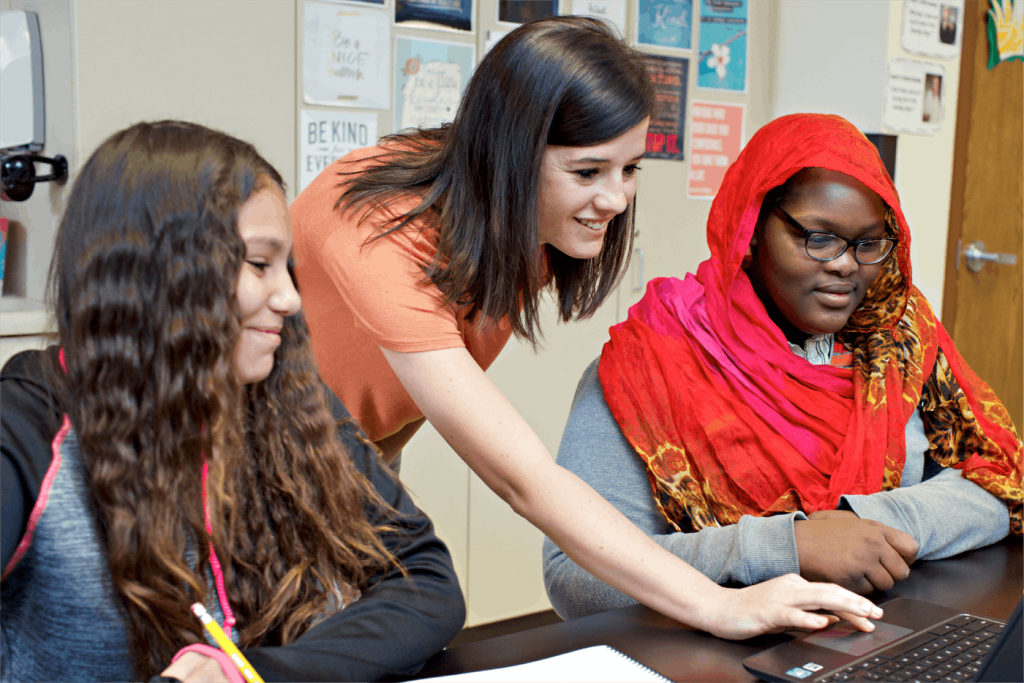
Stay connected!

Join our community and get new episodes every other Wednesday!

We’ll also share new and exciting free resources for your classroom every month!

What Jennifer Roberts says about science

“If I’m not teaching my students how to use this, then they’re not going to turn into the adults we need them to be… If we’re not at least trying to think about what our future world is going to look like, then we’re not serving our students well.”

– Jennifer Roberts

High School English Teacher

Meet the guests

Jen Roberts is a Nationally Board Certified high school English teacher with 25+ years of experience teaching Social Science and English Language Arts in grades 7-12. She has had 1:1 laptops for her students since 2008 and is the co-author of Power Up: Making the Shift to 1:1 Teaching and Learning. A Google for Education Certified Innovator since 2011, Jen was named the CUE Outstanding Educator in 2022. Her interests include literacy instruction, standards based grading, and leveraging Google tools to make her teaching more efficient and effective.

A woman with light skin and blond hair stands outdoors, framed by illustrated graphics including a blue flask and curved lines. Green foliage is visible in the background.

Donnie Piercey, the 2021 Kentucky Teacher of the Year, is a fifth-grade teacher in Lexington, Kentucky.  With a passion for utilizing technology to promote student inquiry, learning, and engagement, he has been teaching since 2007. In addition to being in the classroom, he runs a podcast, Teachers Passing Notes that is produced by the Peabody Award winning GZMShows, and holds several recognitions, including a National Geographic Fellowship to Antarctica in 2018. His most recent work in Artificial Intelligence has not gone unnoticed, earning him multiple appearances on Good Morning America, the Associated Press, and PBS. His upcoming book, “50 Strategies for Integrating AI in the Classroom” published by Teacher Created Materials, is written for educators looking for practical classroom approaches to using AI. All told, Donnie has been invited to keynote and present at schools in thirty-three states and on five continents.

A man with short brown hair and a beard smiles at the camera, wearing a red shirt, framed by a circular graphic with a blue flask icon.
A laptop screen displays the “Science Connections: The Community” private group page, with science-themed icons decorating the background and edges.

About Science Connections

Welcome to Science Connections! Science is changing before our eyes, now more than ever. So…how do we help kids figure that out? We will bring on educators, scientists, and more to discuss the importance of high-quality science instruction. In this episode, hear from our host Eric Cross about his work engaging students as a K-8 science teacher. 

Program questions

Amplify Science is a flexible, blended K-8 science curriculum that addresses the following disciplines: Life Science, Earth and Space Science, Physical Science, and Engineering Design. Together, the units address 100% of the Next Generation Science Standards for grades K-8 and a significant number of the Common Core State Standards for English Language Arts, Literacy in Science and Technical Subjects, and Math. School districts that implement our elementary and middle school science curriculum are outfitted with print and digital resources as well as hands-on materials kits and engage with highly-qualified professional learning specialists to start strong.

We support both. The Lawrence Hall of Science has spoken to thousands of districts across the country and one of the many things they learned was that no one solution works for everyone; therefore, they developed Amplify Science to provide the maximum amount of flexibility so each district wouldn’t be forced into a single model of instruction.

We have suggested sequences for both the integrated and discipline-specific models. If you have a specific sequence that you want to teach, we can work with you to design a sequence that meets your needs.

Yes. Rather than separating Performance Expectations into physical science units, earth and space science units, and life science units, Amplify Science units are organized around anchoring phenomena designed to give students opportunities to dive deeply into certain disciplinary core ideas while also drawing from or applying to others. In organizing the Amplify Science middle school units, we have carefully sequenced these ideas within each grade level to support the development of deep and coherent understanding.

Many real-world phenomena cross the domain boundaries of life, physical, or earth and space science (as well as engineering). Each Amplify Science unit begins with an intriguing real-world phenomenon that poses a problem that needs to be understood and/or solved. By the end of the unit, students will have analyzed the anchor phenomenon across multiple scientific domains, possibly designed and tested an engineering solution, and always applied what they have learned in a different context.

For example:
In the unit Light Waves, students investigate the anchoring phenomenon of why Australia has a much higher skin cancer rate than countries at similar latitudes like Brazil. The focus of this unit is on disciplinary core ideas related to wave properties (PS4.A) and electromagnetic radiation (PS4.B). Students explore these physical science ideas deeply within the unit, and also draw on ideas from earth science (e.g., latitudinal variation of the sun’s energy) and life science (e.g., the effect of energy on the DNA in the nucleus of a cell) in order to explain the central phenomenon.

Yes. We believe hands-on experiences are critical to the study of science. Every unit in our curriculum comes with a kit of hands-on materials to allow students to roll up their sleeves and conduct hands-on investigations.

Absolutely. Amplify Science integrates all four STEM disciplines—science, technology, engineering, and math—in addition to English language arts throughout the curriculum.

Every lesson in Amplify Science explicitly calls out which CCSS Math and CCSS ELA standards are addressed. Amplify Science is not a math program, nor an ELA program; therefore, it does not address all of the Common Core standards. But the program does address a significant number of the standards as they pertain to science.

Yes, the program includes multiple summative assessments opportunities.

  • Grades 6–8 Science Seminars and final written arguments (formative and summative components): Culminating performance task for each core unit where students are introduced to a new real-world problem, collect and analyze evidence, examine a number of claims, and then engage in a full-class discussion where they must state which claims are best supported by the evidence, all while making clear their reasoning that connects the evidence to the claims. After the seminar, students then individually write their final scientific argument, drawing on the DCIs, SEPs, and CCCs they have used over the course of the unit to develop a sophisticated and convincing argument that addresses the problem they’ve been investigating. Rubrics, scoring guides, and examples of student responses at each scoring level are provided to teachers to support the assessment of students’ understanding of concepts and specific practices.
  • End-of-Unit Assessments: Targeted conversations (K–1), written responses (grades 2–5) or a combination of auto-scored multiple-choice questions and rubric-scored written responses (grades 6–8). Summative assessments for each unit are designed to provide valid, reliable, and fair measures of students’ progress and attainment of three-dimensional learning.
  • Benchmark assessments: Delivered four times per year in grades 3–5 and three times per year in grades 6–8, benchmark assessments report on students’ facility with each of the grade-level appropriate DCIs, SEPs, CCCs, and performance expectations of the NGSS.

No. While we do provide suggested sequences for integrated and domain courses, there are other logical ways to sequence the units and we expect that teachers will present the units in a variety of different orders and in any combination. There are a few notable exceptions. For example, students completing the Metabolism Engineering Internship should have completed the Metabolism core unit beforehand, or a unit that provides students with the same information. Amplify Science specifies prerequisites for each unit in the event that teachers are interested in using an Amplify Science unit in combination with other materials.

Amplify Science provides enough instructional content to fill 180 days of instruction.

For grades K-2, we offer 66 lessons that will address 100% of the NGSS and a substantial number of the CCSS-ELA for each grade.

For grades 3-5, we offer 88 lessons that will address 100% of the NGSS for each grade and a substantial number of the CCSS-ELA.

For grades 6-8, we offer 146 lessons that will address 100% of the NGSS for Middle School and a substantial number of the CCSS-ELA. Each lesson is designed to last 45 minutes; therefore, it will take some teachers more than 146 classroom days to teach all the lessons.

Some classes might last longer than one session due to a number of reasons (e.g., enthusiastic student conversations, challenging topics requiring deeper dives, more time needed to accommodate diverse learners, etc.). Also, teachers might want to supplement Amplify Science curriculum with some of their own favorite lessons. Lastly, the 146 lessons account for the inevitable assembly days, class trips, testing schedules, etc. We also offer a number of additional lessons that are not core to each unit, in the event teachers want to go deeper or expand upon a unit topic.

Grades K-1 lessons are designed for 45 minutes of science instruction.

Grades 2-5 lessons are designed for 60 minutes of science instruction.

Grades 6-8 lessons are designed for 45 minutes of science instruction.

It is not a problem if you do not allocate 45 mins of science instruction at K-1, or 60 mins at 2-5. Since there are a total of 66 lessons to address 100% of NGSS at grades K-2, and 88 lessons to address 100% of NGSS at 3-5, you can easily teach the lessons in smaller blocks and cover all of the content over the course of the school year.

Technical questions

To ensure that your hardware and network meet the minimum technical requirements for optimal performance and support of your digital curriculum products please see Amplify’s customer requirements page.

Season 9, Episode 5

What makes a literate brain, with Lori Josephson

On this episode of the podcast, Lori Josephson joins Susan to talk about her new book Calling All Neurons! How Reading and Spelling Happen. Lori discusses her journey into literacy and how she saw the need for an accessible, digestible book about the brain science behind learning to read — one that would be enjoyable for adults and students alike. Lori explains what a neuron is and shows how understanding neural networks is essential to understanding learning to read. She also delves into the importance of getting everyone in a student’s life involved in their literacy development. Lori and Susan also answer some listener-submitted questions, prompting discussions on how to help older elementary students who lack foundational skills and advice for educators who work with students with significant cognitive disabilities.

Meet Our Guest(s):

Lori C. Josephson

Lori C. Josephson

Lori Josephson is an expert in dyslexia who is a Fellow of the Orton Gillingham Academy and holds a master’s degree in special education–learning disabilities. She has had the privilege of teaching hundreds of struggling students how to make sense of print and text. She has also had the honor of working with thousands of teachers, training them how to teach and reach their students using methods based upon the complex brain processes involved in attaining literacy—the body of knowledge now referred to as the Science of Reading.

Meet our host, Susan Lambert

Susan Lambert is the Chief Academic Officer of Elementary Humanities at Amplify, and the host of Science of Reading: The Podcast. Throughout her career, she has focused on creating high-quality learning environments using evidence-based practices. Lambert is a mom of four, a grandma of four, a world traveler, and a collector of stories.

As the host of Science of Reading: The Podcast, Lambert explores the increasing body of scientific research around how reading is best taught. As a former classroom teacher, administrator, and curriculum developer, Lambert is dedicated to turning theory into best practices that educators can put right to use in the classroom, and to showcasing national models of reading instruction excellence.

Portrait of a woman with short blonde hair, wearing glasses, a black top, and a necklace. She is smiling and facing the camera.

Quotes

“I firmly believe that no matter how old you are, you still need to learn the same information.”

—Lori Josephson

“In my mind, I use this equation. Knowledge equals motivation, equals active learning, equals resilience, equals success.”

—Lori Josephson

“Creating a literate brain is a team sport. Everyone needs to be involved. The parents, caregivers, teachers—they need to be engaged in an interactive way.”

—Lori Josephson

“Literacy is a civil right. It's also a gift. It's an opportunity to share thoughts, feelings with others that can be revisited and saved.”

—Lori Josephson

Special miniseries, Episode 2

Nurturing multilingualism, with Jim Cummins, Ph.D.

Professor Emeritus Jim Cummins, Ph.D., joins Susan Lambert from the University of Toronto’s Ontario Institute for Studies in Education for an engaging conversation that explores the dynamics of language development and bilingual education, as well as the importance of a supportive learning environment for multilingual/English learners (ML/ELs). Cummins shares stories from his extensive experience and research in the field, highlighting the cognitive benefits of bilingualism, the importance of literacy engagement, and the role of translanguaging in educational settings. He also illuminates the challenges and opportunities in fostering multilingual capabilities and underscores the value of embracing students’ linguistic diversity in schools.

Meet Our Guest(s):

Jim Cummins, Ph.D.

Jim Cummins, Ph.D.

Jim Cummins is professor emeritus at the University of Toronto’s Ontario Institute for Studies in Education. His research focuses on literacy development in educational contexts characterized by linguistic and socioeconomic diversity. In numerous articles and books, he has explored the nature of language proficiency and its relationship to literacy development, with particular emphasis on the intersections of societal power relations, teacher-student identity negotiation, and literacy attainment. His most recent book Rethinking the Education of Multilingual Learners: A Critical Analysis of Theoretical Concepts was published in fall 2021. He is the recipient of the International Reading Association’s 1979 Albert J. Harris Award and has received honorary doctorates from five universities in North America and Europe.

Meet our host, Susan Lambert

Susan Lambert is the Chief Academic Officer of Elementary Humanities at Amplify, and the host of Science of Reading: The Podcast. Her career has been focused on creating high-quality learning environments using evidence-based practices. Lambert is a mom of four, a grandma of four, a world traveler, and a collector of stories.

As the host of Science of Reading: The Podcast, Lambert explores the increasing body of scientific research around how reading is best taught. As a former classroom teacher, administrator, and curriculum developer, Lambert is dedicated to turning theory into best practices that educators can put right to use in the classroom, and to showcasing national models of reading instruction excellence.

Retrato de una mujer caucásica sonriente con cabello rubio corto, involucrada en un podcast sobre la ciencia de la lectura, con gafas, lápiz labial rojo y un collar de perlas.

Quotes

“Virtually all the research highlights the importance of being in a communicative, interactive context if you want to pick up a language."

—Jim Cummins, Ph.D.

“There are differences between the linguistic demands of schooling and the kind of language that we use in everyday conversational context outside of school."

—Jim Cummins, Ph.D.

“All of these processes are amplified when there's a community of peers or people that we can discuss these ideas with, we can get feedback, we can explore ideas collectively."

—Jim Cummins, Ph.D.

Students showing progress with newly available Lexile measures in Amplify’s mCLASS:DIBELS Next

MetaMetrics®, developer of The Lexile® Framework for Reading, and Amplify, provider of mCLASS®:DIBELS Next®, are excited to announce their partnership and identify the reading gains that students have achieved. In the past year, more than 1.3 million students in kindergarten through sixth grade received Lexile® measures from Amplify’s mCLASS DIBELS Next assessment. The addition of Lexile measures to mCLASS:DIBELS Next Composite Scores provides supplementary information for selecting reading materials that support students’ reading behaviors and the development of literacy skills. In the past year, more than 90% of students in every grade, K-6, improved in their Lexile measures from beginning to end of year.

mCLASS:DIBELS Next is an early literacy assessment used to monitor the development of students’ foundational reading skills. It is the only licensed mobile version of the research-based DIBELS Next® assessment. DIBELS (Dynamic Indicators of Basic Early Literacy Skills) provides brief indicators of the essential skills that every child must master to become a proficient reader. mCLASS:DIBELS Next allows educators to quickly identify the needs of each student and inform next steps with instant analysis, reports and instructional planning tools. By making Lexile measures available to DIBELS Next test takers using the mCLASS system, educators can further personalize instruction with resources that match their students’ unique reading levels.

“Since the majority of reading growth occurs in the early grades, it is vital that struggling readers are identified early and receive the instruction needed to prevent them from falling behind,” said Malbert Smith, CEO, President, and Co-founder of MetaMetrics. “We are thrilled that, through this partnership, Lexile measures will be used to build and sharpen literacy skills for over a million students across the country.”

Lexile measures are used at the school level in various capacities in all 50 states. More than 35 million Lexile measures are reported from reading assessments and classroom programs annually. Recognized as the standard for matching readers with texts, tens of millions of students worldwide receive Lexile measures to help them choose targeted readings from more than 100 million articles, books and websites that have been measured. Lexile measures are also used as a tool for monitoring reading growth and progress towards college and career readiness.

mCLASS DIBELS Next provides an efficient and effective way for educators to know where their students are, what goals they need to attain to be proficient readers, and their ongoing progress toward those goals. The Lexile measure evaluates the quantitative dimension of text complexity to report the reading skills of students and the readability of text on the same scale. Together, DIBELS Next Composite Scores, instructional reading levels, and Lexile measures provide a rich pool of information to draw from when selecting reading materials that are appropriately challenging and complex to support students’ reading habits and the development of literacy skills.

About MetaMetrics MetaMetrics is focused on improving education for learners of all ages and ability levels. The organization develops scientific measures of academic achievement and complementary technologies that link assessment results with real-world instruction. MetaMetrics’ products and services for reading (The Lexile® Framework for ReadingEl Sistema Lexile® para Leer), mathematics (The Quantile® Framework for Mathematics) and writing (The Lexile® Framework for Writing) provide unique insights about academic ability and the potential for growth, enabling individuals to achieve their goals at every stage of development.

About Amplify Amplify is reimagining the way teachers teach and students learn. Our products and services lead the way in data-driven instruction, one-to-one mobile learning and next-generation digital curriculum and assessment. Amplify is led by a team of digital education experts and has provided innovative technology to the K-12 market for more than a decade. As a pioneer of mobile assessments and instructional analytics, we have supported more than 200,000 educators and 3 million students in all 50 states as they begin their digital transition. For more information, visit www.amplify.com.

Contact: media@amplify.com